e24. ZEN - A Wireless Split Keyboard with a Built-In Trackball, Powered by AAA Batteries
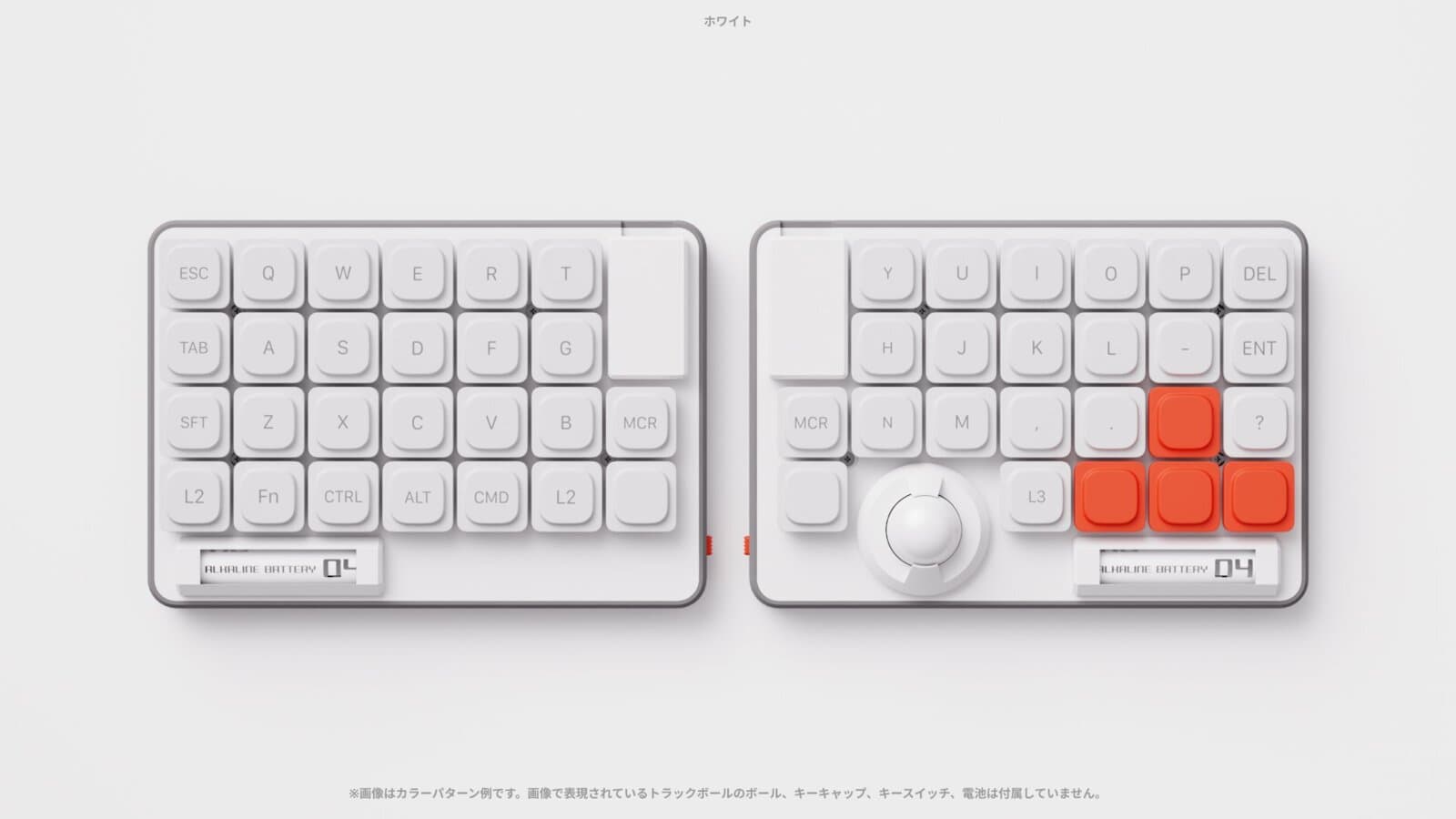
Split keyboards with a trackball usually look complicated and aggressive. This one is two white plates with keys laid out neatly, and a single trackball tucked right where your right thumb sits. A Japanese independent maker sells it in small batches as a kit on BOOTH, and it looked so tidy that I stared at it for a good while.
📊 Quick Info
| Item | Details |
|---|---|
| Brand | e24. (Japanese independent maker, sold on BOOTH) |
| Price | ¥30,000 (base kit; parts and shipping not included) |
| Contents | Left and right halves as a set. Board, trackball sensor (PMW3610), case, and battery holder come assembled and soldered |
| Specs | 50 keys total across both halves, 100×144mm per half, 10mm thick body, Choc v2 / MX-compatible hot-swap |
| Key features | Right-hand trackball, AAA battery power, wireless, freely editable keymap via ZMK firmware |
| One-line verdict | ⭐⭐⭐⭐☆ I'm amazed they made a split + trackball combo look this clean |
✨ 3-Line Summary
- 👍 Biggest strength: You can move the cursor with your thumb without lifting your hands off the keys while typing. It runs on AAA batteries, so there's no lithium battery to worry about
- 👎 Downsides: It isn't a finished product. You have to buy the controllers, switches, keycaps, and trackball separately, put them in, and write the firmware yourself. It's currently sold out
- 🎯 Recommended for: People interested in split keyboards and trackballs who enjoy picking parts and assembling them
📸 Product Tour
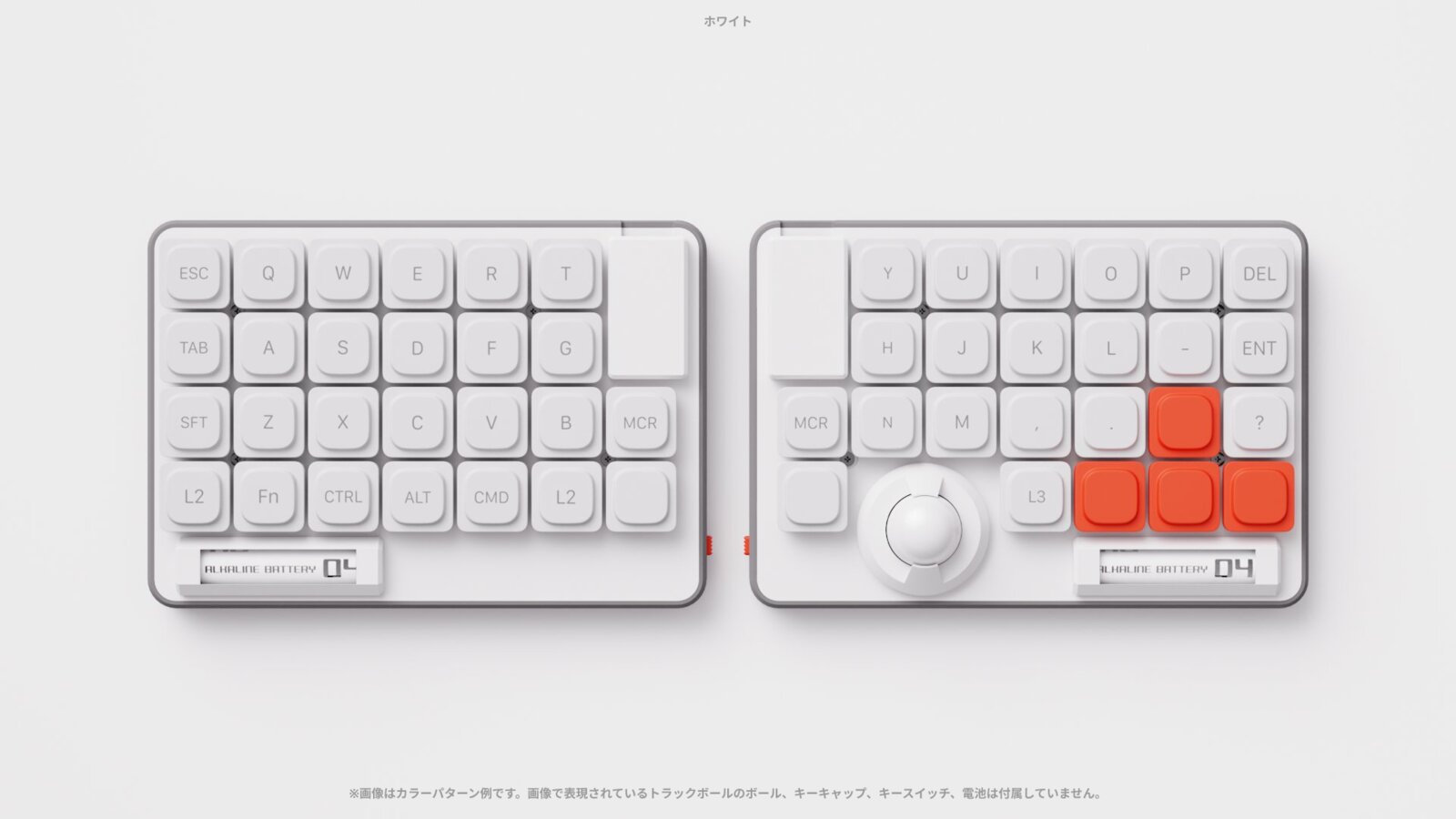
The white version. The trackball sits at the lower-right thumb position, and only the arrow keys use orange keys (maker's 3DCG render)
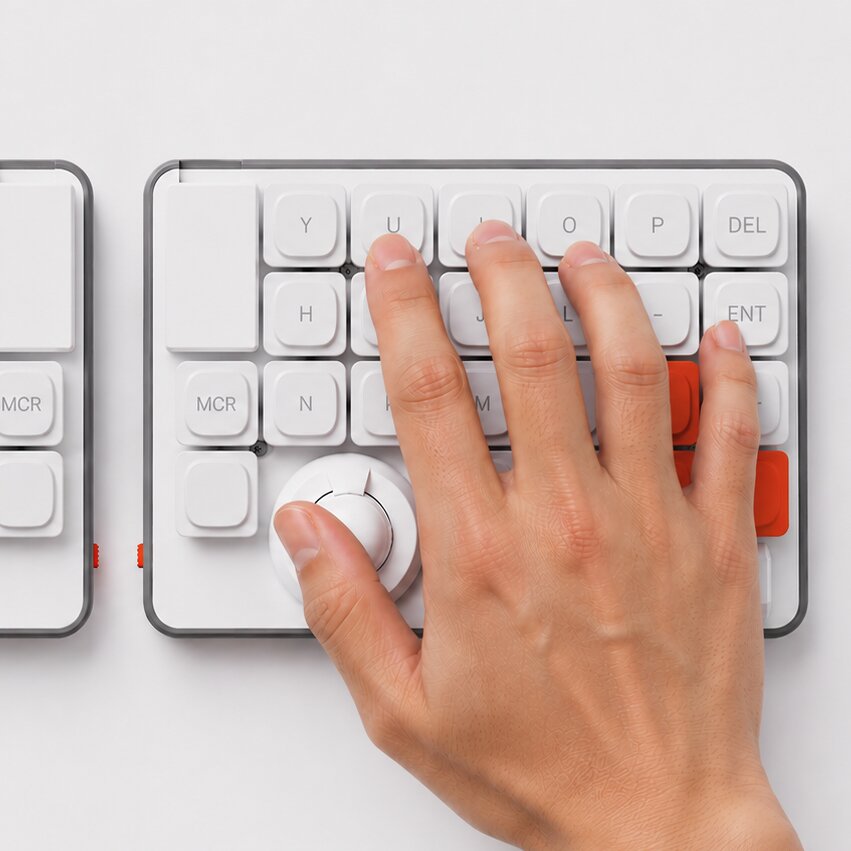
The layout puts the trackball right under your thumb when you rest your hand naturally
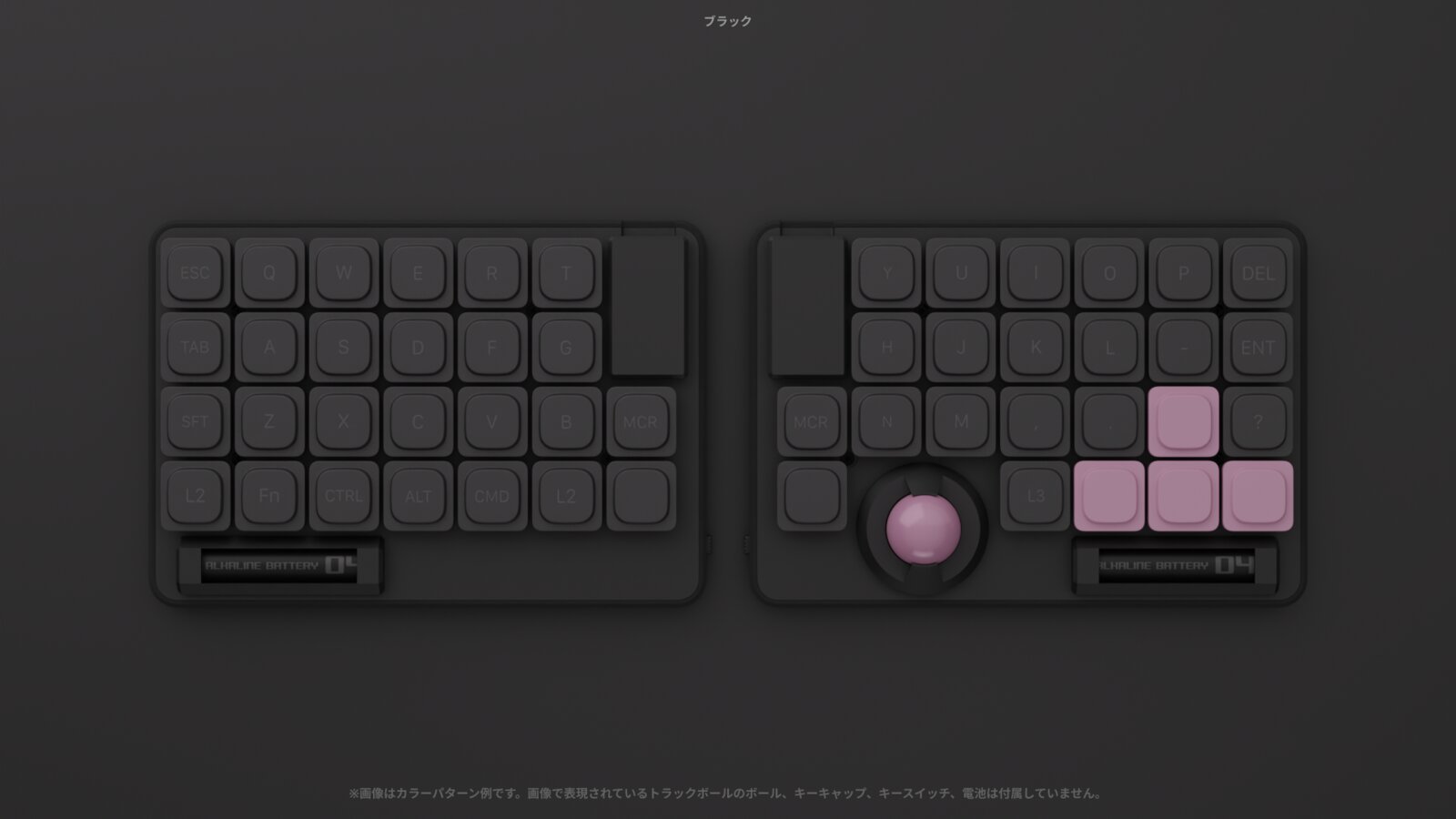
The black version. The trackball and arrow keys are pink-toned
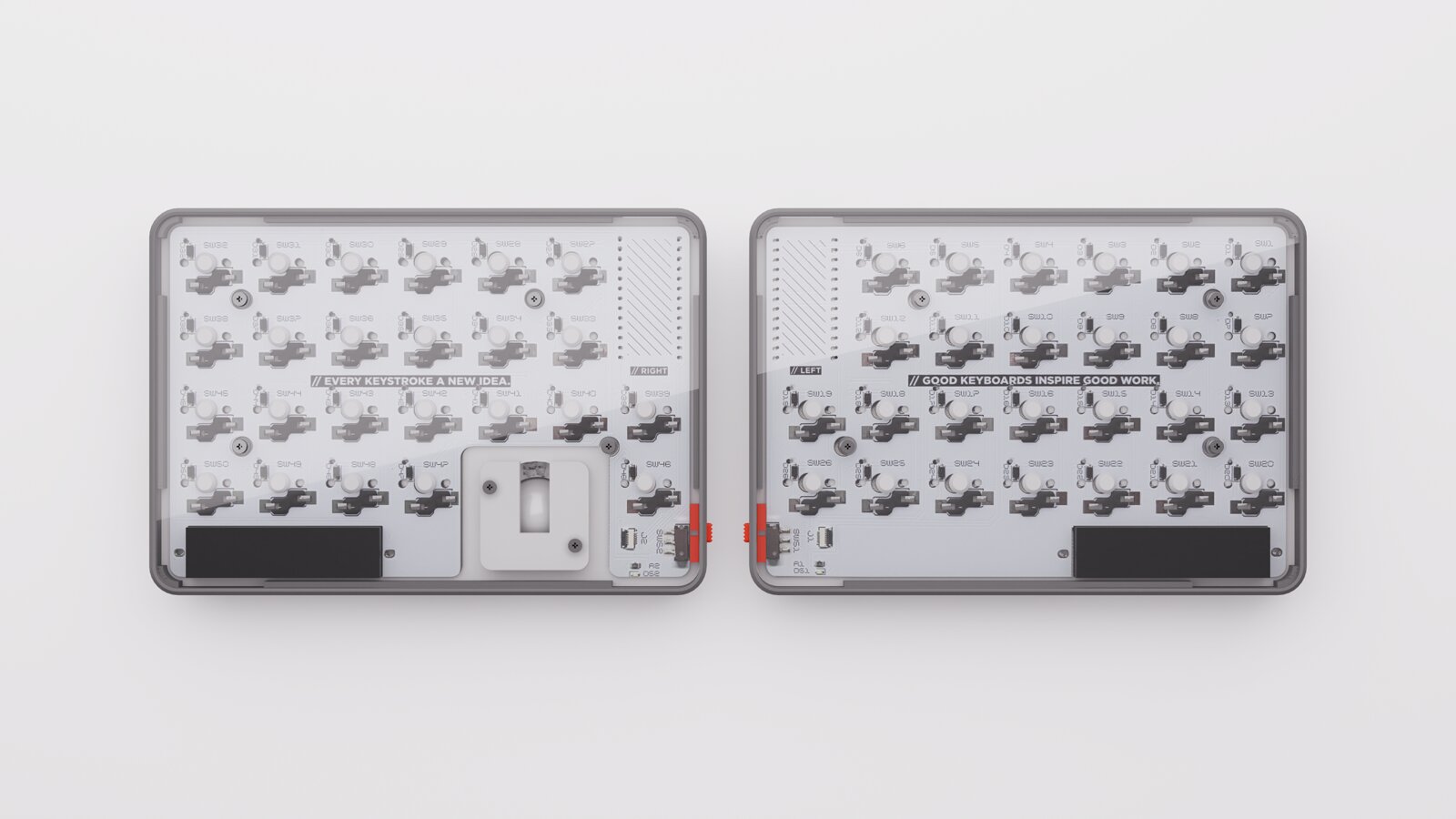
The bottom is clear acrylic, so you can see the board. The trackball sensor is in the middle and the battery holder is at the bottom
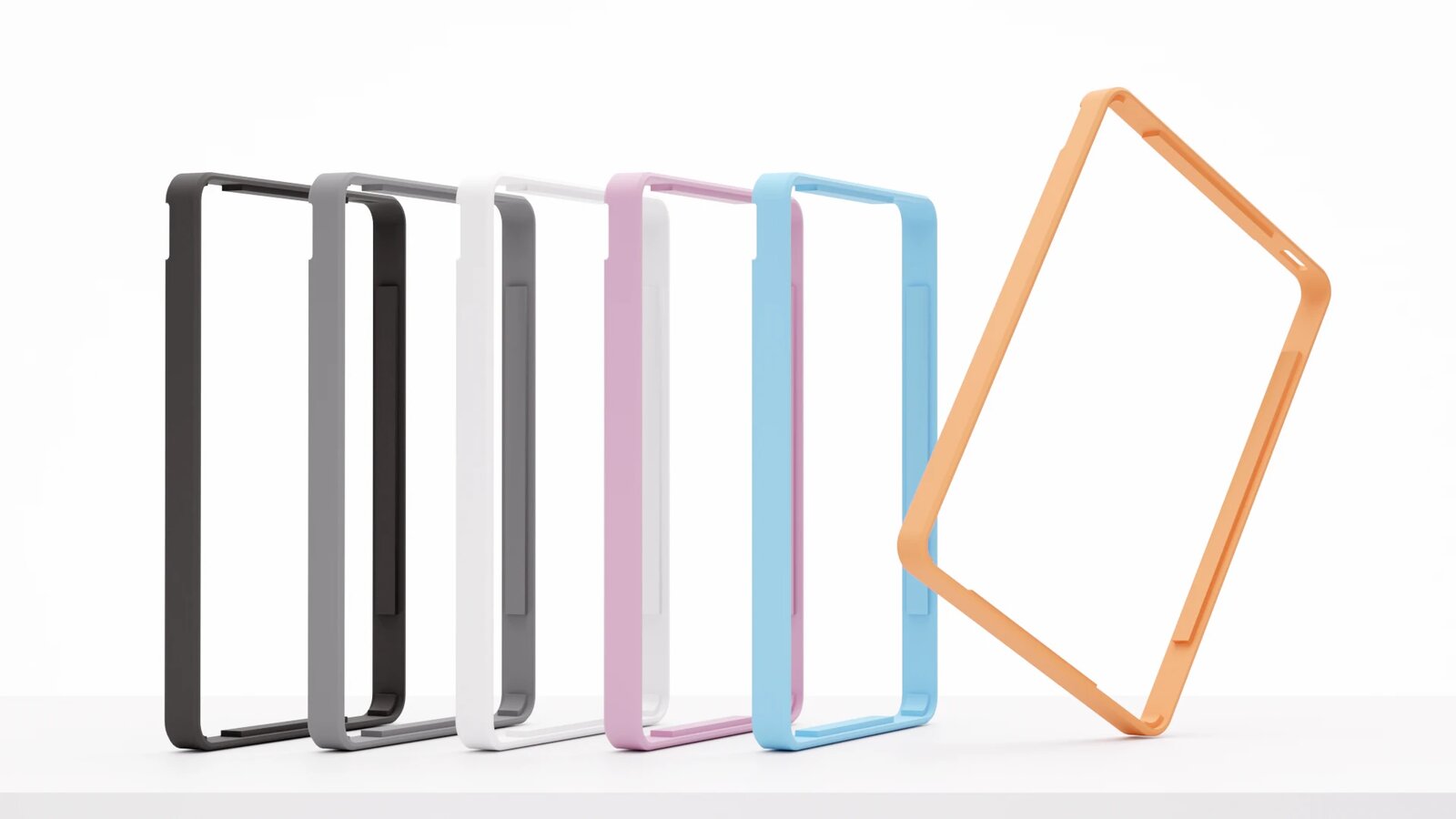
The bumpers that fit around the edge can be swapped for other colors. STL files for 3D printing are publicly available
🔍 Why It Caught My Eye
No more jumping between keyboard and mouse
Moving your hand from the keyboard to the mouse takes only a moment, but you repeat it hundreds of times a day. ZEN puts a trackball where your right thumb reaches. While writing, you can leave your hands in place, move the cursor with your thumb, and go straight back to typing. If you've used a split keyboard and never quite figured out where the mouse should go, this layout should be especially welcome.
A key layout that doesn't feel foreign
Many people give up on split keyboards because the layout is too different to adjust to. The maker says the goal was to keep a familiar key layout and not stray far from the usual trackball position. Enter, Delete, the arrow keys, and Space are placed where your fingers naturally land, which should make it less confusing for a first-time user.
AAA batteries instead of charging
Most wireless DIY keyboards use lithium-polymer batteries, which can be a hassle to store and replace. ZEN uses AAA batteries you can buy at a convenience store. According to the maker, it's designed to last a few months depending on how you use it. Not having to carry a charging cable actually seems more convenient for an everyday tool.
A skeleton bottom that looks good flipped over
The bottom is clear acrylic, so the board and components are all visible. The edge bumpers can be swapped for other colors, and the STL files are public, so if you have a 3D printer you can print your own. You can tell the maker cared about how it looks, not just how it works.
A DIY keyboard you can start without soldering
The board, trackball sensor, case, and battery holder arrive assembled and soldered. All you do is flash the firmware to the controllers, plug in the parts, and pair. The firmware is ZMK, so you can change every key and layer in a browser-based keymap editor, and reportedly you can register up to 4 devices and switch between them with one key.
🤔 What Gives Me Pause
It's a kit, not a finished product
The ¥30,000 gets you only the body. You need to prepare 2 wireless controllers, 4 pin headers, 50 key switches, 50 keycaps, a 19mm trackball, and AAA batteries separately. Once you add up the parts, the total cost climbs quite a bit. You also have to flash the firmware onto the controllers yourself, so it's a real barrier if this would be your first DIY keyboard.
It's sold out, and hard to buy from overseas
On the BOOTH page, both white and black are out of stock, with a limit of one per person. It's seller-shipped, so domestic shipping within Japan is the default. To buy from Korea, you may need to check whether they ship internationally or use a forwarding service.
Small-batch personal production means limited warranty
As the maker states, this is a product sold in small quantities by an individual. They'll handle firmware issues as far as they can, but hardware repairs may be difficult, and long-term warranty isn't assumed. Since the case is 3D printed, you may also see unit-to-unit differences such as layer lines.
Some photos are renders
Some of the photos on the sales page are finished images made in 3DCG. The actual colors and surface texture may differ a little.
📋 Product Traits (Subjective Ratings)
- Design: ⭐⭐⭐⭐⭐
- Portability: ⭐⭐⭐⭐☆ (100×144mm per half, 10mm thick)
- Practicality: ⭐⭐⭐⭐☆ (integrated trackball; user reviews still needed)
- Availability: ⭐⭐☆☆☆ (sold out, sold on Japan's BOOTH)
🛒 Before You Buy
✅ Recommended for
- People who use a split keyboard and never found a good spot for the mouse
- People who enjoy picking parts, assembling, and tinkering with keymaps
- People who find batteries more convenient than rechargeable ones
- People who like a tidy, minimal desk setup
❌ Not recommended for
- People who want a finished product they can use straight out of the box
- People who are uneasy about flashing firmware or setting up pairing
- People who need reliable after-sales service and a warranty
🎯 Final Verdict
ZEN combines a split keyboard with a trackball without making it look complicated. The thumb-position trackball, AAA batteries, clear bottom, and swappable bumpers all show an effort to make a daily tool a little more comfortable and fun.
That said, it's a kit rather than a finished product, so you have to prepare the parts separately and write the firmware yourself. It's sold out and sold in Japan, so it isn't easy to get either.
If you've wanted to try a DIY keyboard but soldering put you off, this is a kit worth waiting on for a restock. On the other hand, if you're looking for a wireless trackball keyboard you can use right away, you're better off looking at a finished product.
Source: e24. BOOTH product page · ZEN official introduction page
Related posts
TESSAN 8-in-1 Flat Plug Surge Protector - The Power Strip with a Built-In Cable
TESSAN UK Travel Adapter - Outlets and 4 USB-A/C Ports in One Body
Amazfit Helio Strap Pro - A Screenless Fitness Tracker You Just Strap to Your Wrist