Keychron T1 HE Wireless Trackball Mouse - An Adjustable Design That Moves the Ball to Fit Your Thumb
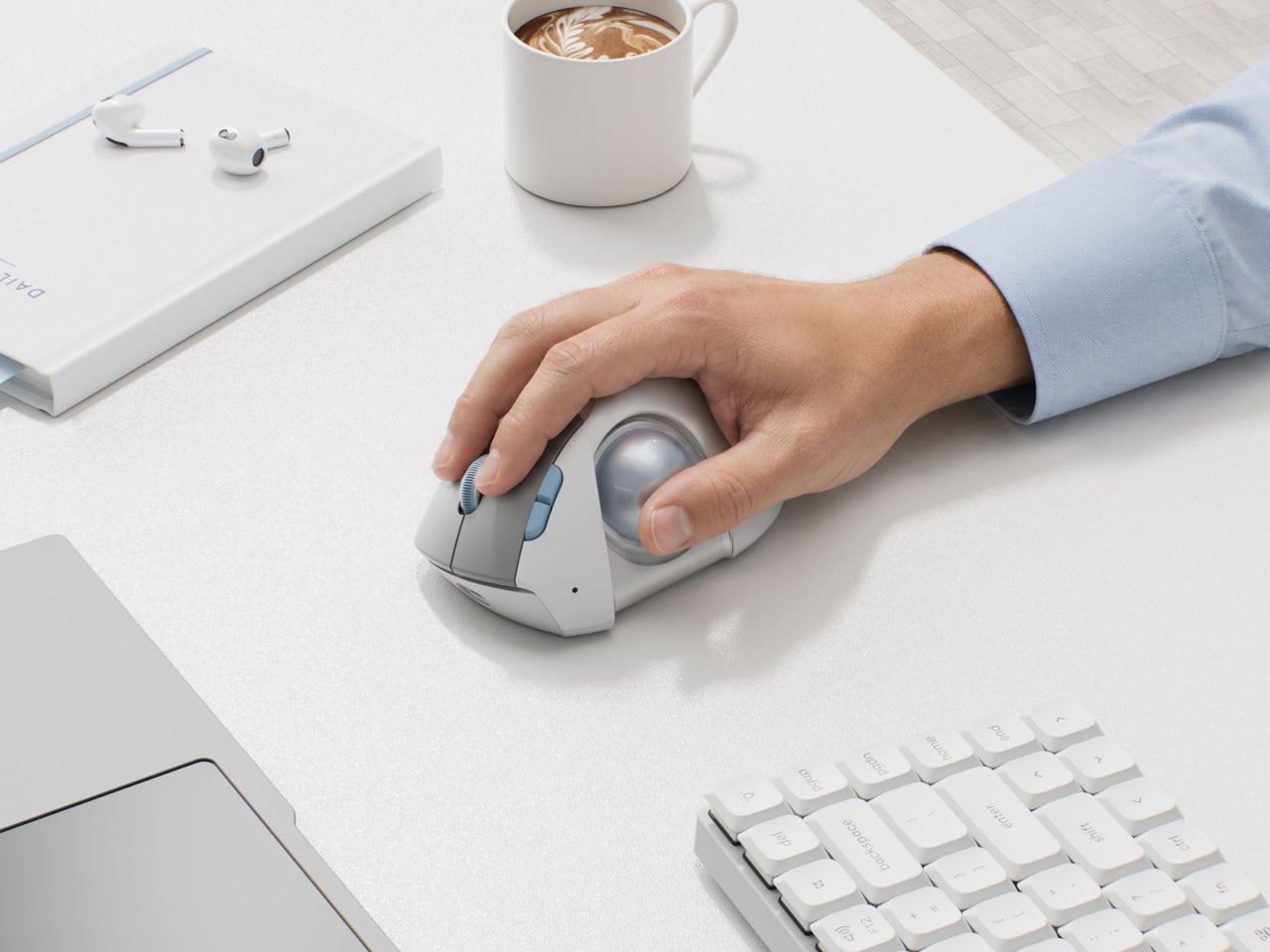
A mouse forces the same shape on people whose hands are all different sizes. Trackballs have the same problem: if the ball sits a little too far from where your thumb rests, you end up stretching your finger to reach it. What caught my eye about Keychron's upcoming T1 HE is that it lets you adjust that distance yourself.
📊 Quick Info
| Item | Details |
|---|---|
| Brand | Keychron |
| Price | TBD (not yet released) |
| Type | Right-handed thumb trackball, wireless |
| Ball size | About 1.34 inches in diameter |
| Colors | White (gray button panel, light blue accents), black, translucent |
| Verdict | ⭐⭐⭐⭐☆ The idea of a movable ball is a clear win |
✨ 3-Line Summary
- 👍 Biggest strength: The ball assembly slides left-right, forward-back, and up-down to fit where your thumb rests
- 👎 Downside: It's right-handed only, so it's not an option for left-handed users
- 🎯 Recommended for: Trackball beginners with limited desk space who want to move their wrist less
📸 Product Tour
You can see where the thumb meets the ball on top of the egg-shaped body
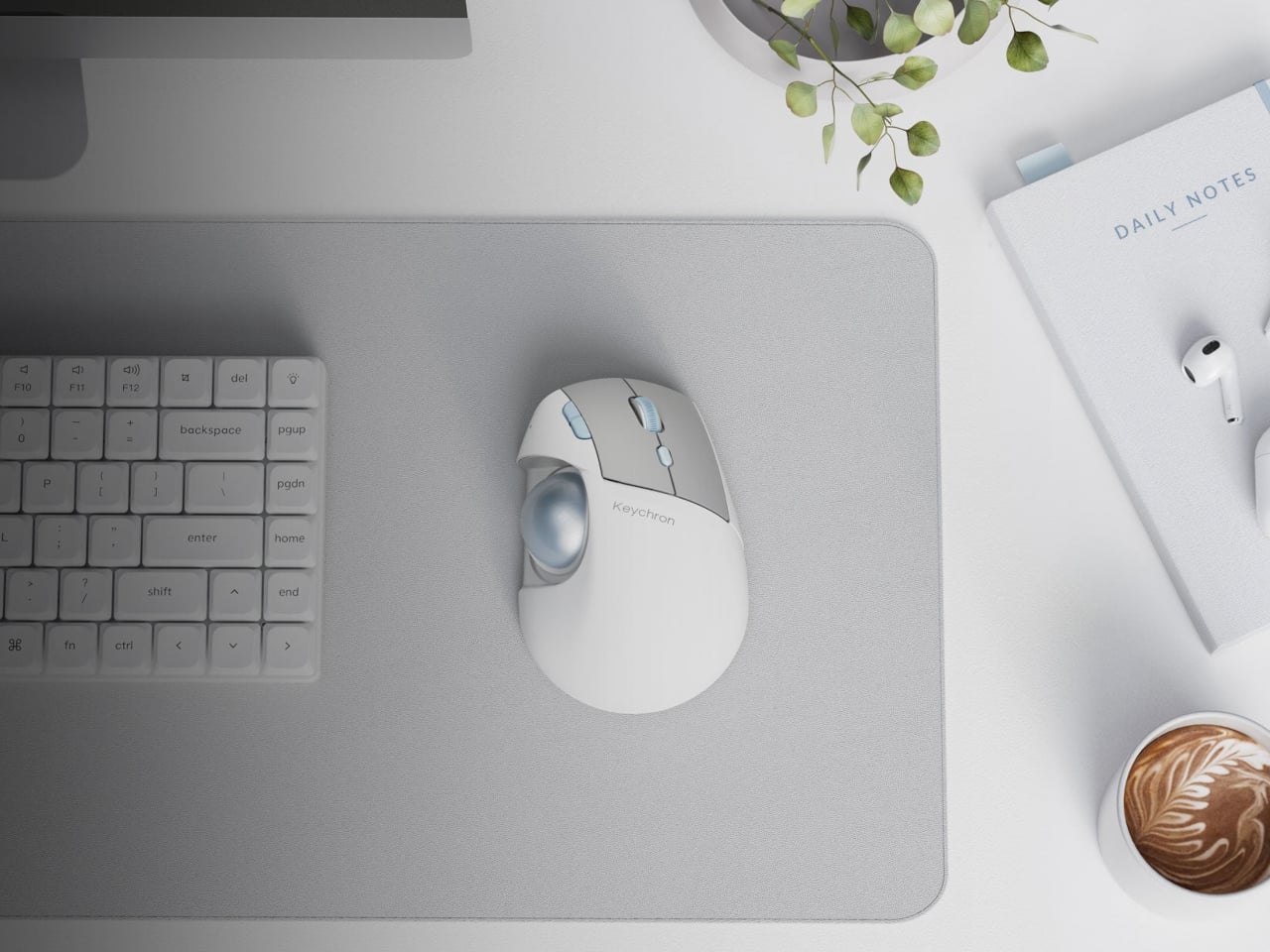
Placed in the same white tone as your keyboard and notebook, it makes the desk look much tidier
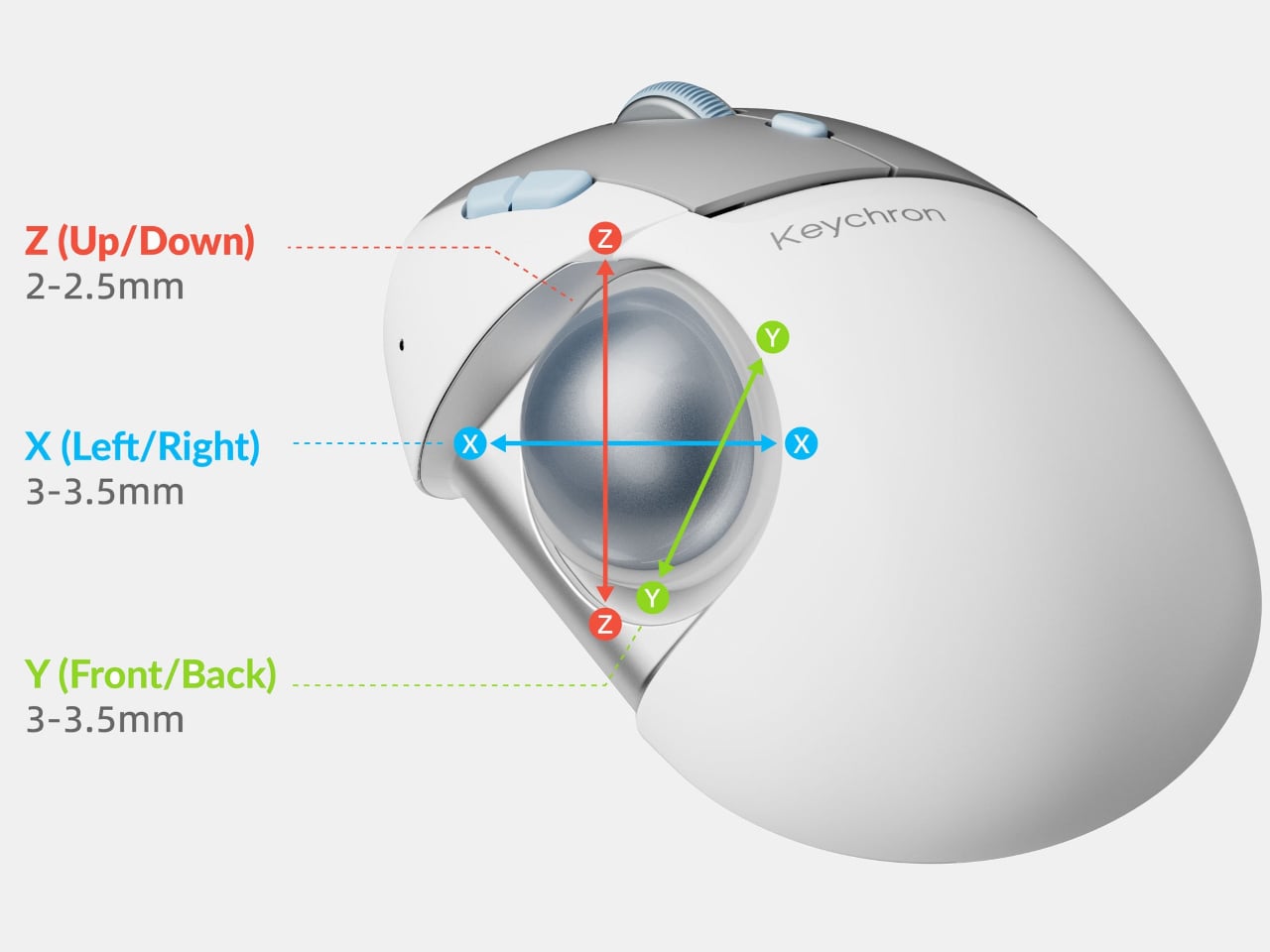
The structure moves about 3–3.5mm left-right, about 3–3.5mm forward-back, and about 2–2.5mm up-down
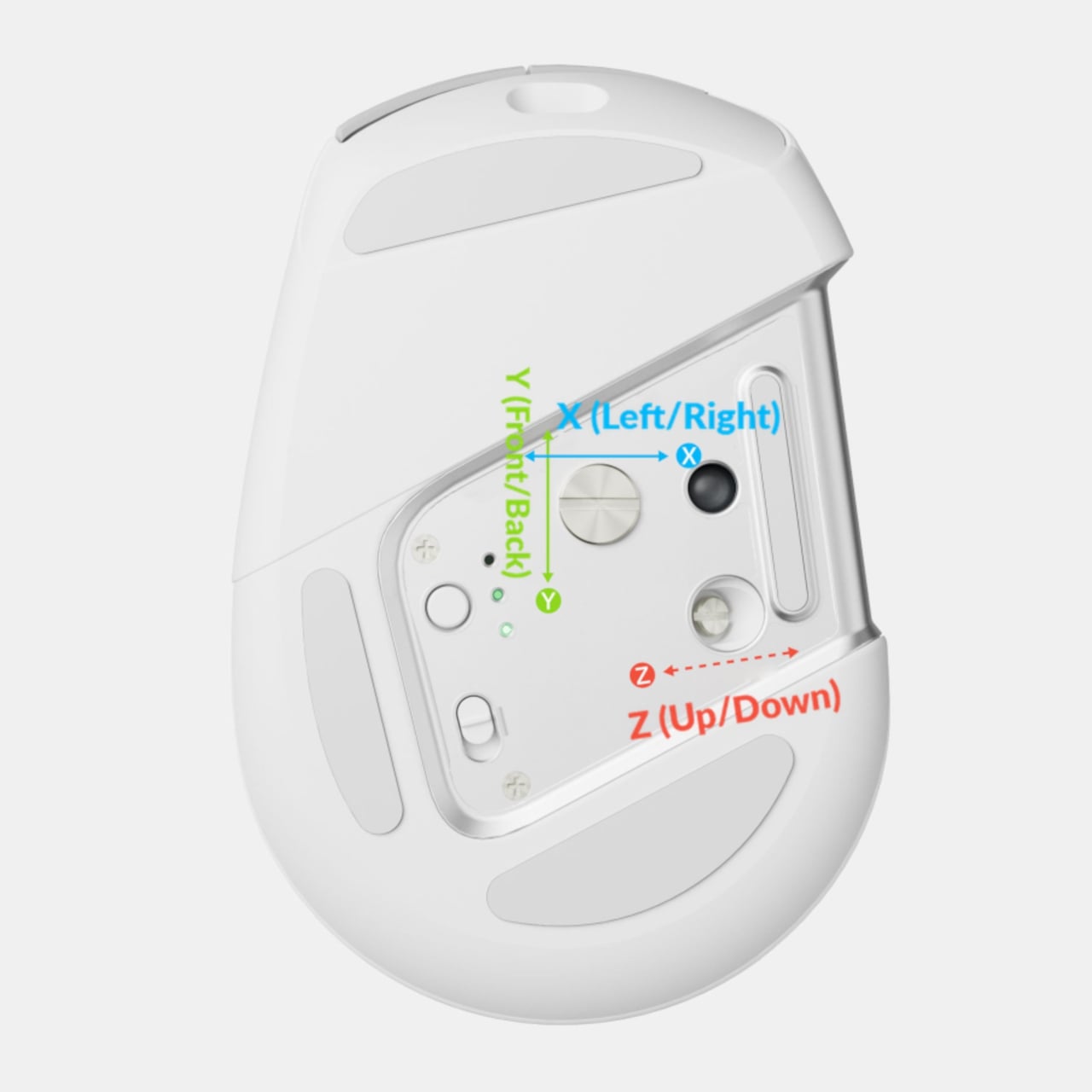
The adjustment mechanism is on the underside, so the exterior stays clean
🔍 Why It Caught My Attention
It changes the ball's position, not the ball
New trackballs usually brag about ball size or sensors, but this one reportedly lets you shift the entire ball assembly. The distances are only a few millimeters, so it's not dramatic, but the intent of putting the ball right where your thumb rests is clear, and that makes it convincing.
The mouse stays put
With a trackball, you don't move the body at all; you just roll the ball with your thumb. If your desk is cluttered or you don't have room to spread out a mouse pad, that could actually be more comfortable.
Easy to clean
You can reportedly pull the ball out and wipe the inside of the socket directly. Dust is the classic complaint with trackballs, so this is a practical touch.
🤔 What Gives Me Pause
It hasn't been released yet
I couldn't confirm the price or the exact release date. Whether the adjustment range is meaningful in real hands is also something I'd only know after trying it.
Right-handed only
Even with the ball moved, the design doesn't become symmetrical. If you use your left hand, you'll need to look at other products.
📋 Product Features (Subjective Ratings)
- Design: ⭐⭐⭐⭐☆
- Portability: ⭐⭐⭐☆☆
- Practicality: ⭐⭐⭐⭐☆
- Value for money: ⭐⭐⭐☆☆ (price unconfirmed)
🛒 Pre-Purchase Checklist
✅ Recommended for
- People who want to try a thumb trackball but worry it won't fit their hand
- People who feel short on room to move a mouse on a small desk
❌ Not recommended for
- People who use the mouse with their left hand
- People who mainly do precision graphics work or play FPS games
🎯 Final Verdict
A trackball is comfortable if it fits your hand and goes straight into a drawer if it doesn't, so the first purchase always feels risky. What's interesting about the T1 HE is that it offers a fix: if it doesn't fit, move it until it does.
That said, neither the price nor the release date has been set, and we'll only know whether the adjustment range is noticeable once reviews appear. For now, I'm treating it as something to put on my wishlist and wait for release news.
Source: Yanko Design product page
Related posts
Razer Carbon Fiber Collection - Same Shape, Just a Carbon Shell: A 49g Wireless Mouse

Insta360 Toast - A Screenless Photo Frame You Carry Like an Idol Photocard
Objet Charger - A Charger That Plants a Flower in Your Wall Outlet