Keychron F4 HE 8K Vibe Coding Keypad - Four Physical Buttons for Your AI Shortcuts
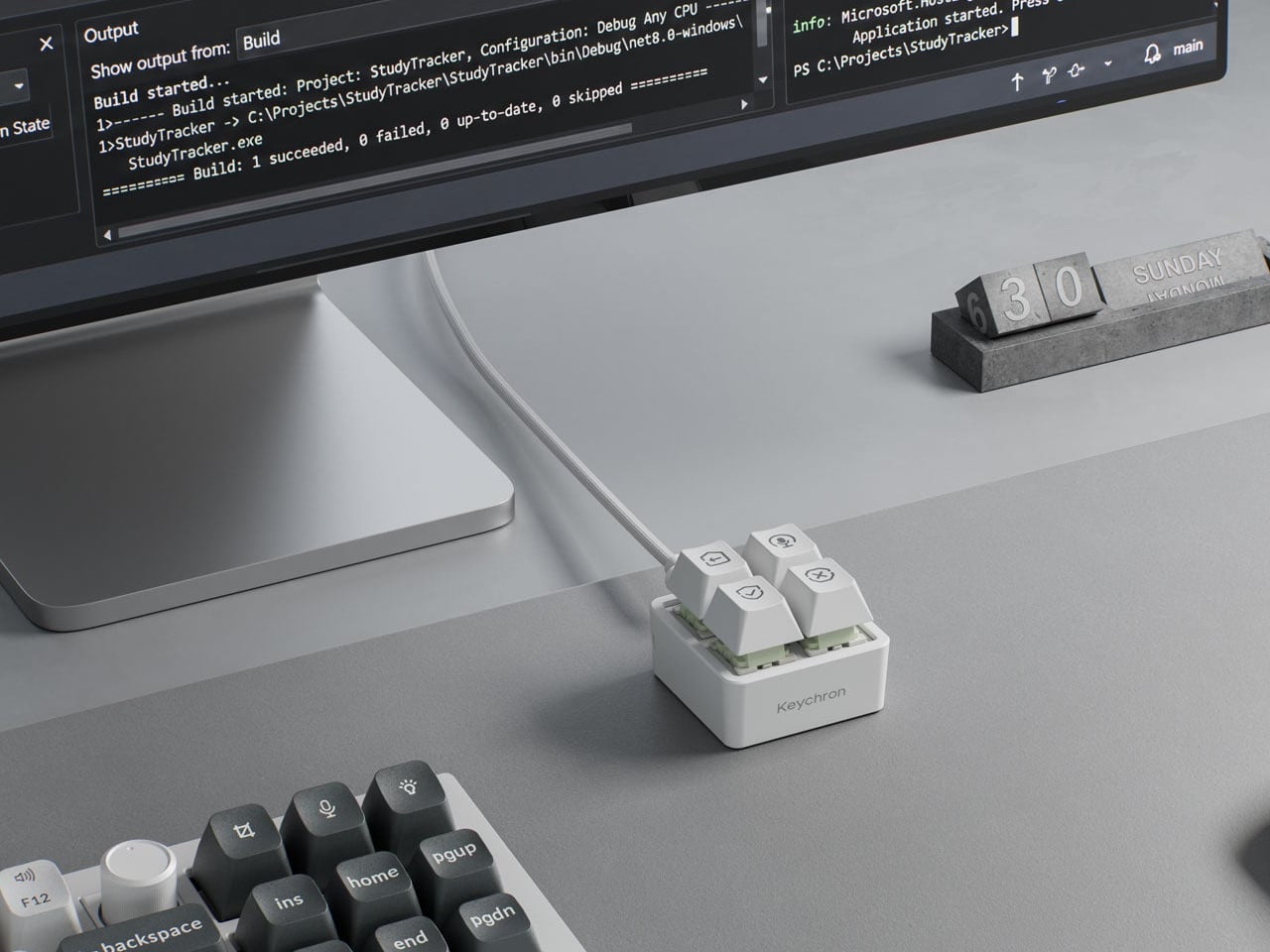
When you use AI coding tools, you end up repeating the same few actions over and over: entering a prompt, dictating by voice, approving a suggestion, rejecting a suggestion. Keychron's F4 HE 8K Vibe Coding Keypad gives each of those repeated actions its own dedicated button, four in total.
📊 Quick Info
| Item | Details |
|---|---|
| Brand | Keychron |
| Price | About $35 (KRW conversion needs confirmation) |
| Layout | 4 programmable keys, listed with 8K polling |
| Key feature | Dedicated shortcut layout for prompt, voice input, approve, and reject |
| One-line verdict | ⭐⭐⭐⭐☆ A small desk accessory with a clear purpose |
✨ 3-Line Summary
- 👍 Biggest strength: Dedicated keys for AI coding actions mean you don't have to hunt around the keyboard.
- 👎 Downside: With only 4 keys its use is narrow, and you have to set it up again if you switch tools.
- 🎯 Recommended for: Developers who use an AI coding assistant all day.
📸 Product Tour
The Keychron F4 HE 8K with icons engraved on its four keys
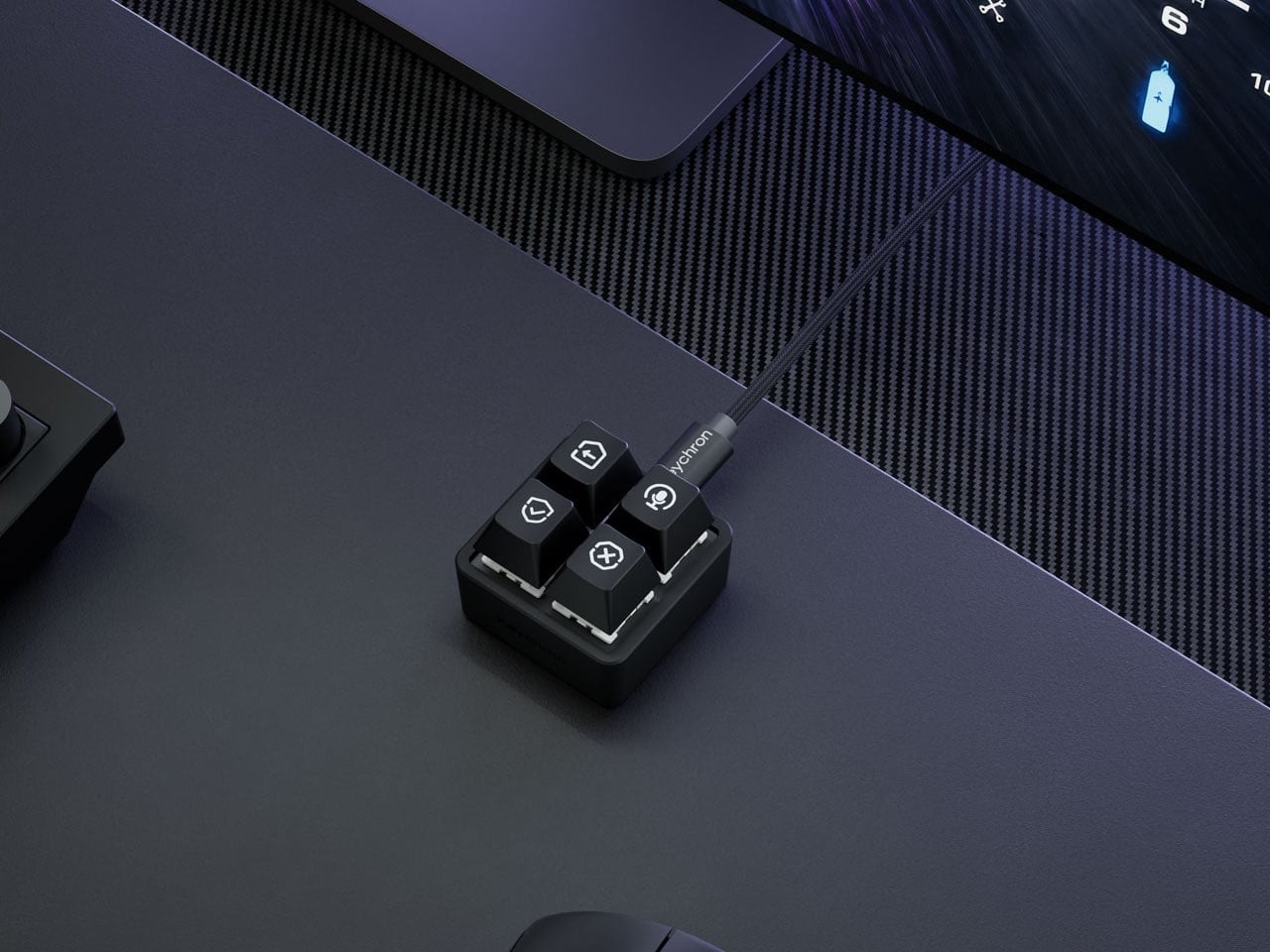
The small keypad sitting on a desk next to a keyboard
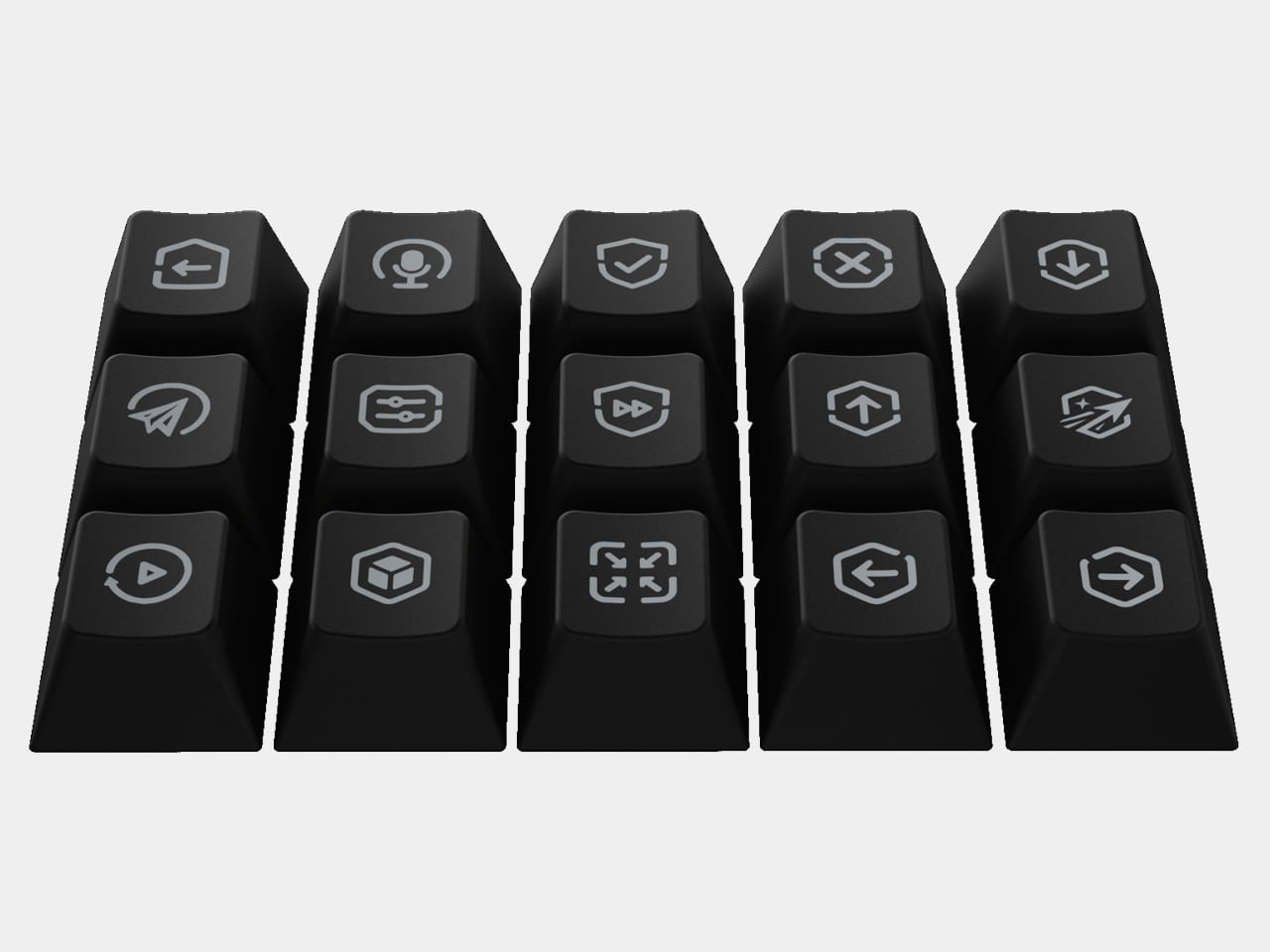
The dark-colored body and the programmable key layout
🔍 Why It Caught My Eye
Repeated actions at your fingertips
If you press the same shortcut dozens of times a day, the comfort of a dedicated button is probably bigger than it sounds. The point is that your fingers spend less time finding their way around the keyboard.
Small size, easy presence on the desk
With only four keys, it barely takes up any space on one side of your desk. It's a size that works anywhere, next to the keyboard or under the monitor.
Swappable keycaps for other uses
Since a set of replacement keycap icons appears alongside it, it looks designed for uses beyond AI coding too, like muting in meetings or copy and paste.
🤔 What Gives Me Pause
A narrow use case
If you already use a macro pad, this might not feel very new. In the end, how easy the software setup is will decide how satisfied you are.
Domestic purchase route unconfirmed
When I checked Coupang, no official listing came up. You may have to look at the official store or buy from overseas.
The price is a converted figure
$35 is based on the launch information, so the domestic price and shipping cost still need to be confirmed.
📋 Product Features (Subjective Ratings)
- Design: ⭐⭐⭐⭐☆
- Portability: ⭐⭐⭐⭐☆
- Practicality: ⭐⭐⭐⭐☆
- Value for money: ⭐⭐⭐⭐☆ (if the price matches reality)
🛒 Pre-Purchase Checklist
✅ Recommended for
- Developers who use AI coding tools all day
- People who want a small macro accessory on their desk
- People who often lose their way among keyboard shortcuts
❌ Not recommended for
- People who don't want more gear beyond a mouse and keyboard
- People who only use AI coding tools occasionally
- People who need an official domestic purchase option
🎯 Final Verdict
It's a small desk accessory with a clear purpose. The longer you spend handing work to an AI, the more valuable a dedicated input device like this becomes, I think.
That said, the domestic purchase route and how easy it really is to configure still need more checking, so for now I'm keeping it on my watch list.
Source: Yanko Design product page