Wokyis i5 Docking Station — A Macintosh-Inspired Hub with Built-in SSD Storage
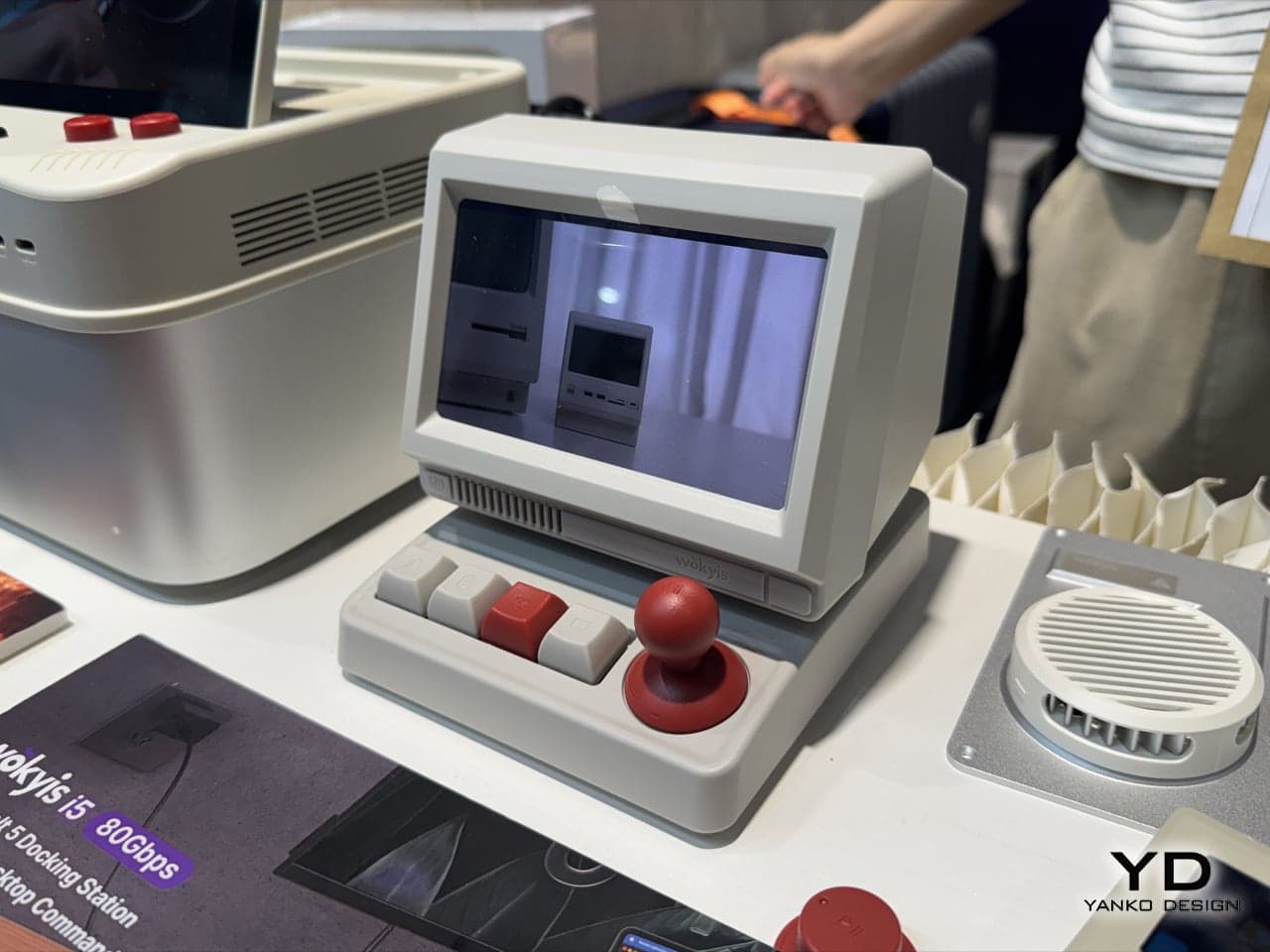
I was getting a little tired of every desk accessory being a monochrome slab of aluminum, so this docking hub caught my eye right away — it brings back the feel of old-school computers while packing in the latest functionality. The combination of a classic Macintosh shell with modern internals is a fun one.
📊 Quick Info
| Item | Details |
|---|---|
| Brand | Wokyis |
| Price | TBD |
| Materials/Specs | Multiple USB-A/USB-C 10Gbps ports, SD/microSD card reader, M.2 SSD slot, mini display, joystick-style shortcut controls |
| Key Features | Docking hub + SSD storage + mini screen status display + physical shortcut controls |
| One-line Verdict | ⭐⭐⭐⭐☆ A fantastic desk setup centerpiece |
✨ Three-Line Summary
- 👍 Best feature: Packs practical port configurations and an SSD slot into a retro Macintosh form factor
- 👎 Downside: Price and official release timeline are still unconfirmed (currently only shown at IFA 2026)
- 🎯 Best for: Anyone who wants to add a retro touch to their desk setup, or laptop users short on ports
📸 Product Gallery
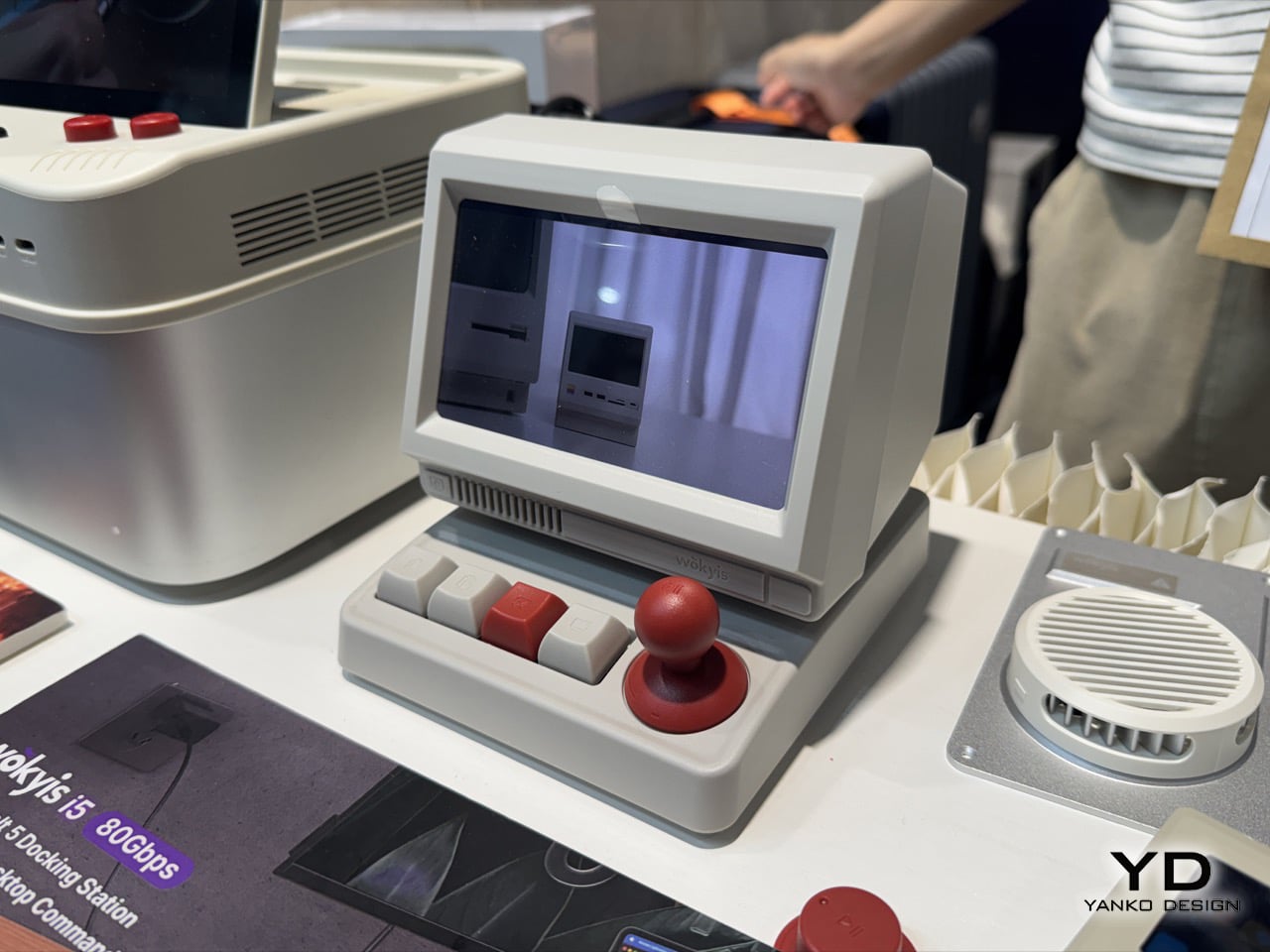
Shot on-site at IFA 2026 — the mini screen and joystick-style shortcut controls give it a classic Macintosh look
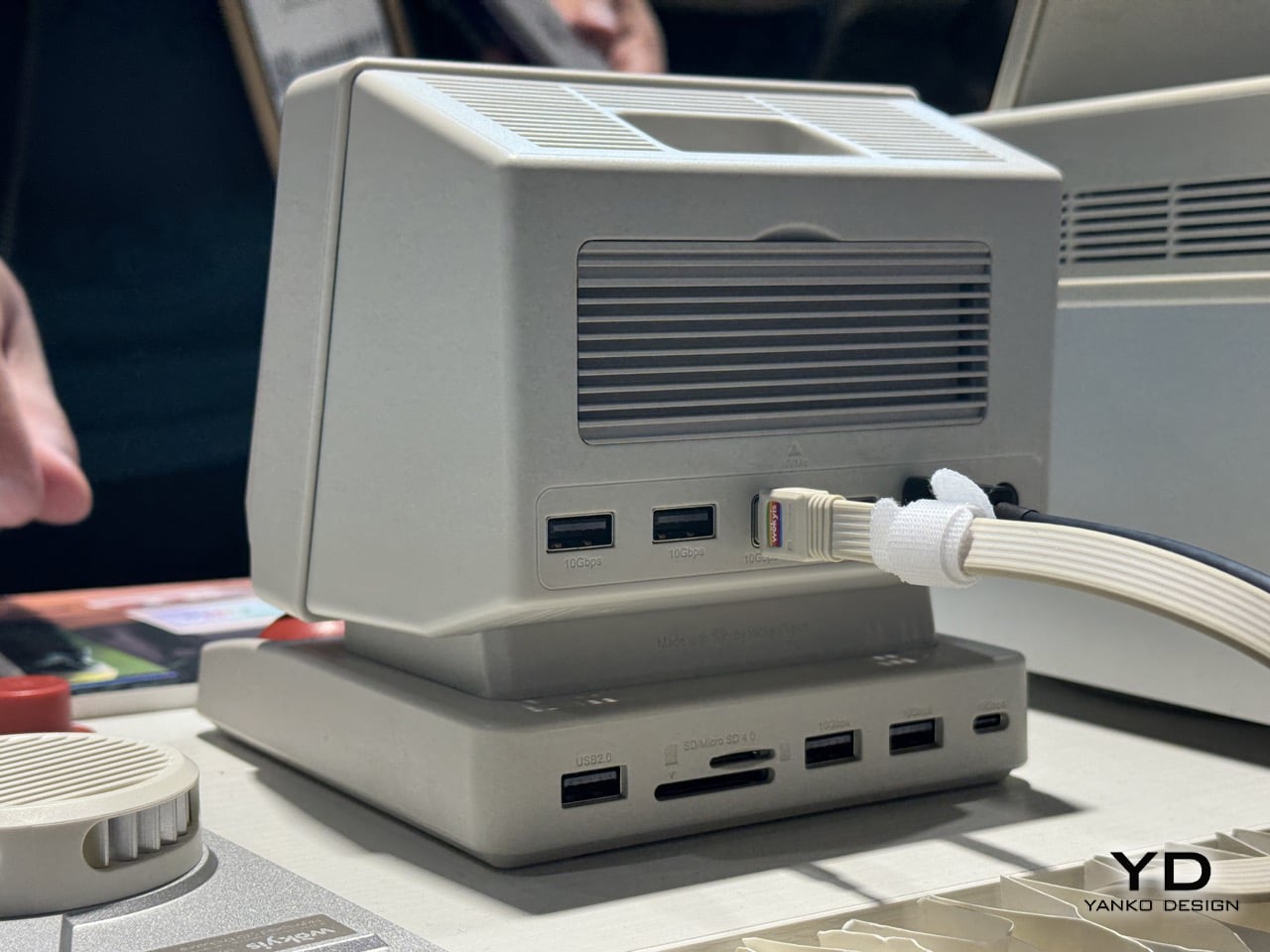
Rear USB-A and USB-C 10Gbps port layout
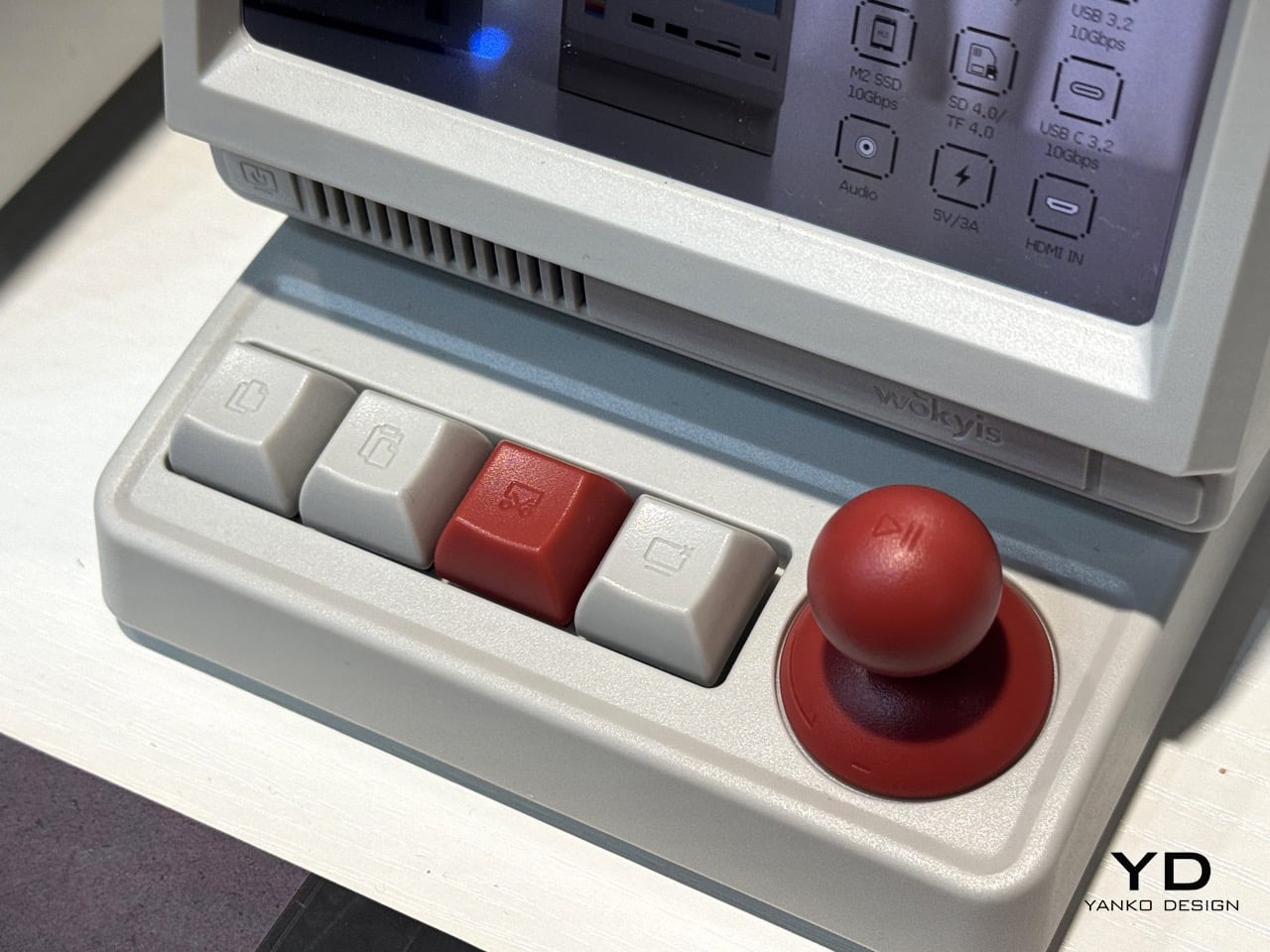
Close-up of the M.2 SSD, SD card, audio, and power port icons alongside the joystick-style shortcut control
🔍 Why I'm Interested
The retro form factor isn't just for show
The mini CRT-style screen reminiscent of a Macintosh actually functions as a display showing real info like connection status and transfer speed. I love that it recreates that old-school feel without sacrificing practicality.
A genuinely practical port lineup
With multiple USB-A and USB-C 10Gbps ports, an SD/microSD reader, and even an M.2 SSD slot, it looks like docking a single laptop could cover both expanded storage and peripheral connectivity in one go.
A physical joystick-style shortcut control
The red joystick and keycap-style buttons appear to handle shortcut functions like play/pause, and that kind of detail makes this feel less like "just a pretty hub" and more like "a hub that's actually fun to interact with."
🤔 Things to Consider
Release timing and pricing still unconfirmed
Since this was just unveiled on-site at IFA 2026, official sales and pricing haven't been announced yet. There's also a chance it could go the crowdfunding route.
Size and heat management
With a built-in SSD slot, we'll need actual hands-on reviews to know how well it manages heat and noise in real-world use.
📋 Product Features (Subjective Rating)
- Design: ⭐⭐⭐⭐⭐
- Portability: ⭐⭐☆☆☆ (desk-mounted)
- Practicality: ⭐⭐⭐⭐☆
- Value: ⭐⭐⭐☆☆ (pricing unconfirmed)
🛒 Before You Buy
✅ Recommended for
- Anyone who wants to add a retro, fun element to their desk setup
- Thin laptop users who are short on ports and also want SSD expansion
❌ Not recommended for
- Anyone who wants to keep a minimal, monochrome aluminum desk setup
- Anyone only looking for a finalized product available for immediate purchase
🎯 Final Verdict
Most docking hubs look pretty much the same — aluminum slabs — but this one makes its presence known on a desk purely through its form factor. What's more impressive is that it doesn't stop at looks, actually putting the mini screen and joystick shortcut controls to functional use.
It's not available for purchase yet since it hasn't officially launched, but if you're building out a retro-themed desk setup, this one's worth keeping an eye on.
Source: Yanko Design product page
Related posts
TESSAN 8-in-1 Flat Plug Surge Protector - The Power Strip with a Built-In Cable
TESSAN UK Travel Adapter - Outlets and 4 USB-A/C Ports in One Body
Amazfit Helio Strap Pro - A Screenless Fitness Tracker You Just Strap to Your Wrist