Prolo Ring - A Wearable Ring Controller for Clicking and Scrolling with One Finger

There are days when carrying a separate mouse feels like too much. Hop between a laptop, a tablet, and even smart glasses, and controllers pile up on your desk. This product caught my eye because it claims to shrink all of that down to a ring on a single finger.
📊 Quick Info
| Item | Details |
|---|---|
| Brand | Prolo |
| Price | TBD |
| Material/Specs | Polycarbonate shell, 23mm wide × 2.9mm thick, about 4.1–5.2g |
| Key Features | 18×30mm touchpad for cursor movement and scrolling, top touch strip for switching modes |
| One-Line Verdict | ⭐⭐⭐⭐☆ The idea is solid, but you'll need to try the fit yourself |
✨ 3-Line Summary
- 👍 Biggest strength: You can shrink the controllers on your desk down to a single ring
- 👎 Drawback: The wide band makes sizing tricky, and some actions need two hands
- 🎯 Recommended for: People who work across multiple devices in tight spaces
📸 Product Tour
A concept image of one ring connecting a laptop, TV, smartphone, glasses, and e-reader
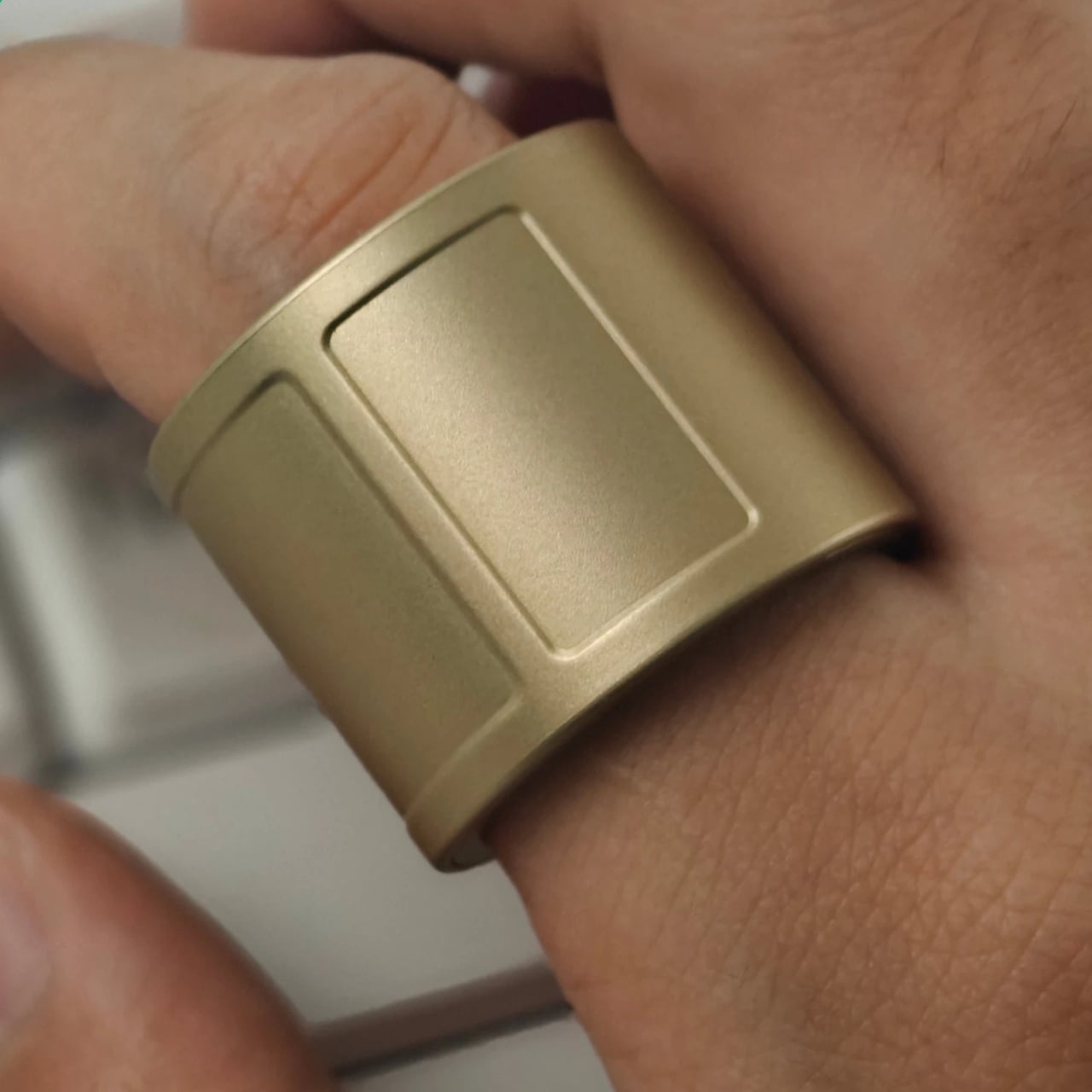
The touchpad your thumb reaches sits on top of the wide band
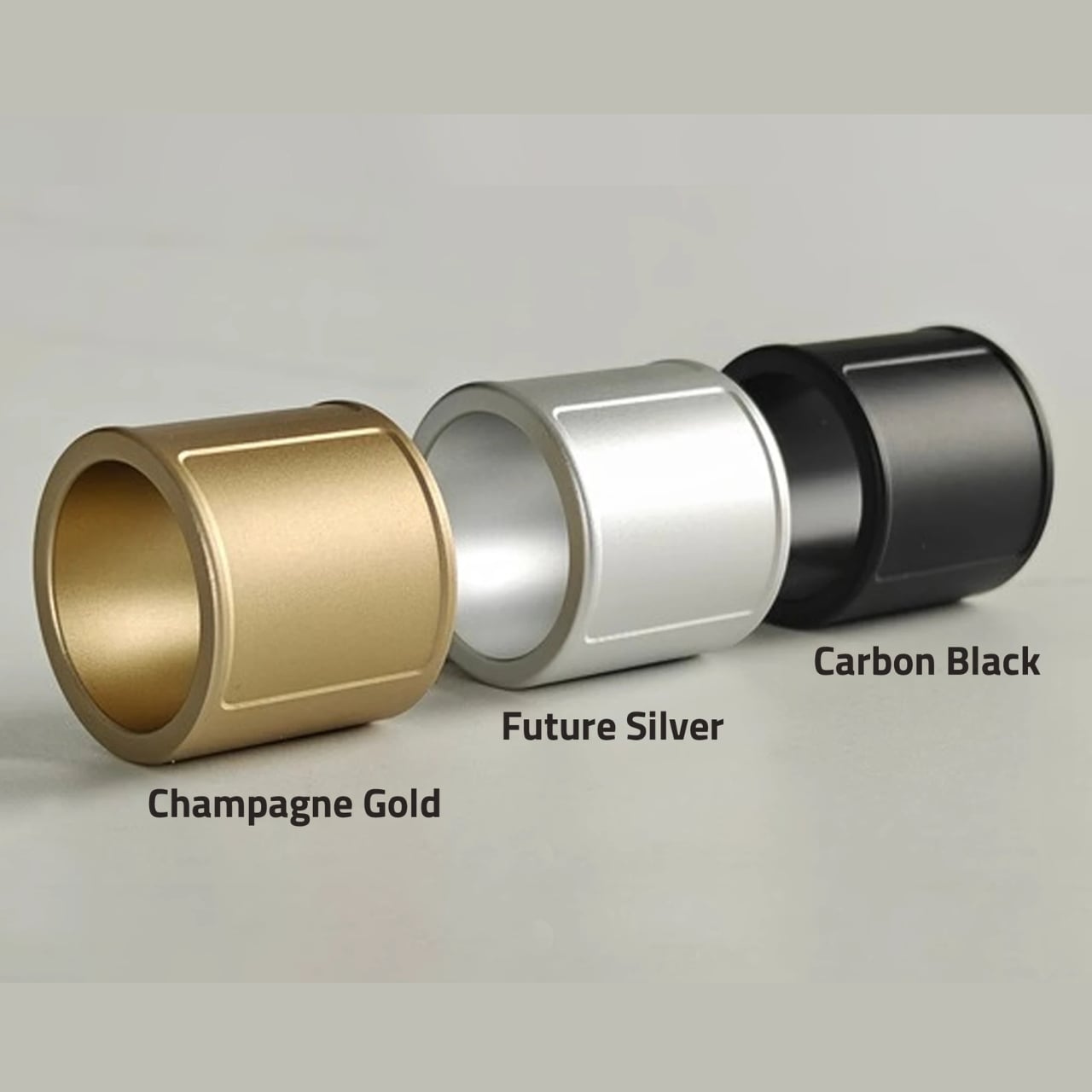
Three colors: Champagne Gold, Future Silver, and Carbon Black
🔍 Why It Caught My Eye
Controllers Shrunk to One Ring
Put a mouse next to your keyboard, add a presenter on top, and your desk gets cluttered fast. This ring sits on your index finger and you move the cursor with your thumb, so your hand doesn't have to leave the keyboard much. That's what appealed to me.
Room to Work With, Thanks to the Wide Band
The band is 23mm wide, which gives your thumb an 18×30mm touch surface. That's a far more realistic control area than rings that depend on one tiny button.
Modes and Joystick Assist
The top touch strip switches between cursor, navigation, touch, and air modes. There's also a joystick-assist feature: swipe from one end of the pad to the other and hold, and the cursor keeps moving. It makes up for the short travel of a finger-sized trackpad.
🤔 Things to Consider
Sizing Is Tricky
It supports US sizes 7–18, but your usual ring size may not match, so you're told to try a sizing kit first. If it's loose, you adjust it with the included shim.
Some Actions Need Two Hands
Some actions on the top strip require pressing it with your other hand, which may disappoint anyone who wants to do everything one-handed. With four modes, there's also a learning curve.
Price and Release Info
I couldn't confirm the price or exact sales terms. You'll definitely want to check the official page before buying.
📋 Product Features (Subjective Ratings)
- Design: ⭐⭐⭐⭐☆
- Portability: ⭐⭐⭐⭐⭐
- Practicality: ⭐⭐⭐⭐☆
- Value for money: ⭐⭐⭐☆☆ (price unconfirmed)
🛒 Pre-Purchase Checklist
✅ Recommended For
- People who work from a laptop alone at a small desk or a café
- People who switch between laptops, tablets, glasses, and other devices often
❌ Not Recommended For
- People who find wearing rings uncomfortable
- People who do a lot of precise cursor work and can't replace a mouse
🎯 Final Verdict
Packing an input device into such a small area is an interesting approach. I felt the wide band, which secures enough control surface, is the heart of the design.
That said, real-world fit and accuracy are things you only learn by using it. Sizing it first before making a call seems like the safe route.
Source: Yanko Design product page
Related posts
Amazon Bee Frontier & Eclipse - Wrist-Worn and Card-Style AI Devices That Summarize Your Conversations
Leica Q3 43 Formula 1 Edition - A Racing Edition Dressed in Carbon Grip and Microvelour
miniduct Kisses Smartwatch Power Bank - A Charger Shaped Like a Hershey's Kiss