BenQ iScreenBar - A Light Bar for iMac That Looks Like Apple Made It
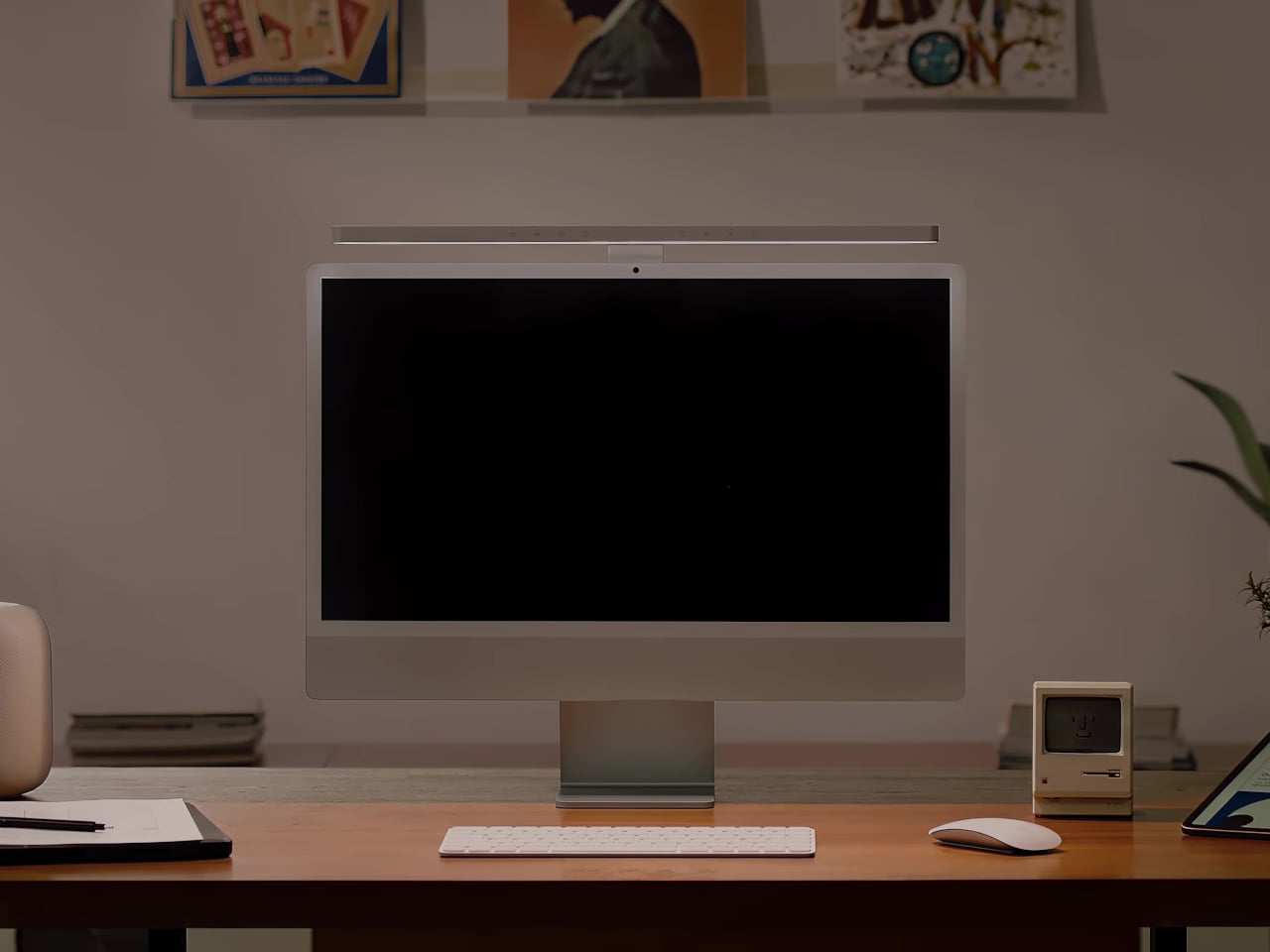
Monitor lighting is already a familiar category thanks to BenQ's ScreenBar, but this time what caught my eye is that it comes color-matched specifically for the iMac. The three colorways — green, silver, and blue — line up exactly with the iMac lineup, and that level of detail stood out to me.
📊 Quick Info
| Item | Details |
|---|---|
| Brand | BenQ |
| Price | $189 (international list price, domestic pricing TBD) |
| Material/Specs | Clip-on light bar for the top of a monitor, finished to match iMac's 3 colors (green, silver, blue) |
| Key Feature | Glare-free asymmetric lighting + a design that matches iMac's colorway |
| One-line Verdict | ⭐⭐⭐⭐☆ A third-party accessory finished well enough to pass as something Apple made |
✨ 3-Line Summary
- 👍 Best Part: A finish matched to iMac's colors that feels like a first-party accessory
- 👎 Downside: The appeal may fade if you're not an iMac user
- 🎯 Best For: Anyone using an iMac as their main desk setup who wants to keep a cohesive look
📸 Product Gallery
The light bar sits naturally on top of the iMac, with a finish that looks like it came in the box
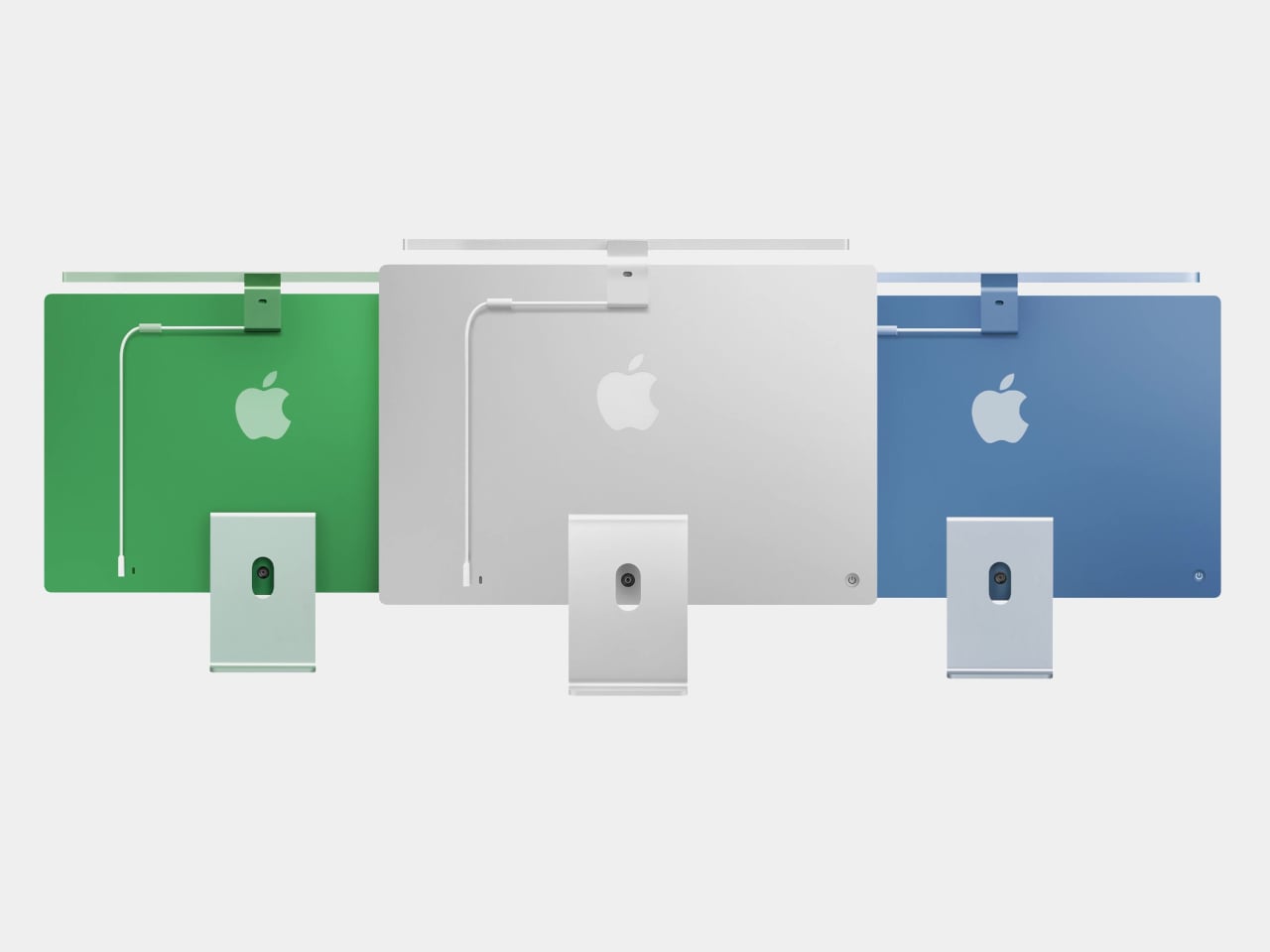
Three light bar variants matched to the green, silver, and blue iMac colors
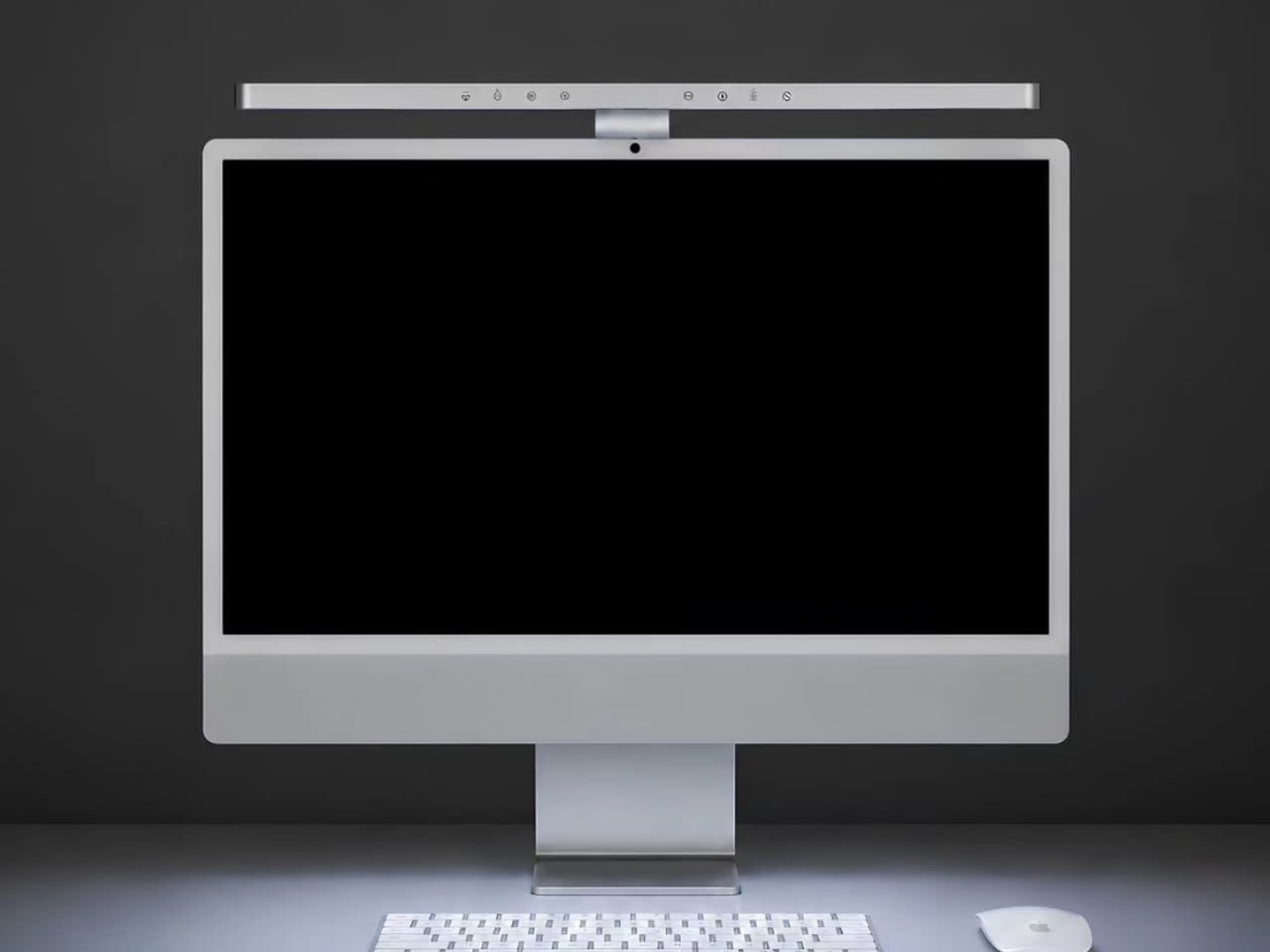
A clip-style mount that hooks over the top of the monitor
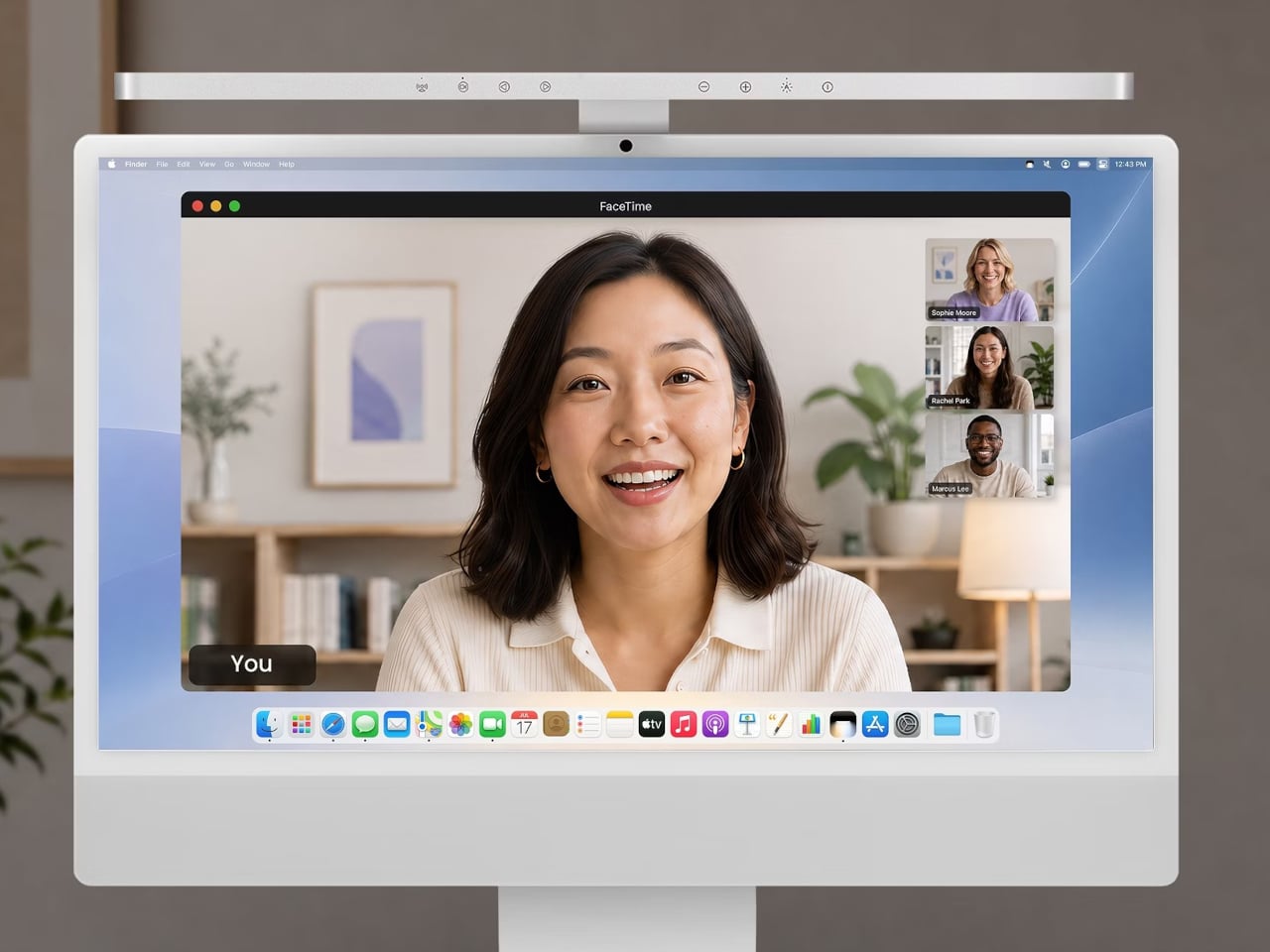
The downward lighting angle that illuminates the desk
🔍 Why I'm Interested
Detail down to matching the iMac's colors
It's rare for a third-party accessory to match the color of the device itself. Matching all three colors — green, silver, and blue — to the iMac lineup shows real intent from the manufacturer.
A lighting design with no screen glare
It's a practical touch that the bar shines downward from above the monitor while being angled to avoid reflecting off the screen. It seems like it would reduce eye strain during nighttime work.
The simplicity of a clip-on install
With no screws or adhesive needed — just hook it onto the top of the monitor — it's an accessory you can add right away without overhauling your desk setup.
🤔 Points to Consider
A design that's nearly iMac-exclusive
The color matching is both its strength and its limitation. If you use a different monitor, the color mismatch could stand out.
Whether the light bar category itself is necessary
If you're already using a standing desk lamp, you might wonder whether you really need to add this on top.
📋 Product Features (Subjective Rating)
- Design: ⭐⭐⭐⭐⭐
- Portability: ⭐⭐☆☆☆ (a fixed accessory)
- Practicality: ⭐⭐⭐⭐☆
- Value for Money: ⭐⭐⭐☆☆
🛒 Before You Buy
✅ Recommended for
- Anyone using an iMac as their main desk setup who wants a cohesive color scheme
- Anyone who needs glare-free desk lighting
❌ Not recommended for
- Anyone using a monitor other than an iMac
- Anyone already happy with their current desk lighting
🎯 Final Verdict
The monitor light bar category is nearly saturated at this point, but the finish matched to iMac's colors makes this one stand out. The "I'd believe Apple made this" praise doesn't seem to be an exaggeration.
If you're an iMac user, this is a pretty compelling option for adding lighting without disrupting your desk's color scheme.
Source: Yanko Design product page
Related posts
Q8botOne - A $599 Desk Robot Dog You Assemble Like LEGO Technic
Garmin Enduro 4 · Approach S72 - New Watches That Last Up to 320 Hours on a Single Charge
Edifier Hecate G2000 Bar - A Gaming Soundbar That Handles Voice Chat Without a Headset