Elgato Stream Deck+ 8-Month Review — A Productivity Tool with a New Dial
I picked up the Stream Deck+ because I wanted to keep my most-used functions right at my fingertips, and eight months in, it's become one of those tools I genuinely can't live without. The addition of the dial in particular takes it well beyond a simple button device.
📊 Quick Info
| Item | Details |
|---|---|
| Brand | Elgato |
| Price | $220 (Coupang) |
| Usage period | 8 months |
| Colors | Black / White |
| One-line verdict | ⭐⭐⭐⭐⭐ The dial takes this productivity tool to a whole new level |
✨ 3-Line Summary
- 👍 Best feature: 4 rotary dials + a rich plugin ecosystem + endless customization
- 👎 Downside: High price, a bit of a learning curve
- 🎯 Best for: Productivity nerds, content creators, anyone chasing workflow optimization
📸 Product Gallery
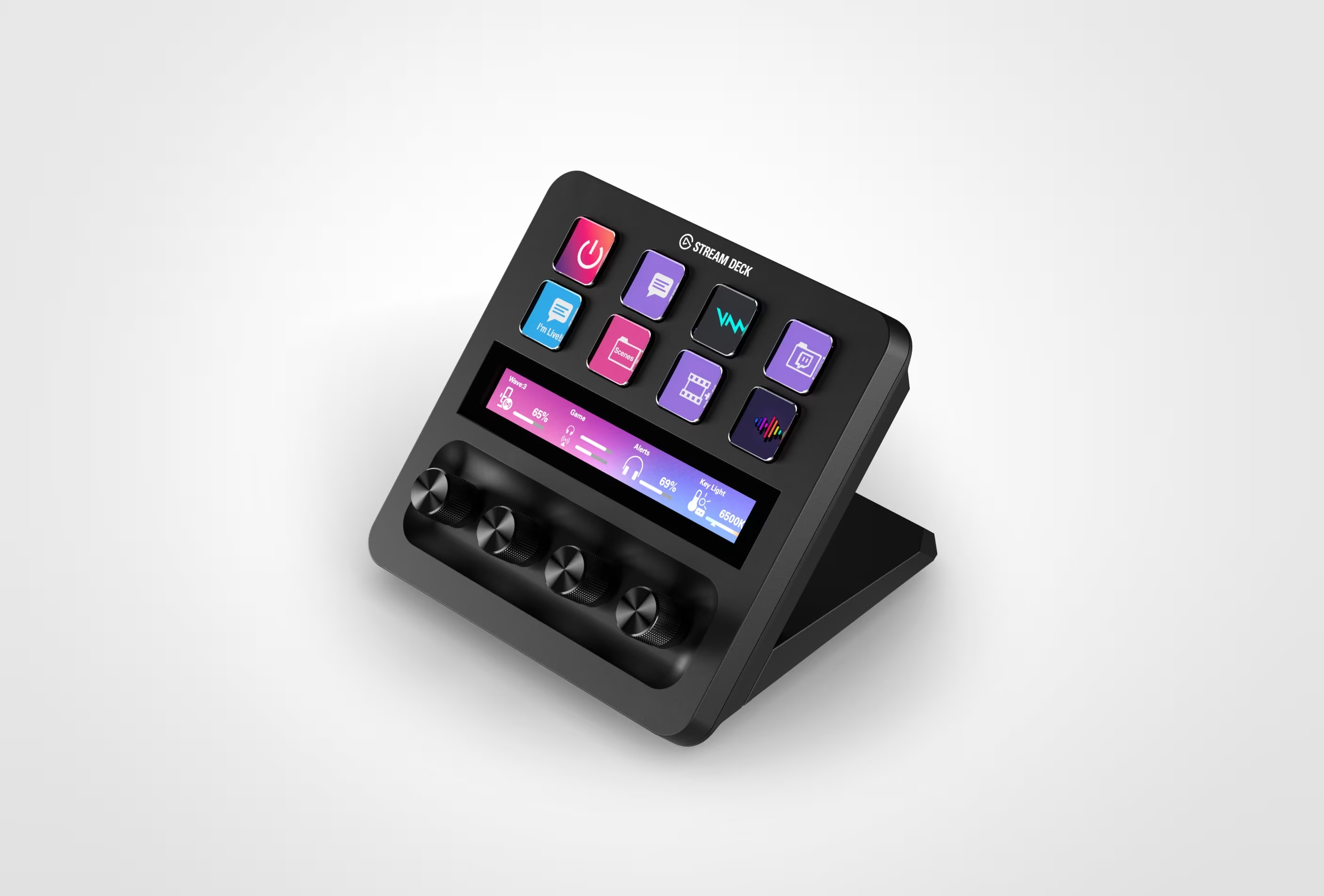
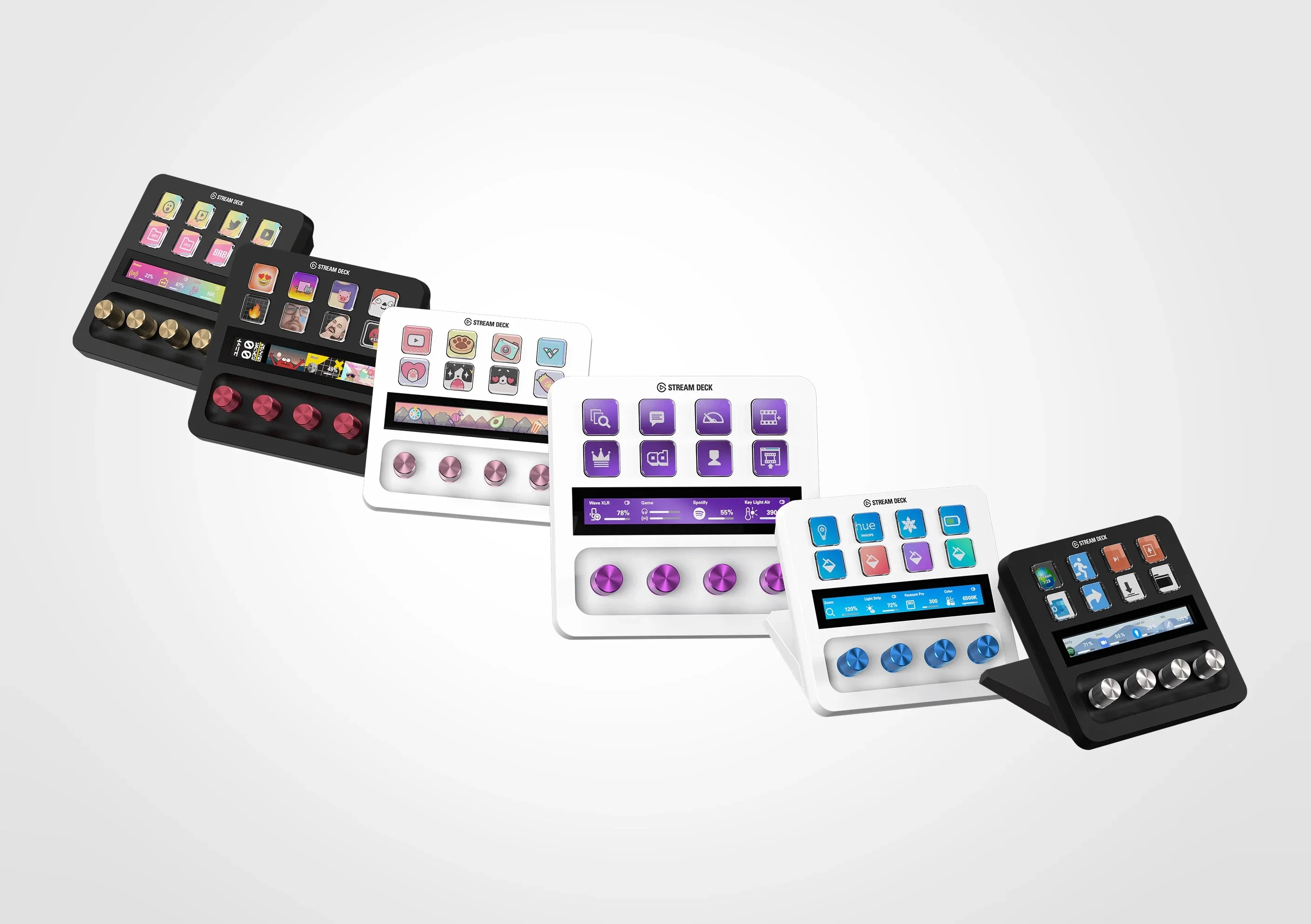
It features 8 LCD buttons, 4 dials, and a touch bar up top
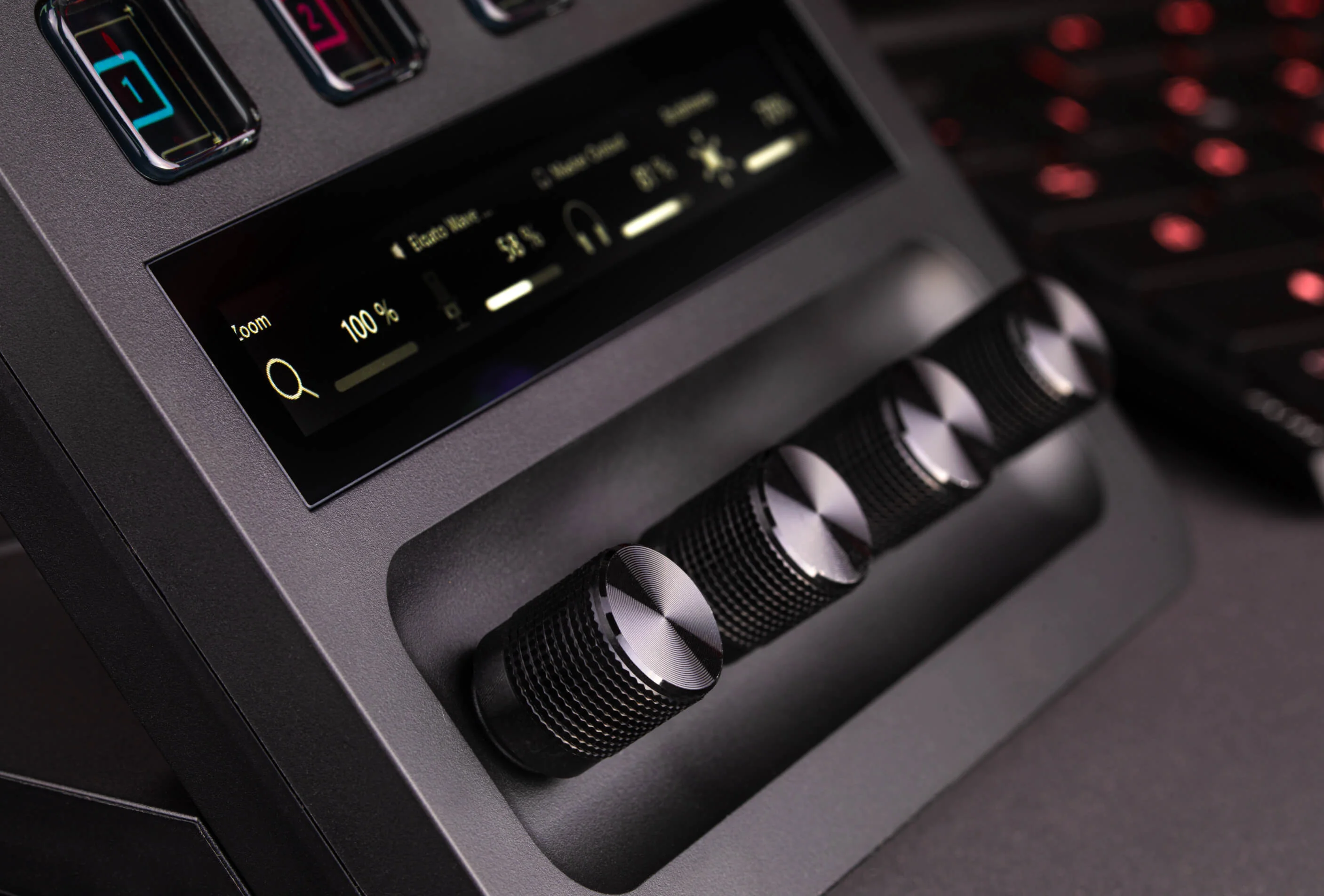
Turning or pressing the dial lets you control continuous actions like volume adjustment or scrolling
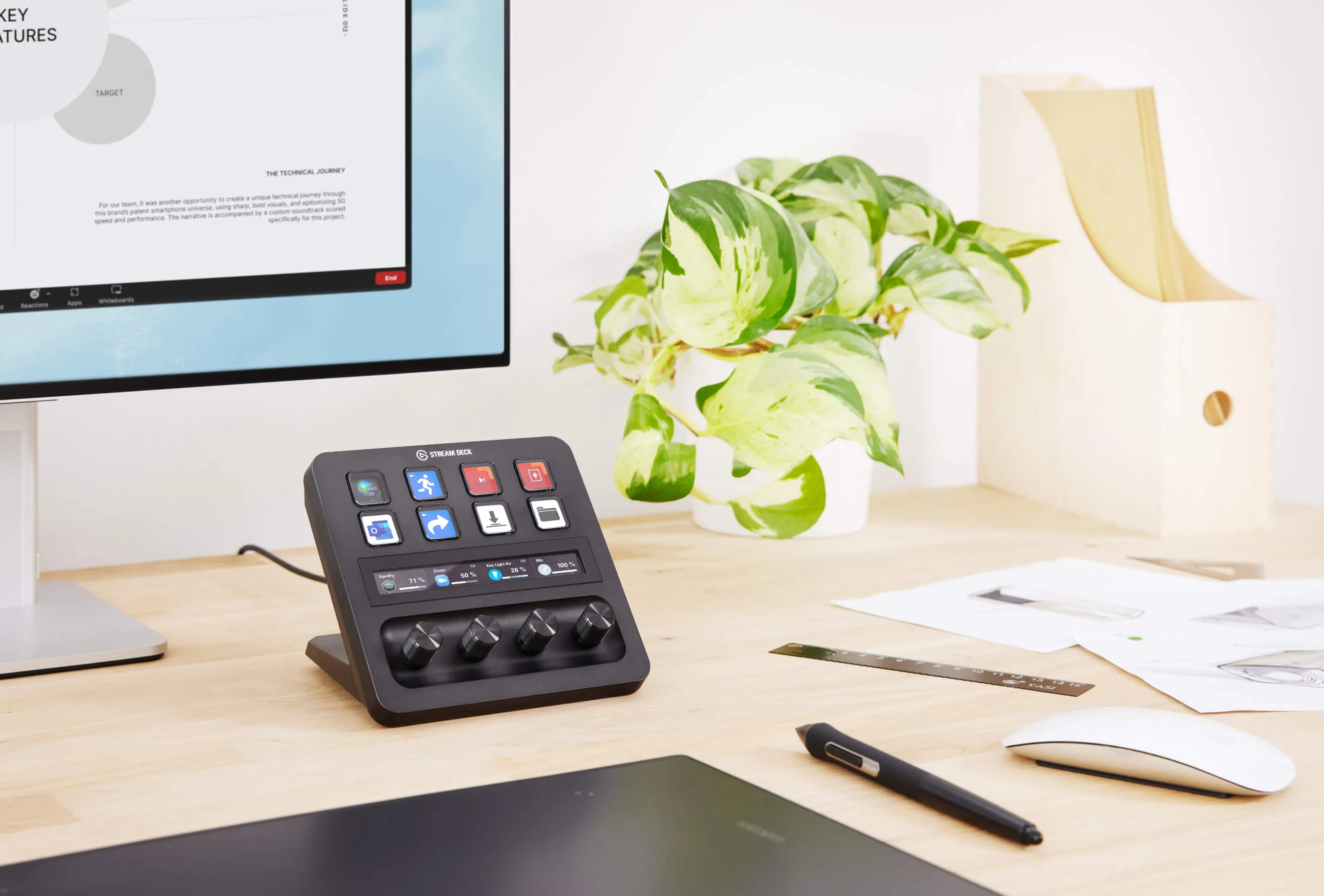
The dial has a nice texture, and the feel of turning it is genuinely satisfying
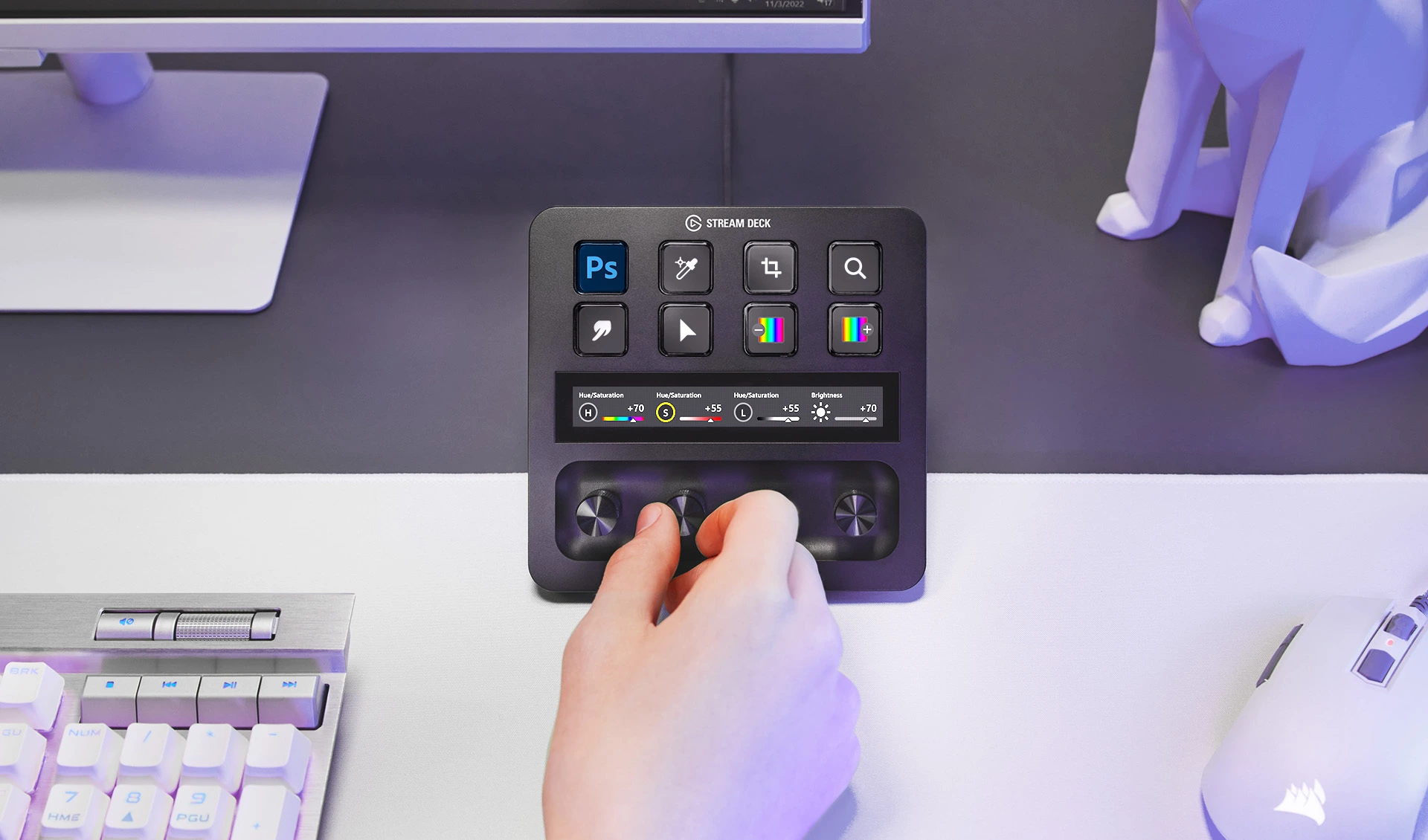
Placing it within easy reach on your desk makes it feel completely natural to use
The Elgato software lets you freely configure the dials, buttons, and touch bar
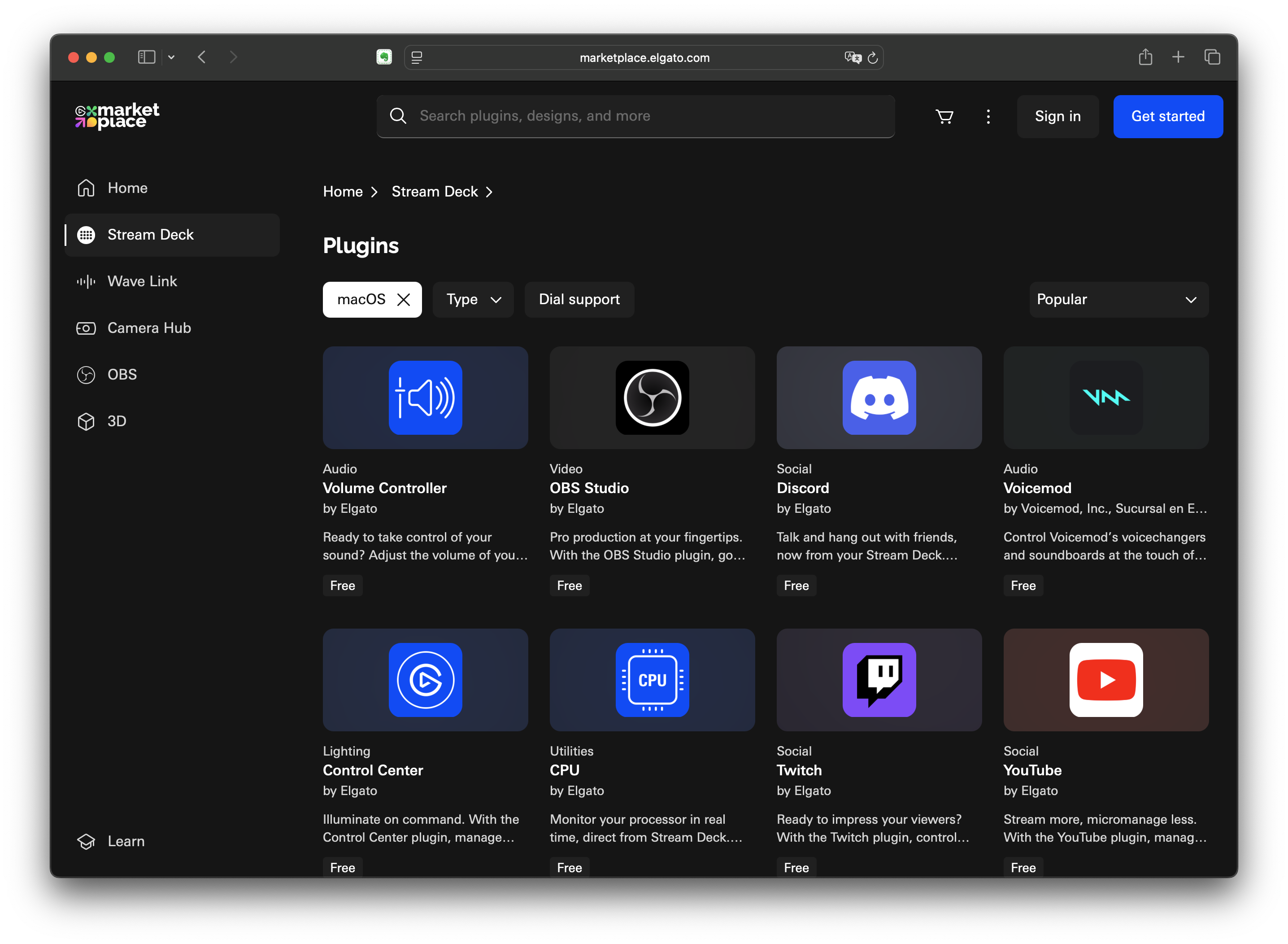
The Elgato Marketplace has a decent number of plugins, so most programs can be integrated
🔍 Detailed Review
First Impressions: The Dial Really Does Make a Difference
The original Stream Deck was buttons only, but the Plus trades a few buttons for 4 dials. Honestly, my first thought was "how different can a dial really be?" — but once I actually used it, it really is different. Doing things like volume control, zoom in/out, or brush size adjustment by physically turning a dial is so much more intuitive and faster than pressing buttons.
How I Actually Use It
Work setup:
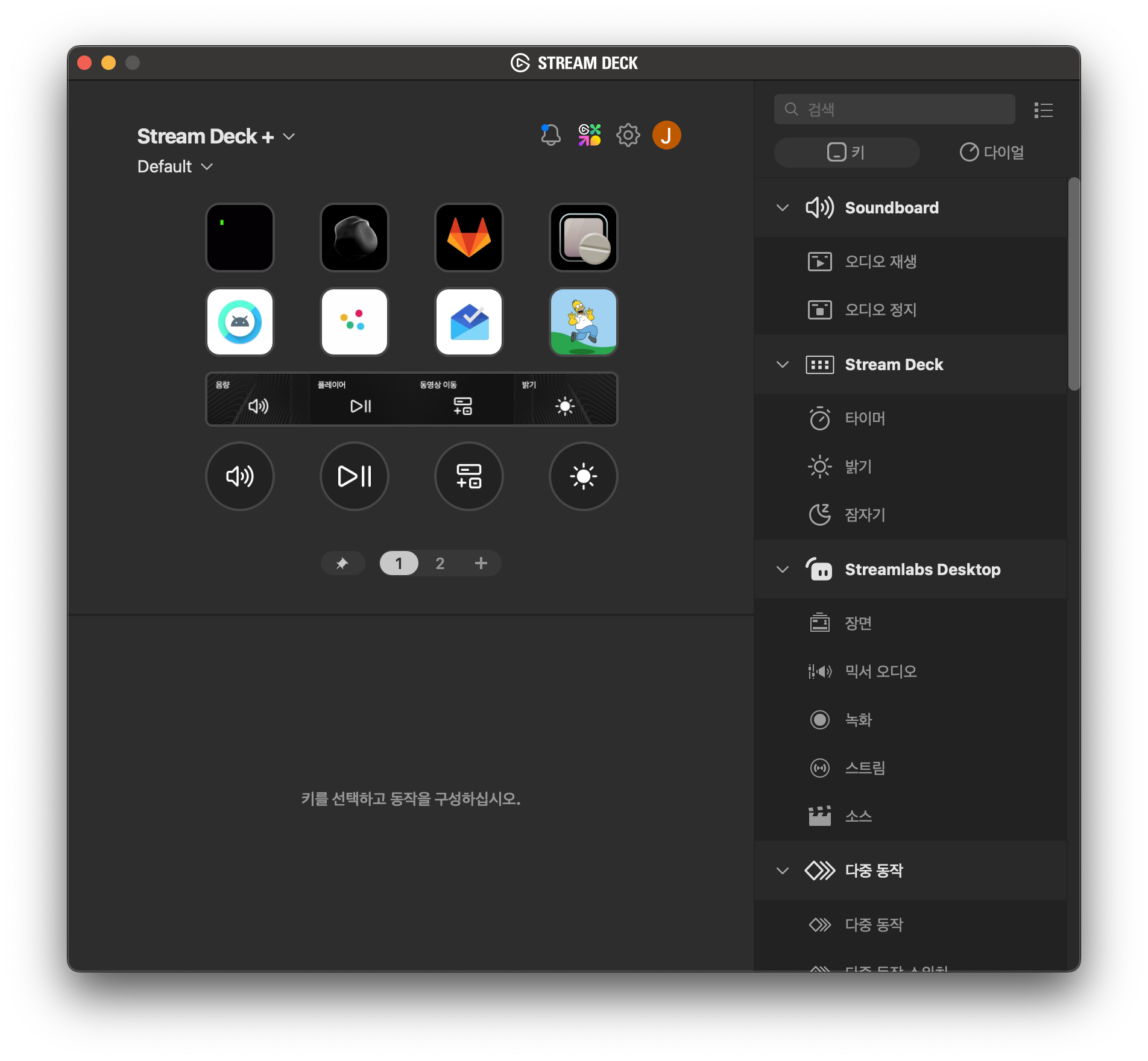
- Buttons: Launch my go-to apps and web pages
- Dial: Volume control, skip tracks on whatever's playing, brightness adjustment, etc.
Watching YouTube:
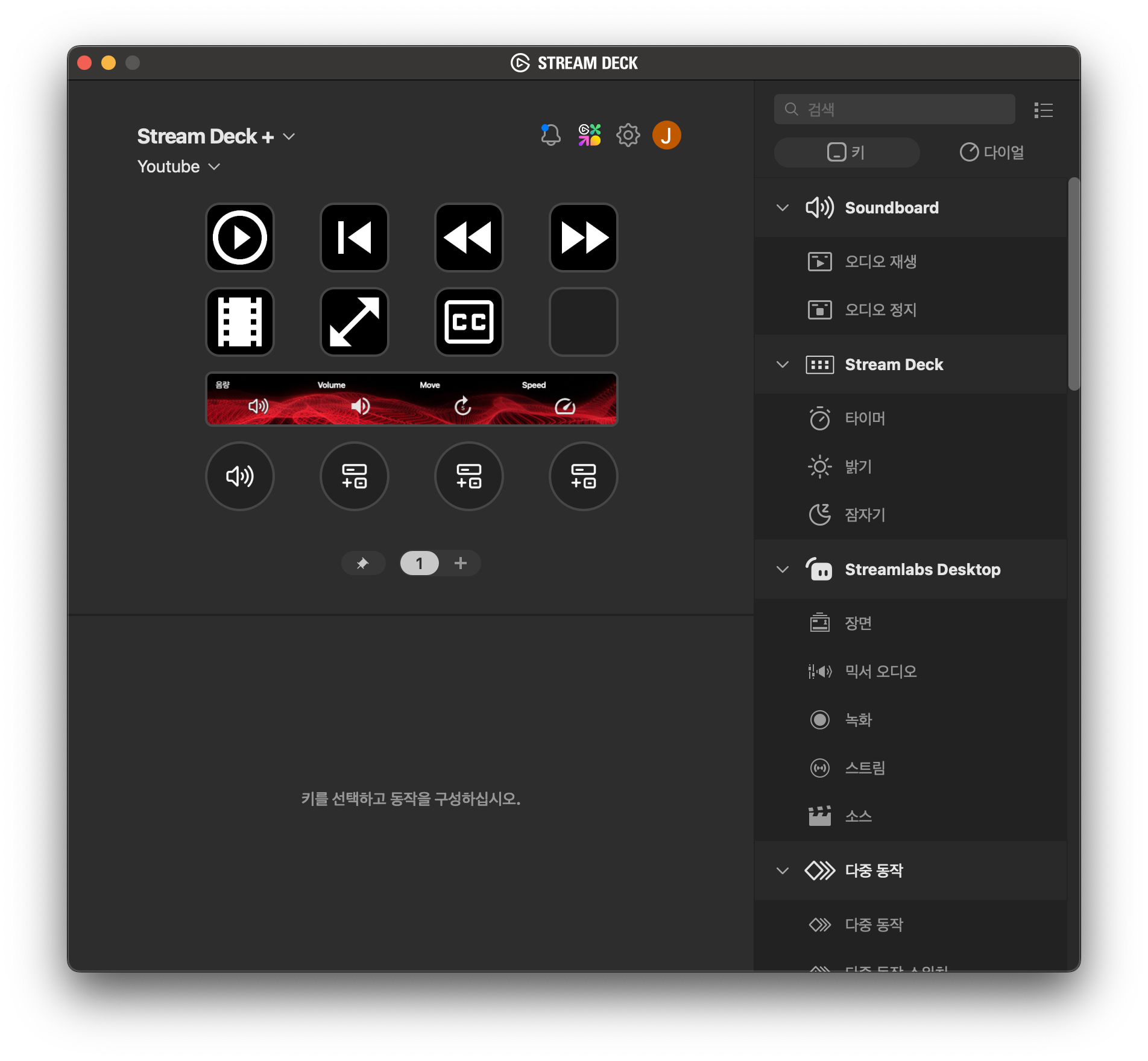
- Buttons: Play, pause, seek, skip, fullscreen, theater mode, captions
- Dial: Volume control, video scrubbing, playback speed
Having all of this available with one hand is genuinely convenient. Continuous actions in particular — like volume or scrubbing through a video — are so much better with the dial than with buttons.
A Genuinely Rich Plugin Library
The Elgato Marketplace covers plugins for pretty much any program you'd want:
- System plugins
- Zoom plugin
- YouTube plugin
- Photoshop plugin
And if there isn't one, you can just assign your own shortcuts or actions directly, so the range of customization is quite wide.
Solid Expandability Too
USB Hub: $65
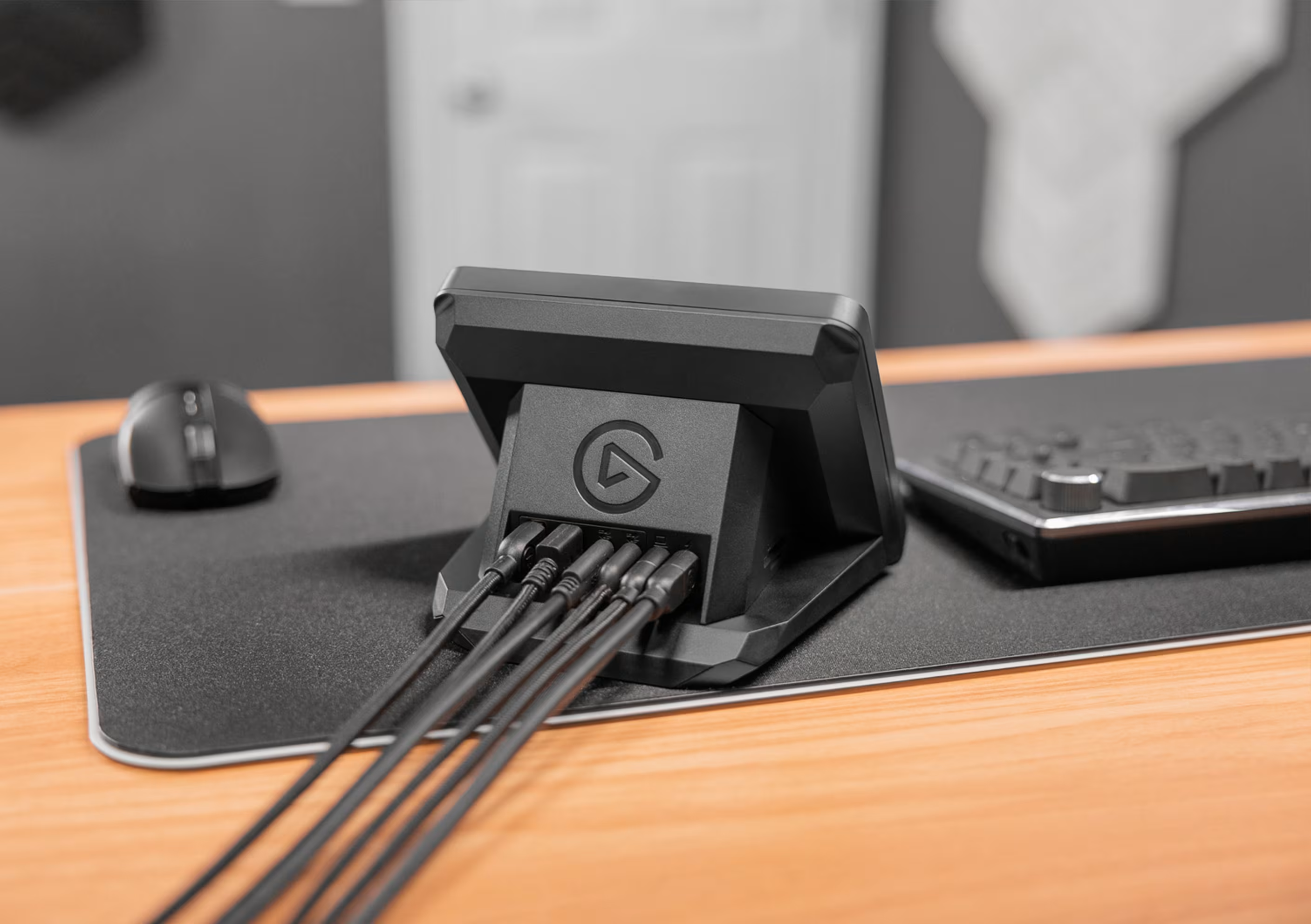
- Doubles as a multi-port hub
- Delivers 65W of power to your laptop
- Keeps your desk tidy with a single cable
XLR Dock: $125
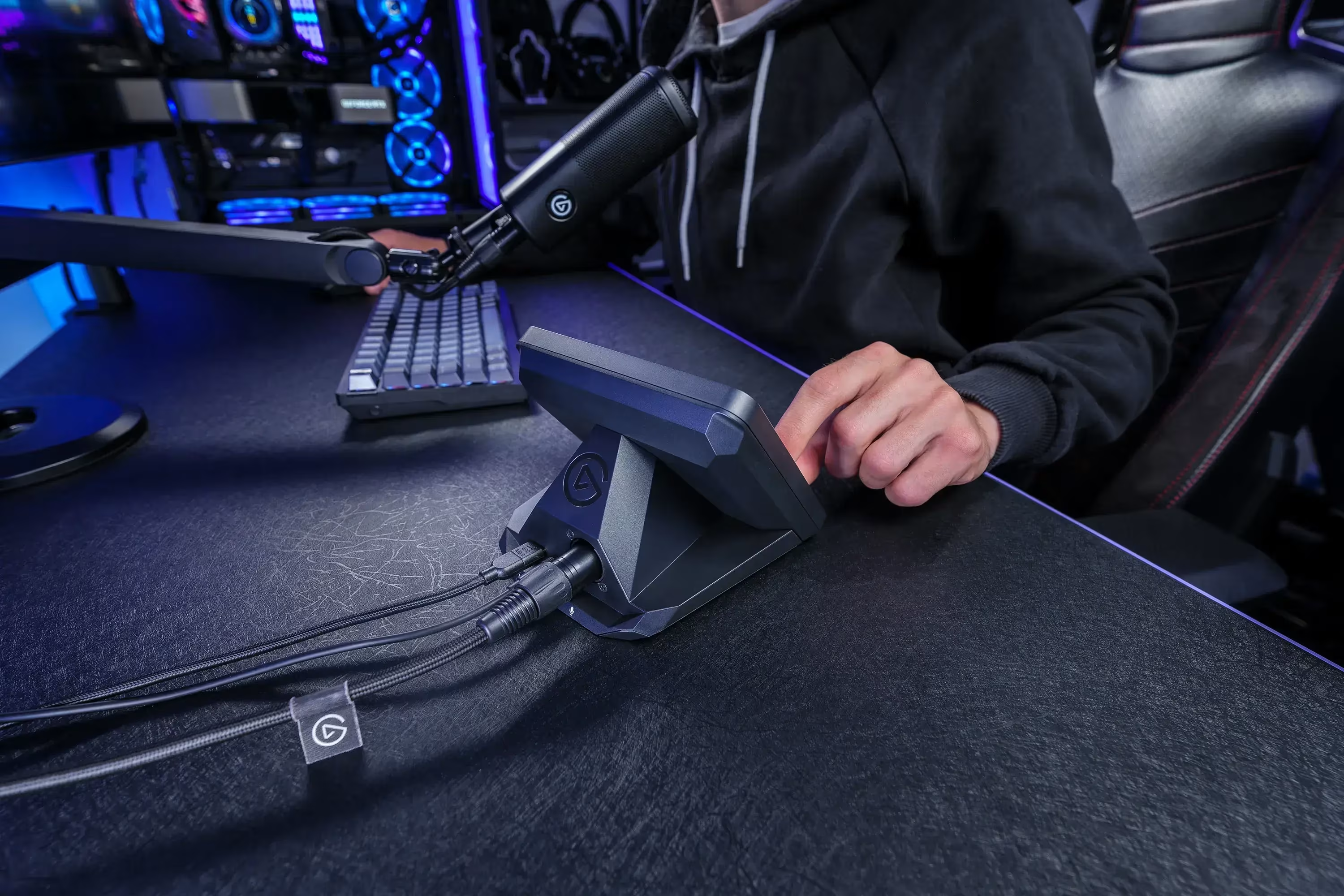
- Connect an XLR mic directly
- No separate audio interface needed
📋 Detailed Ratings
- Design: ⭐⭐⭐⭐⭐ (Clean, intuitive layout)
- Functionality: ⭐⭐⭐⭐⭐ (The dial bumps up the usefulness considerably)
- Expandability: ⭐⭐⭐⭐⭐ (Rich plugin library and hardware add-ons)
- Value: ⭐⭐⭐☆☆ (It's pricey, but the productivity boost makes it feel justified)
- Durability: ⭐⭐⭐⭐☆ (No issues after 8 months of use)
🛒 Before You Buy
✅ Recommended For
- Productivity nerds: Anyone chasing workflow optimization
- Content creators: Heavy streaming or editing workloads
- Multitaskers: Anyone juggling multiple programs at once
- Keyboard shortcut lovers: Frequent users of keyboard shortcuts
- Automation seekers: Anyone who wants to automate repetitive tasks
❌ Not Recommended For
- Value-focused buyers: If your budget is tight
- Simple workflows: If you don't have a complex workflow to manage
- Learning-averse users: If picking up a new tool feels like a hassle
- Minimalists: If you want to keep your desk gear to a minimum
💡 Buying Tips
- If you're already a Stream Deck user, you'll appreciate how convenient the dial is
- How much you get out of the plugin marketplace really shapes your overall satisfaction
- You can always add expansion accessories later, once you actually need them
- The more time you invest in setup, the bigger the productivity payoff
🔗 Related Products Worth Checking Out
- Stream Deck USB Hub: Solves desk clutter and power delivery in one go
- Stream Deck XLR Dock: For connecting a mic for podcasting or streaming
- Desk arm: Mounting it next to your monitor puts it right where you need it
Related posts
Q8botOne - A $599 Desk Robot Dog You Assemble Like LEGO Technic

Garmin Enduro 4 · Approach S72 - New Watches That Last Up to 320 Hours on a Single Charge
Edifier Hecate G2000 Bar - A Gaming Soundbar That Handles Voice Chat Without a Headset