TypeSticks Review - Analyzing an External Keyboard Stand for Your Laptop
If you want to use an external keyboard on top of your laptop but keep running into the problem of the keys underneath getting pressed, this small, clever solution is exactly what you need.
📊 Quick Info
| Item | Details |
|---|---|
| Brand | Far East Gadget (Japan) |
| Price | About $27 |
| Form Factor | 2 keyboard-disabling sticks |
| Material | Plastic |
| Size | Ultra-compact (pen-sized) |
| Purpose | Disabling the laptop keyboard |
| One-line take | ⭐⭐⭐⭐⭐ Small but reliable solution |
✨ Three-Line Summary
- 👍 Best feature: Lets you use an external keyboard on top of your laptop + ultra-compact portability + a refreshingly simple solution
- 👎 Downside: The same problem can be solved with software, and the price is a bit high
- 🎯 Best for: External keyboard enthusiasts, people who pair a laptop with a mechanical keyboard, and EDC minimalists
📸 Product Gallery
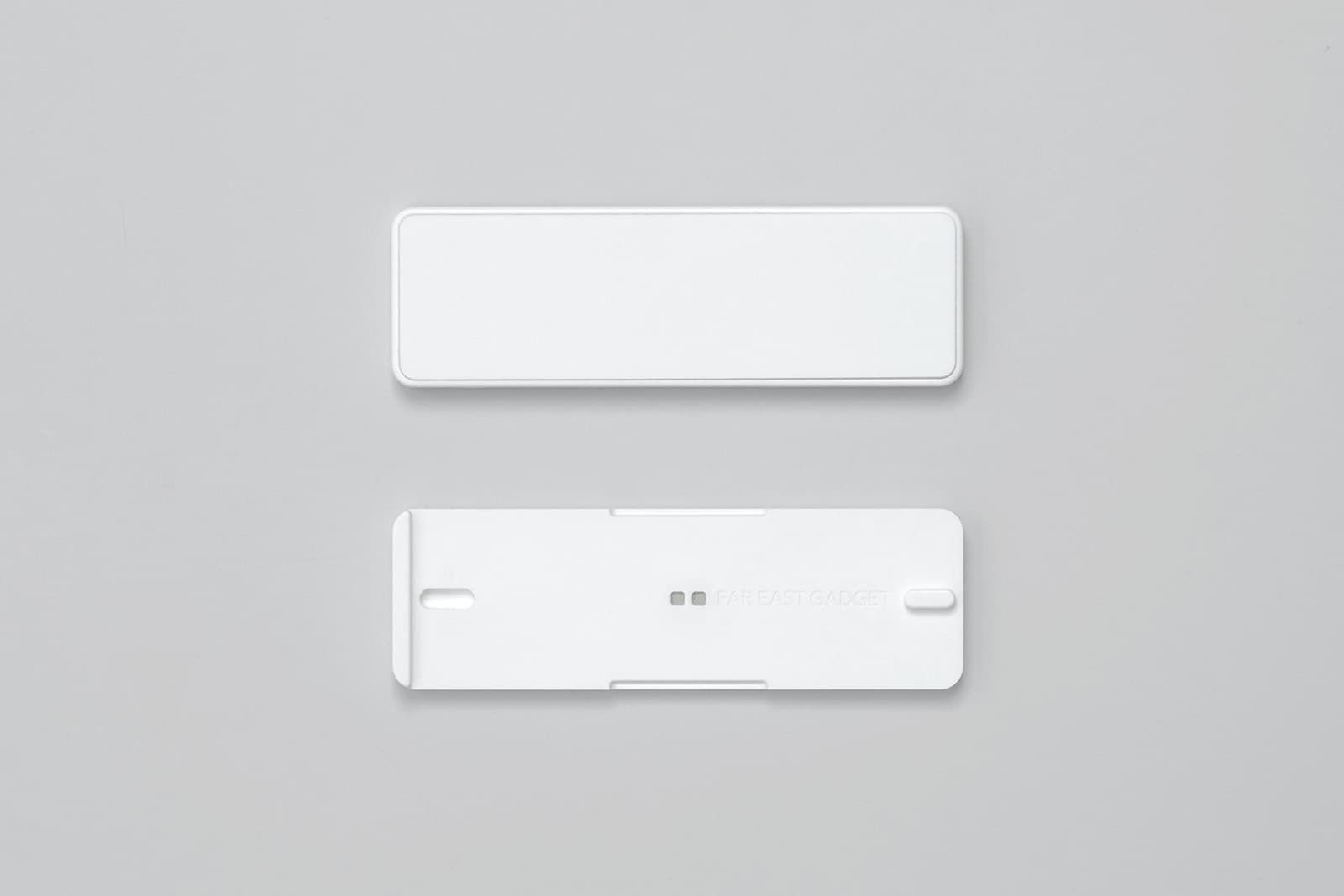
The minimal design of TypeSticks, shown as two individual sticks
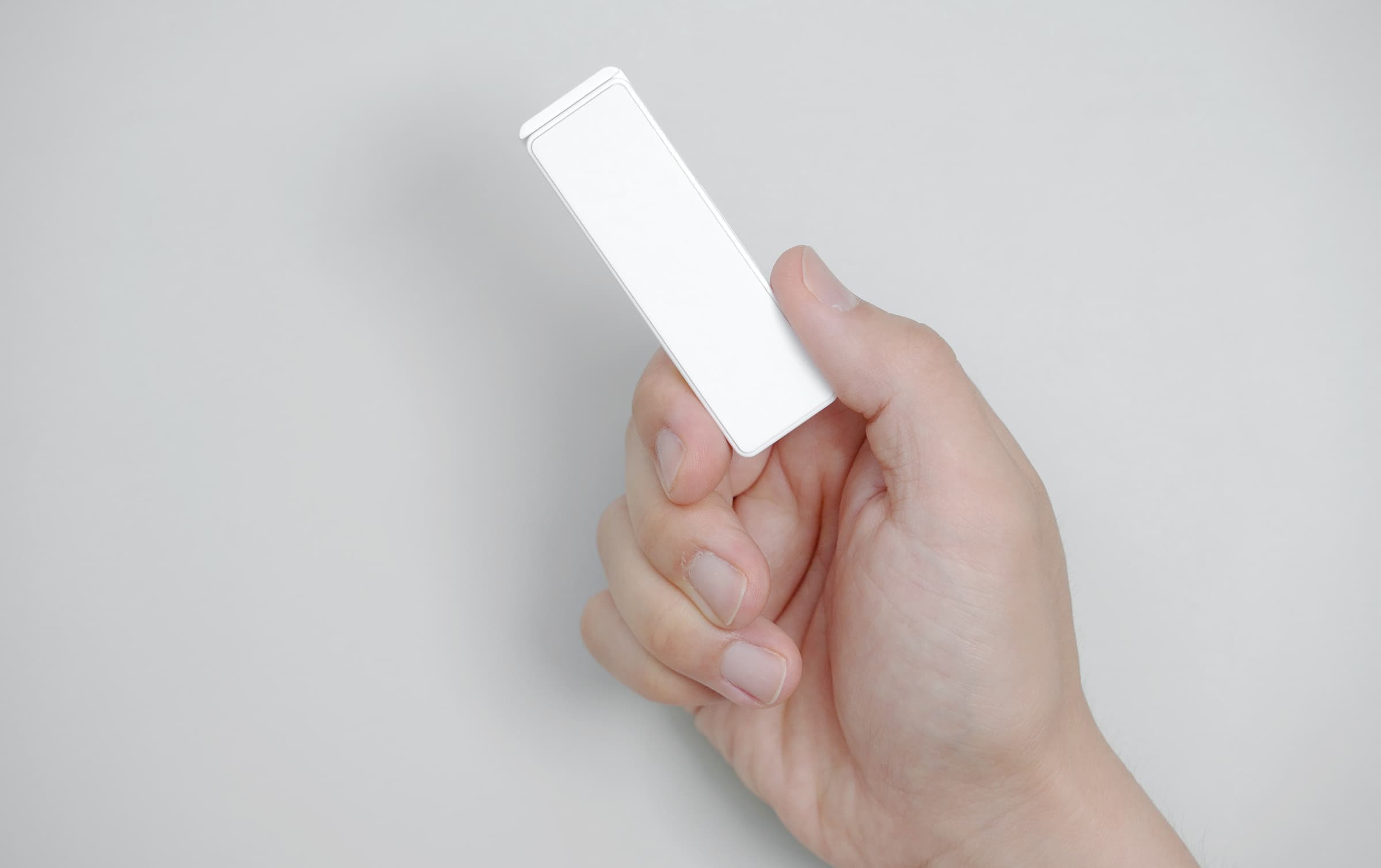
This is how they look held in hand — small enough to feel completely unobtrusive
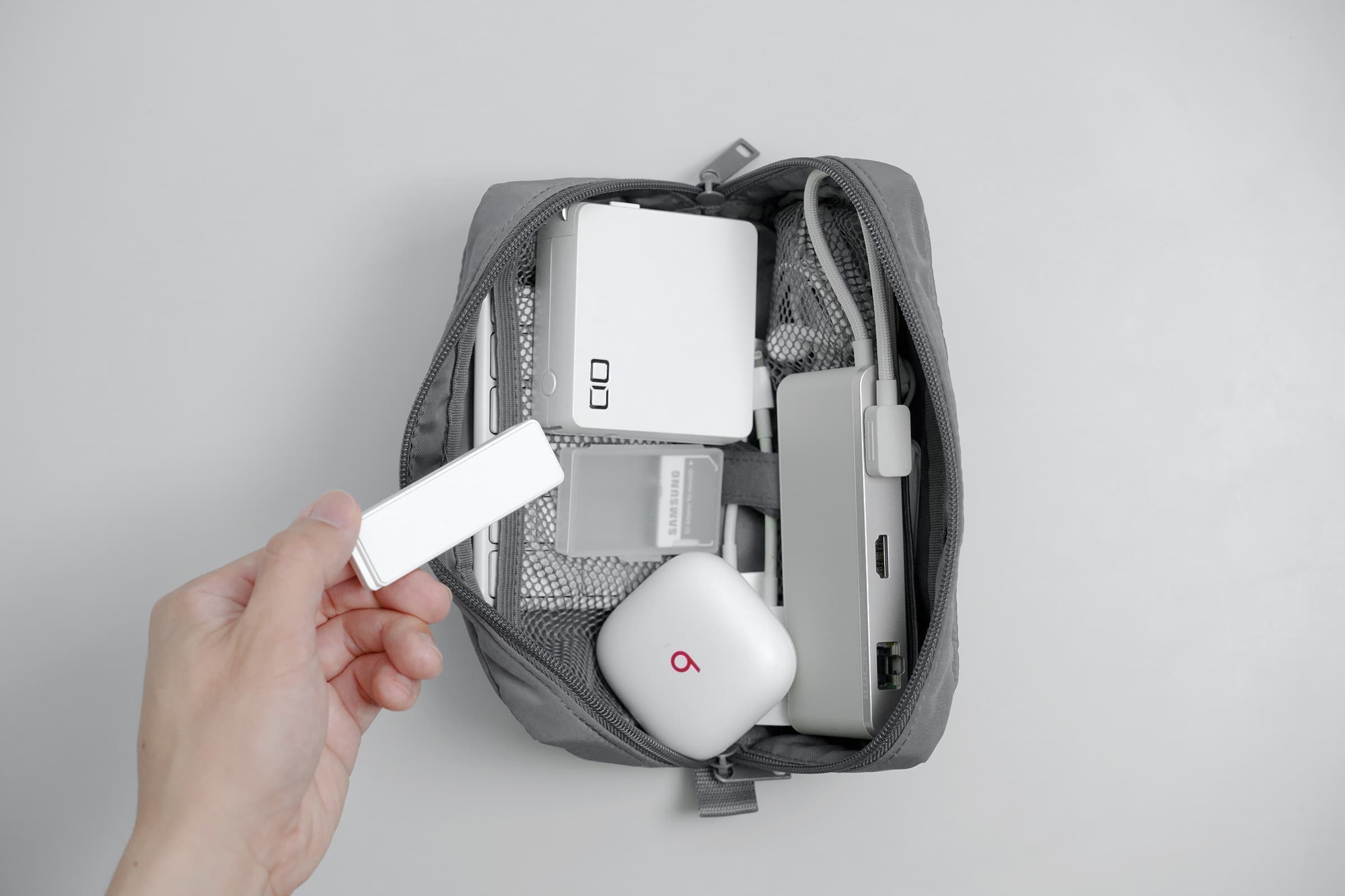
Compact enough to fit in a bag alongside your other gadgets
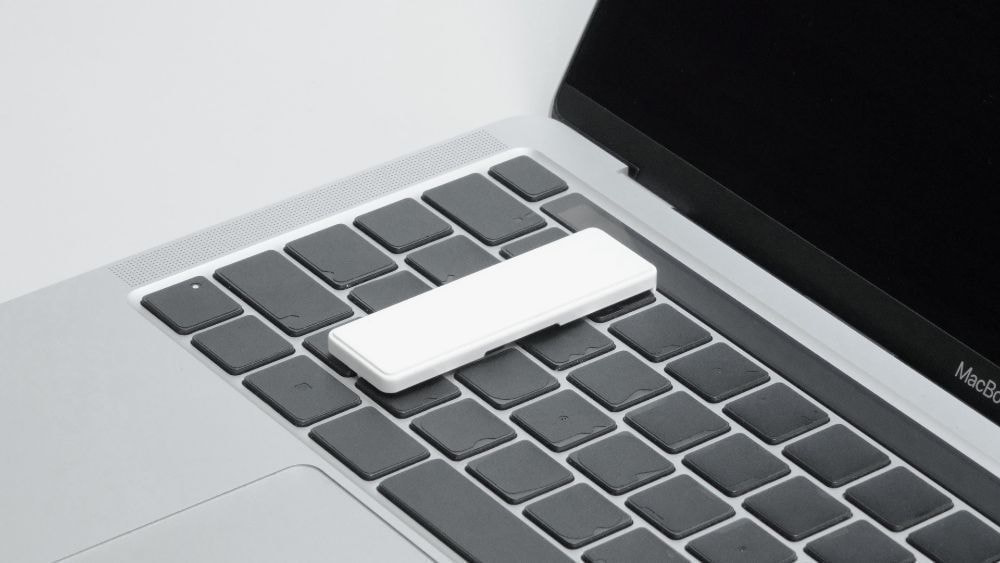
Here's what it looks like placed on top of a MacBook keyboard
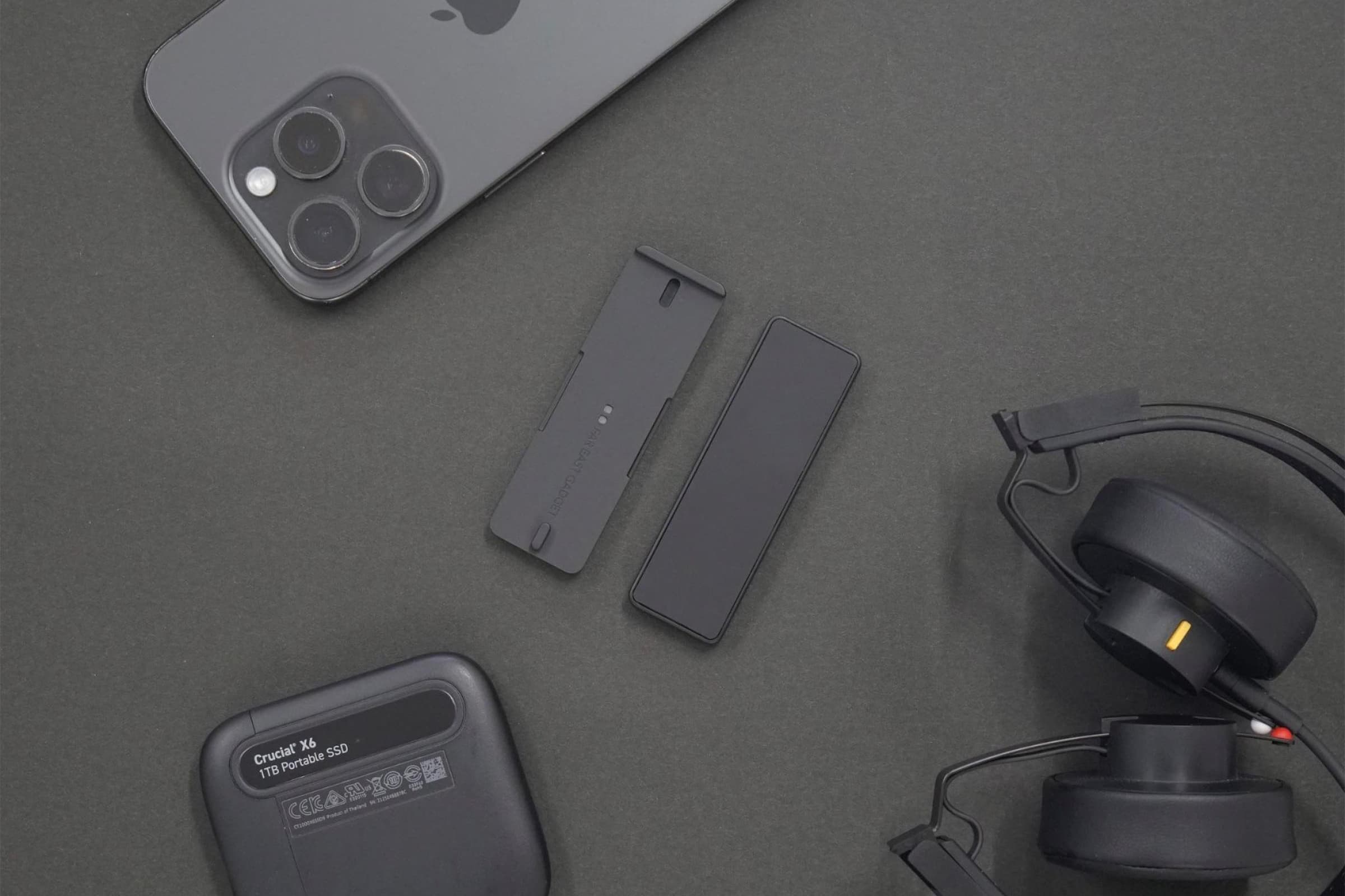
Barely adds any bulk even when carried along with a full set of devices
🔍 Why I'm Interested
The dilemma of external keyboard users
A lot of people want to keep using a mechanical keyboard or their favorite external keyboard even while working on a laptop. I'm one of them, and the problem is that placing an external keyboard on top of the laptop presses down on the keys underneath.
Especially with something as heavy as a mechanical keyboard, the keys underneath naturally get pressed, which leads to:
- Random, unintended key presses
- The spacebar getting stuck down
- Shortcuts firing off and interrupting your work
These are the kinds of issues that come up.
The hassle of existing solutions
Of course, you can also disable the laptop keyboard through software. On macOS you can use an app like Karabiner, and on Windows you can disable it through Device Manager.
But there are downsides:
- It's tedious to dig into settings every time to turn it on and off
- If your external keyboard disconnects, you're left with no way to type
- It's not exactly easy for people who aren't comfortable with software settings
These are real inconveniences.
TypeSticks' clever solution
Far East Gadget's TypeSticks offers a genuinely simple physical solution. Just place the two thin sticks on top of your laptop keyboard, and they support the weight of the external keyboard while keeping the keys underneath from being pressed.
No software setup needed — you just set them in place. I really like how simple and reliable that approach is.
The portability is genuinely great
What I like most is the size. It's small and light enough to fit right into a pen case, so carrying it in a bag is never a burden.
If you're someone who already carries an external keyboard around, tossing in two TypeSticks barely adds any noticeable weight or bulk to your pouch.
Being able to use a laptop with an external keyboard anywhere — at a café, at the office, or at home — is a real advantage.
A distinctly Japanese minimal design
True to its Japanese roots, Far East Gadget also nails the design. I like that it skips unnecessary decoration and sticks purely to function.
The clean white plastic material pairs well with just about any laptop or keyboard. It looks perfectly at home sitting on a desk, too.
🤔 Points to Consider
Software can solve this too
Honestly, tools like Karabiner-Elements (macOS) or Device Manager (Windows) can also disable your keyboard via software, and they're free.
TypeSticks is a physical solution, so it's reliable, but given the roughly $27 price tag, you might find yourself wondering, "Do I really need to buy this?"
Compatibility varies by laptop
Since keyboard thickness and structure vary from laptop to laptop, it's worth checking whether it works well with your specific model.
In particular, laptops with recessed keyboard wells or low-profile keycaps may see less of an effect.
External keyboard angle
Because TypeSticks raises the external keyboard slightly above the laptop keyboard, the typing angle ends up a bit higher.
If you prefer a lower typing angle, this could be a bit uncomfortable — though using a palm rest does solve it.
Value for the price
At around $27, it's not exactly cheap. For two plastic sticks, some might feel it's on the pricier side.
That said, considering the portability, design, and reliable functionality, I think it's well worth it — especially for anyone who frequently goes out and uses an external keyboard on the go.
📋 Product Highlights
- Practicality: ⭐⭐⭐⭐⭐ (Solves a clear problem)
- Portability: ⭐⭐⭐⭐⭐ (Pen-sized, ultra-lightweight)
- Design: ⭐⭐⭐⭐⭐ (Minimal and clean)
- Value for money: ⭐⭐⭐☆☆ (A bit pricey for what it does)
- Versatility: ⭐⭐⭐⭐☆ (Compatible with most laptops)
🛒 Before You Buy
✅ Recommended for
- External keyboard enthusiasts: Anyone who wants to use a mechanical keyboard even with a laptop
- Frequent movers: People who work from cafés or co-working spaces
- Minimalists: Those who prefer simple, reliable solutions
- EDC collectors: Fans of small, useful gadgets
- Anyone who dislikes fiddling with software settings: People who prefer a physical fix
- Users with multiple laptops: Those who don't want to configure software on every single machine
❌ Not recommended for
- Laptop-keyboard-only users: Anyone who doesn't use an external keyboard
- Fixed work setups: People who always work from the same spot (software disabling is enough)
- Value-focused buyers: Anyone satisfied with a free software solution
- Low-profile keyboard fans: Those who dislike an increased keyboard height
💡 Buying and Usage Tips
- Check compatibility: Look up reviews to confirm it works well with your laptop model
- Keyboard weight: A keyboard that's too light may not be fully supported by TypeSticks alone
- Use a palm rest: Recommended to offset the raised typing angle
- Keep spares: They're small and easy to lose, so consider having extras
- Cleaning: Dust can build up, so wipe them down occasionally
- Storage: Keep them in a pouch or pen case when not in use
🔗 Related Products
- Keychron K3: A portable mechanical keyboard
- HHKB Professional Hybrid: The pinnacle of compact keyboards
- Palm rest: Compensates for the raised typing angle
- Keyboard pouch: For carrying TypeSticks and your keyboard together
- Karabiner-Elements: A free software alternative (macOS)
🎯 Final Verdict
Far East Gadget's TypeSticks is a small but reliable solution.
Wanting to use an external keyboard on top of a laptop but running into the problem of the keys underneath getting pressed is a hassle almost everyone has faced at some point. TypeSticks solves this in the simplest, most reliable way possible.
It's true that software can solve the same problem, but the real advantage here is that you never have to dig into settings to turn it on and off — you just place it and go. This is especially convenient if you switch between multiple laptops, since you don't need to configure software separately on each one.
What I appreciate most is the portability. Two pen-sized sticks slip easily into any bag and add virtually no noticeable weight. If you already carry an external keyboard around, adding two TypeSticks is no burden at all.
The roughly $27 price might give you pause, but for anyone who frequently works on the go with an external keyboard, I think it's well worth the value. Being free from the hassle of software settings and able to comfortably use whatever keyboard you want, wherever you are, also has real productivity benefits.
If you're someone who uses a laptop and an external keyboard together at cafés, co-working spaces, at home, or at the office like I do, this could be a genuinely useful item. It's a small but reliable, distinctly Japanese minimal solution.
Purchase link: Far East Gadget Official Buying in Korea: Available via direct import from Japan or a purchasing agent
Related posts
Q8botOne - A $599 Desk Robot Dog You Assemble Like LEGO Technic
Garmin Enduro 4 · Approach S72 - New Watches That Last Up to 320 Hours on a Single Charge
Edifier Hecate G2000 Bar - A Gaming Soundbar That Handles Voice Chat Without a Headset