Bigme B251 Pro - A Color E Ink Monitor That Runs at 60fps

I've always thought of E Ink as strictly a "reading device" thing — black and white, slow screen transitions. So when I came across a color E Ink monitor that supports up to 60fps, it immediately caught my eye. I got curious whether a screen this easy on the eyes could actually hold up for real work.
📊 Quick Info
| Item | Details |
|---|---|
| Brand | Bigme |
| Price | $1,279 launch price (MSRP $1,599) |
| Material/Specs | Color E Ink panel, 60fps refresh rate, switchable color/black-and-white mode |
| Key Feature | Flicker-free, eye-friendly screen + faster response than typical E Ink |
| One-line review | ⭐⭐⭐⭐☆ An attempt to break E Ink's "slow" stereotype |
✨ Three-Line Summary
- 👍 Best feature: A paper-like screen with no flicker or blue light, yet still capable of everyday tasks at 60fps
- 👎 Downside: Color reproduction and contrast likely fall short of a typical LCD/OLED monitor
- 🎯 Best for: Anyone whose eyes get strained from long text-heavy work sessions, or who wants a second monitor dedicated to reading and documents
📸 Product Look
The monitor sitting on a desk setup, showing a yellow bus photo rendered vividly in color
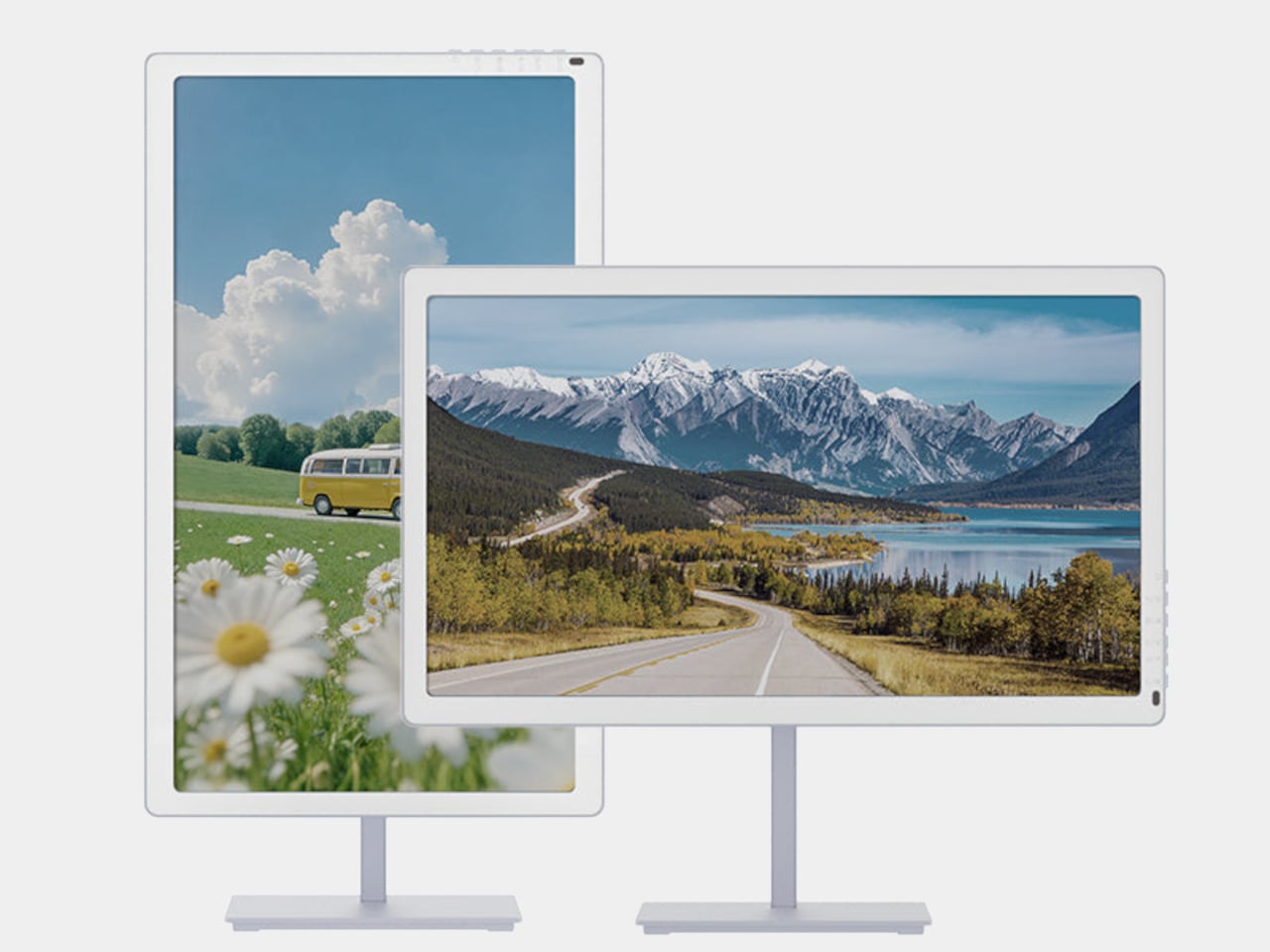
A flower field photo in portrait mode and a mountain-lake landscape in horizontal mode — the rotating stand supports both orientations
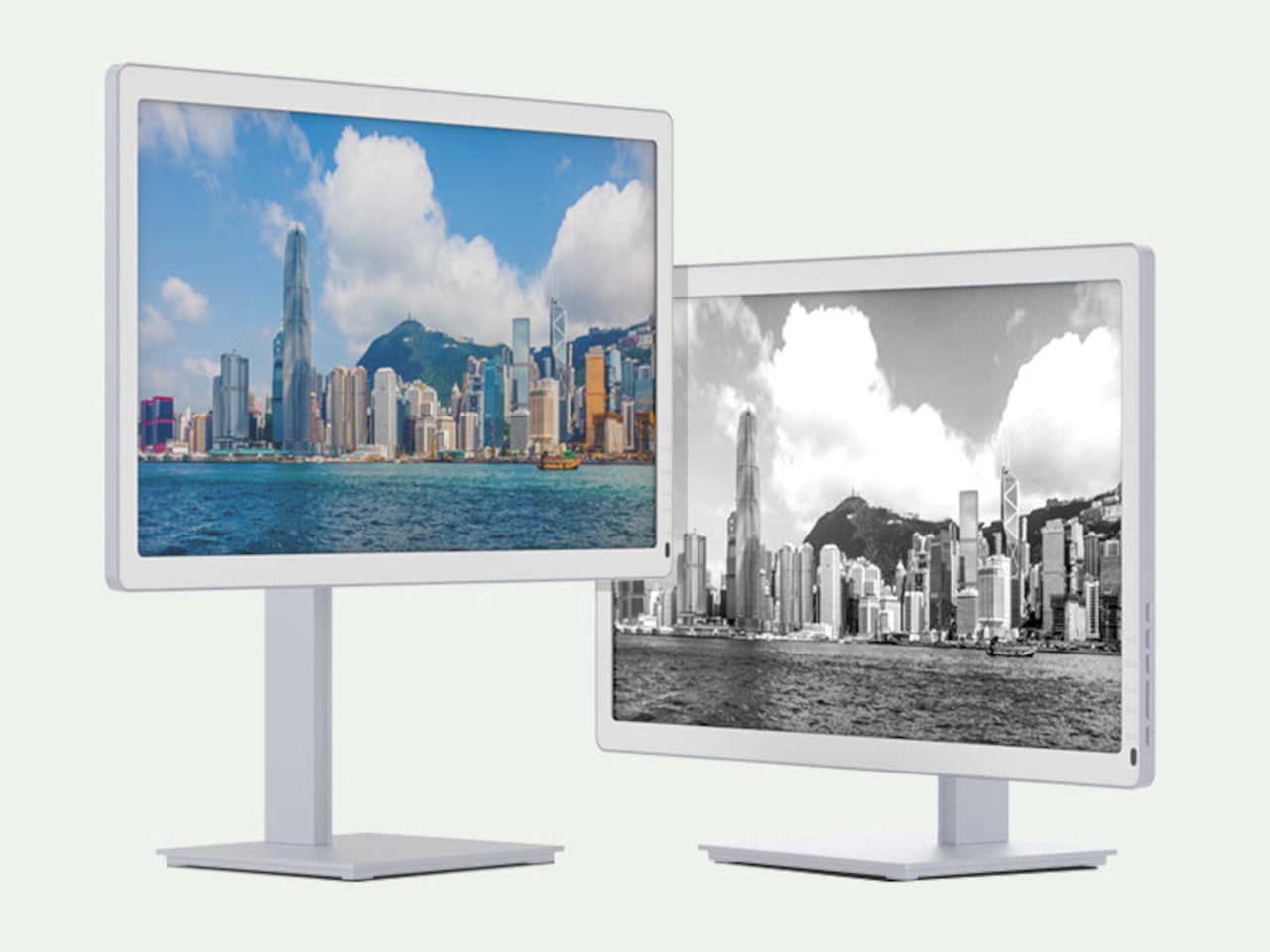
The same Hong Kong night skyline shown side by side in color mode and black-and-white (paper-texture) mode
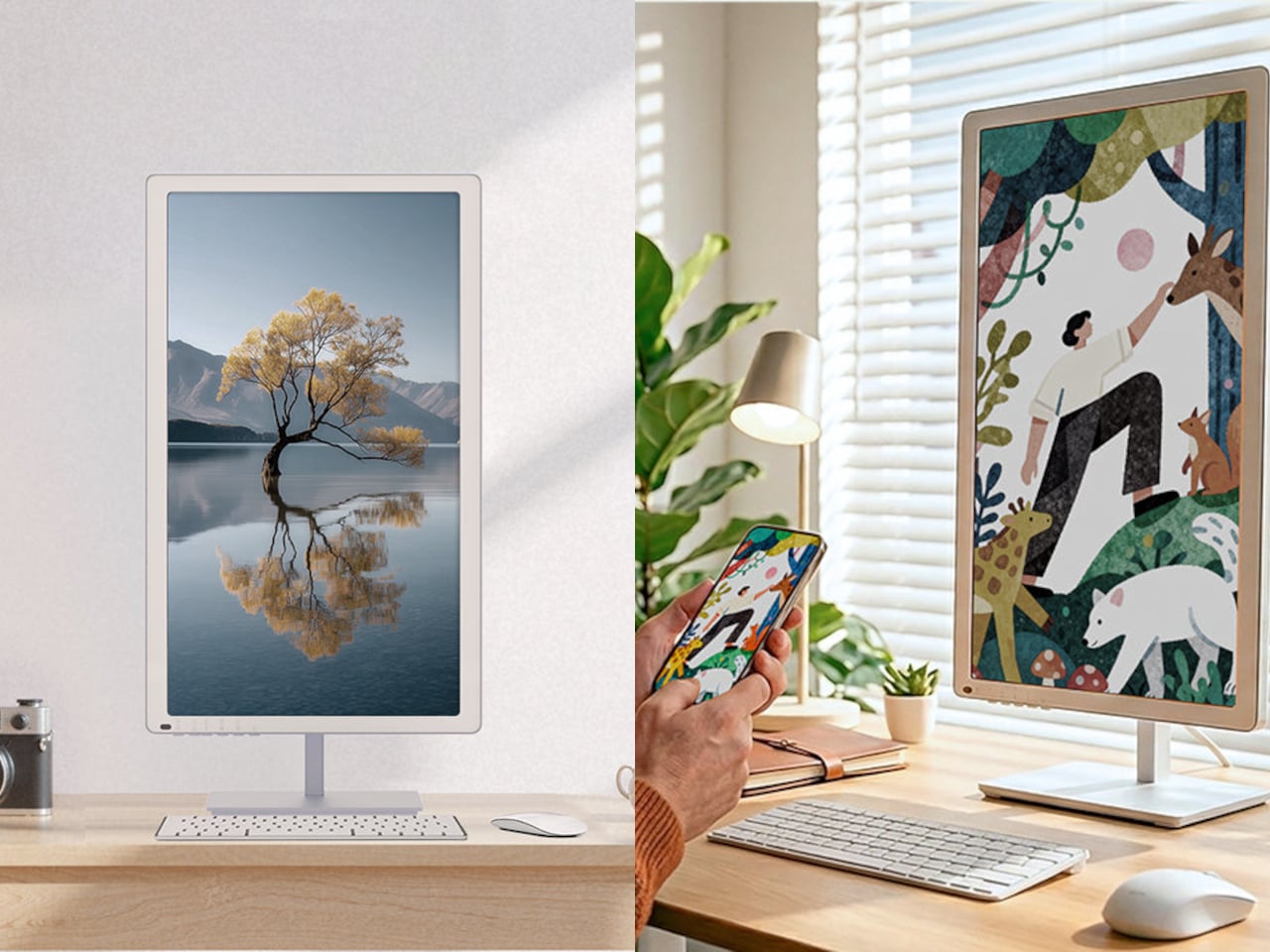
A portrait-mode desk setup alongside a keyboard and mouse, with an example of phone mirroring on screen
🔍 Why It Caught My Attention
Specs that challenge the "slow E Ink" stereotype
E Ink monitors have always come with e-reader-level slow refresh rates, but if this one really supports 60fps, it could cover general document work and browsing too. What I'm most curious about is whether that speed actually feels real in practice.
Flexibility between color and black-and-white
The photos show the same screen switching between color mode and black-and-white (paper-texture) mode, which is appealing since you can pick whichever suits the task — black-and-white for easier-on-the-eyes document work, color when you want to view photos.
A stand that rotates between portrait and landscape
The stand also supports portrait orientation, so you can rotate it on the spot for document work or vertical content without needing a separate monitor arm — a genuinely practical touch for a desk setup.
🤔 What Gives Me Pause
Limits on color reproduction
Given how E Ink works, saturation and contrast are likely nowhere near as vivid as a standard LCD/OLED. It probably isn't suited for photo editing or color-critical work — best to think of it strictly as a document- and text-focused second monitor.
The $1,279 price tag
That's enough to buy two or three regular 27-inch monitors, so whether "easier on the eyes" is worth that kind of premium really comes down to personal priorities.
How the response speed actually feels
Even if it's rated at 60fps on paper, how much ghosting or afterimage shows up in real use is something we'll need more reviews to judge.
📋 Product Features (Subjective Rating)
- Design: ⭐⭐⭐⭐☆
- Portability: ⭐⭐☆☆☆ (a desk-fixed monitor)
- Practicality: ⭐⭐⭐⭐☆
- Value for money: ⭐⭐⭐☆☆ ($1,279 reflects the E Ink premium)
🛒 Before You Buy
✅ Recommended for
- Anyone who suffers serious eye strain from long hours in front of a monitor
- Anyone looking for a second monitor dedicated to documents or code
- Anyone who wants a unique conversation-piece desk setup
❌ Not recommended for
- Photo/video professionals who need accurate color
- Anyone who wants a main monitor for vivid graphics work
🎯 Final Verdict
An E Ink monitor that supports color and 60fps looks like an attempt to chase two things at once — an "easy-on-the-eyes screen" and "speed you can actually use." As a second monitor focused on documents or text-heavy work, it's a genuinely interesting option.
That said, there's an inherent trade-off with a regular monitor when it comes to color reproduction and real-world response speed, so it makes more sense to treat it as a "specialized second monitor for reducing eye strain" rather than a main-monitor replacement. The $1,279 price is also something I'd only recommend to people who can justify paying that premium.
Source: Yanko Design product page
Related posts
Q8botOne - A $599 Desk Robot Dog You Assemble Like LEGO Technic
Garmin Enduro 4 · Approach S72 - New Watches That Last Up to 320 Hours on a Single Charge
Edifier Hecate G2000 Bar - A Gaming Soundbar That Handles Voice Chat Without a Headset