Hero Keyboard - A Laptop Without a Screen, With a Windows 11 PC Inside the Keyboard

If you carry a tablet and a laptop together, you are packing two screens. The Hero Keyboard sets out to remove that overlap. It leaves the display to the tablet or monitor you already own and puts a whole Windows 11 PC inside the keyboard itself.
📊 Quick Info
| Item | Details |
|---|---|
| Brand | Hero Devices |
| Price | TBD (optional Sidekick case $50) |
| Material and specs | Aluminum body, approx. 25.5 x 19 cm, about 1.2 cm thick, approx. 720g |
| Key features | Intel Core Ultra 5 125H with 16GB of memory and a 512GB SSD, and it uses a tablet as the screen |
| One-line verdict | ⭐⭐⭐⭐☆ The idea of a laptop that lost its lid is fun |
✨ 3-Line Summary
- 👍 Biggest strength: It uses the tablet or monitor you already have as the screen, so you carry one less display
- 👎 Downside: The app that connects to a tablet has not launched yet, and iPhone is not a supported device
- 🎯 Recommended for: People who use a tablet and occasionally need to run Windows programs
📸 Product Tour
A usage scene with the keyboard on your lap, together with the car's display

At a desk, the setup connects to a single USB-C monitor
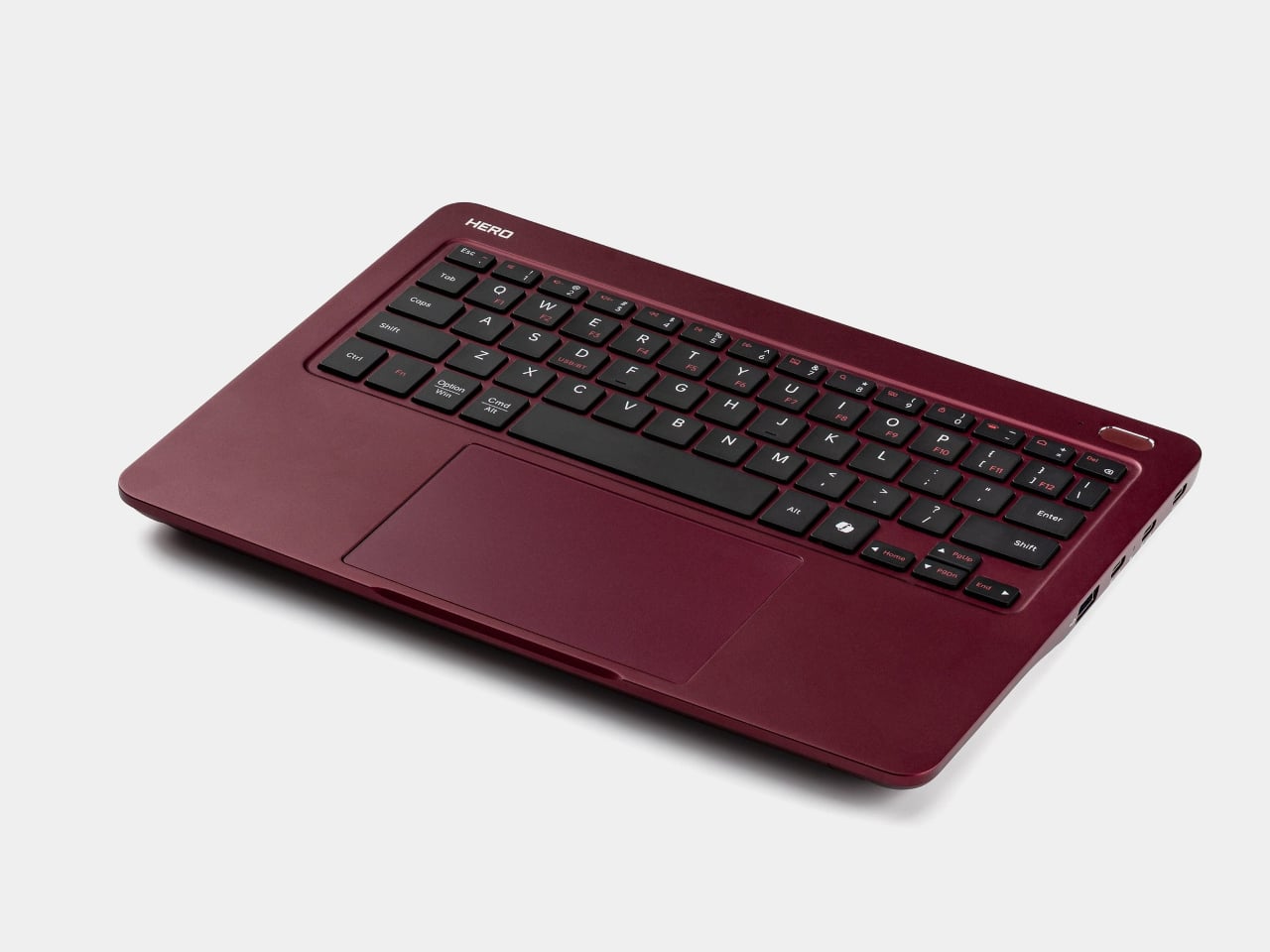
The large trackpad and rounded corners stand out
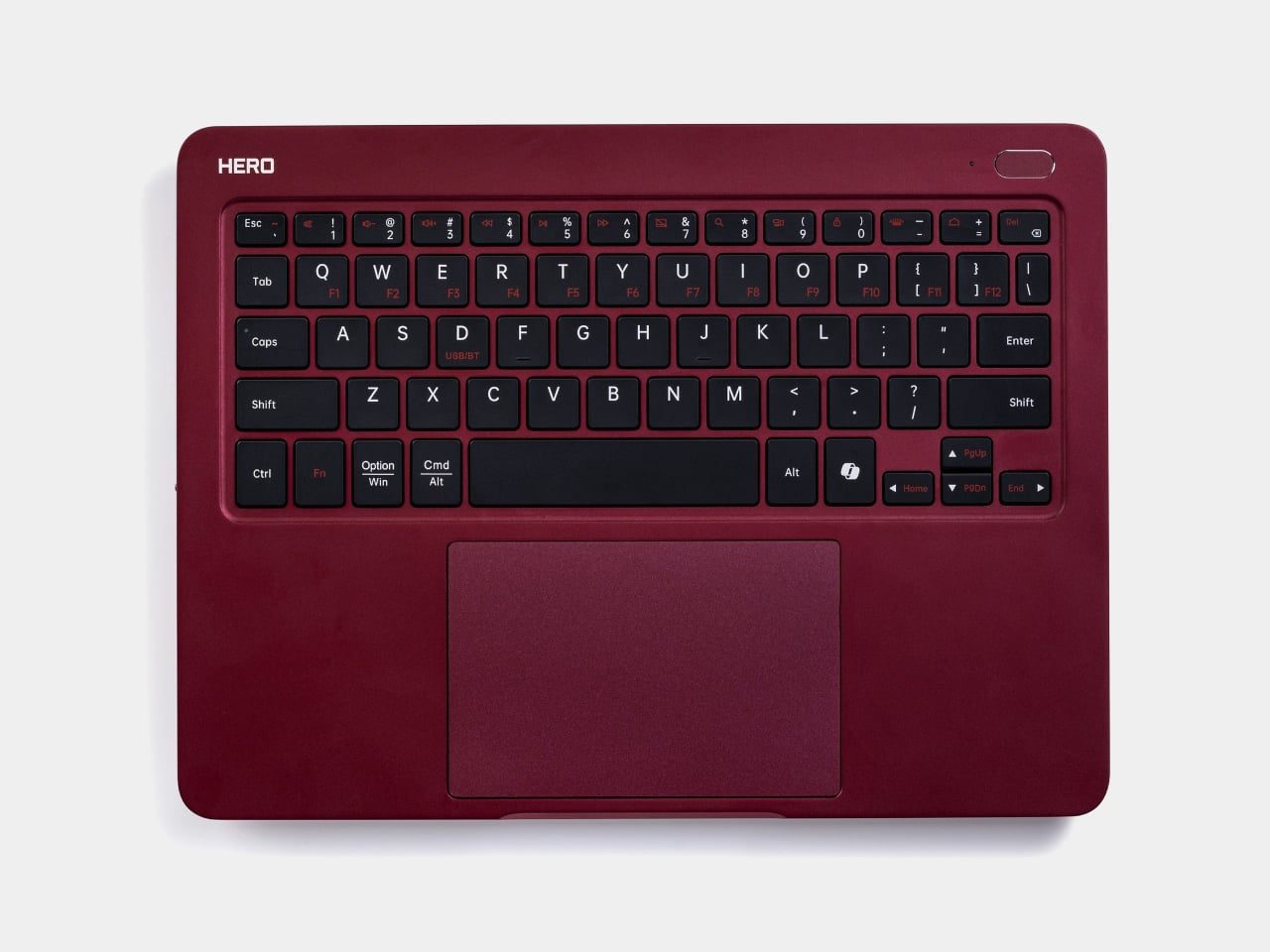
It comes in a deep wine-red finish called Midnight Merlot
🔍 Why It Caught My Eye
A laptop with no lid
Without the hinge and display, only a thin aluminum slab remains. Because the weight and thickness of the screen side are gone, it should take up far less room in a bag.
Windows running inside the keyboard
The tablet serves only as the screen. You can keep your usual tablet-app habits and reach for Windows programs only when you need them.
A simple connection
Video travels over a USB-C cable, and touch and pen input travel over Bluetooth. At a desk, a single USB-C monitor reportedly handles both the display and power.
Just a Bluetooth keyboard when the PC is off
When you do not need Windows, you can switch the PC off and use the device as a keyboard and trackpad for your tablet. I like that you do not have to pack a second keyboard.
🤔 What Gives Me Pause
A connection app that is not out yet
To use a tablet as the screen, you need a dedicated app (Hero Port), which the product page reportedly still lists as coming soon. iPhone is not a supported device either.
Weight and battery that need real use to judge
The keyboard alone weighs about 720g, so with a tablet and a charger added, it may be close to a lightweight laptop. The battery is rated at up to 9 hours, and I would want to confirm the test conditions.
A pre-release product
Price, release timing, and how to buy it in Korea are all still unconfirmed.
📋 Product Traits (Subjective Ratings)
- Design: ⭐⭐⭐⭐☆
- Portability: ⭐⭐⭐⭐☆
- Practicality: ⭐⭐⭐⭐☆
- Value for money: ⭐⭐⭐☆☆ (price unconfirmed)
🛒 Pre-Purchase Checklist
✅ Recommended for
- People who already use an iPad or an Android tablet
- People who occasionally have to run Windows-only programs
❌ Not recommended for
- People who use only an iPhone and have no tablet
- People who want to cut weight as far as possible by carrying just one device
🎯 Final Verdict
The idea felt fresh to me: keep the screen separate and carry only the computer itself. For someone who already uses a tablet, it could be a more sensible option than buying another laptop.
The connection app has not come out and the price still needs confirming, so for now I am watching and waiting. Once real-world reviews appear after launch, I would check connection latency and battery life first.
Source: Yanko Design product page
Related posts
Scyrox V12, an Ultralight Wireless Mouse with Color Showing Through a Translucent Shell
Inseparable Notebook Pen - A Pen That Magnetically Clips to Your Notebook
Jackery Explorer 100D: A 96Wh Power Station the Size of a Softball