Pulsar Lab XPAD Mini - A 3-Key Magnetic Macropad with a Built-in LCD
Keeping a small macropad next to your keyboard makes repetitive tasks so much easier, but most of them are just plain 3-key boxes, which always felt a bit lacking. The Pulsar Lab XPAD Mini caught my eye because it packs a dial and an LCD screen onto just 3 keys, and it even brings gaming-grade response speed with magnetic switches. It's a tiny thing crammed full of features.
📊 Quick Info
| Item | Details |
|---|---|
| Brand | Pulsar (Pulsar Lab XPAD Mini) |
| Price | Roughly $45-60 (retailer TBD) |
| Configuration | 3 keys + dial (knob) + 2 buttons + LCD display |
| Switches | Gravity-S01 magnetic · Rapid Trigger · Quick Tap |
| Performance | 8K polling rate · 100K scan rate · 0.1ms low latency |
| Customization | Web software for keymaps, macros, profiles, RGB, and LCD settings |
| One-line take | ⭐⭐⭐⭐☆ Small but packed magnetic macropad with an LCD |
✨ Three-Line Summary
- 👍 What draws me in: The fast response of magnetic switches (Rapid Trigger) plus the LCD, dial, and macro customization
- 👎 What gives me pause: With only 3 keys, its use case needs to be clear, and specs like 8K polling are tailored specifically for rhythm and competitive gaming
- 🎯 Who it's for: Anyone looking for a macro/shortcut pad or a secondary controller for rhythm games
📸 Product Gallery
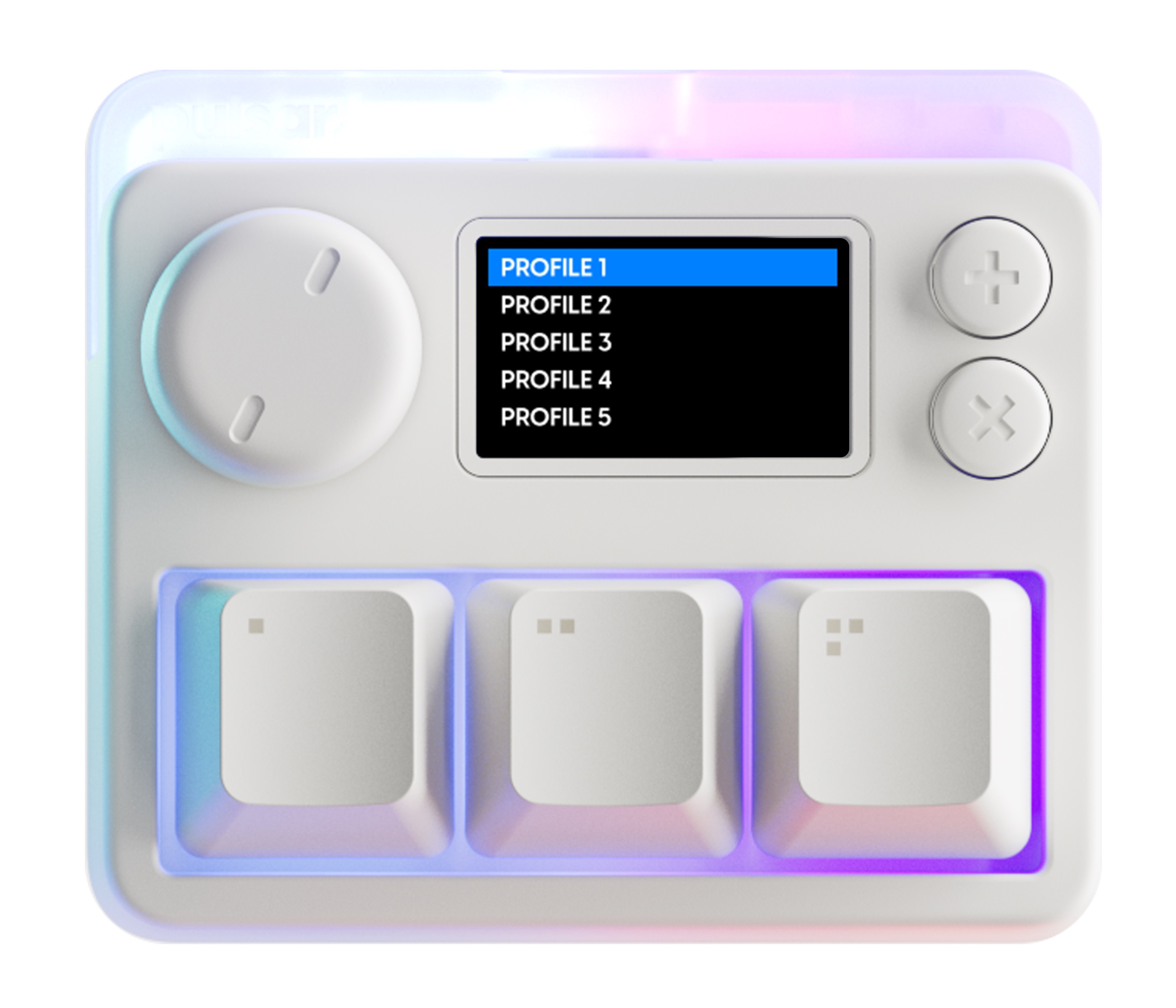
The white model. The dial, 3 keys, and 2 buttons sit alongside an LCD that displays the profile list
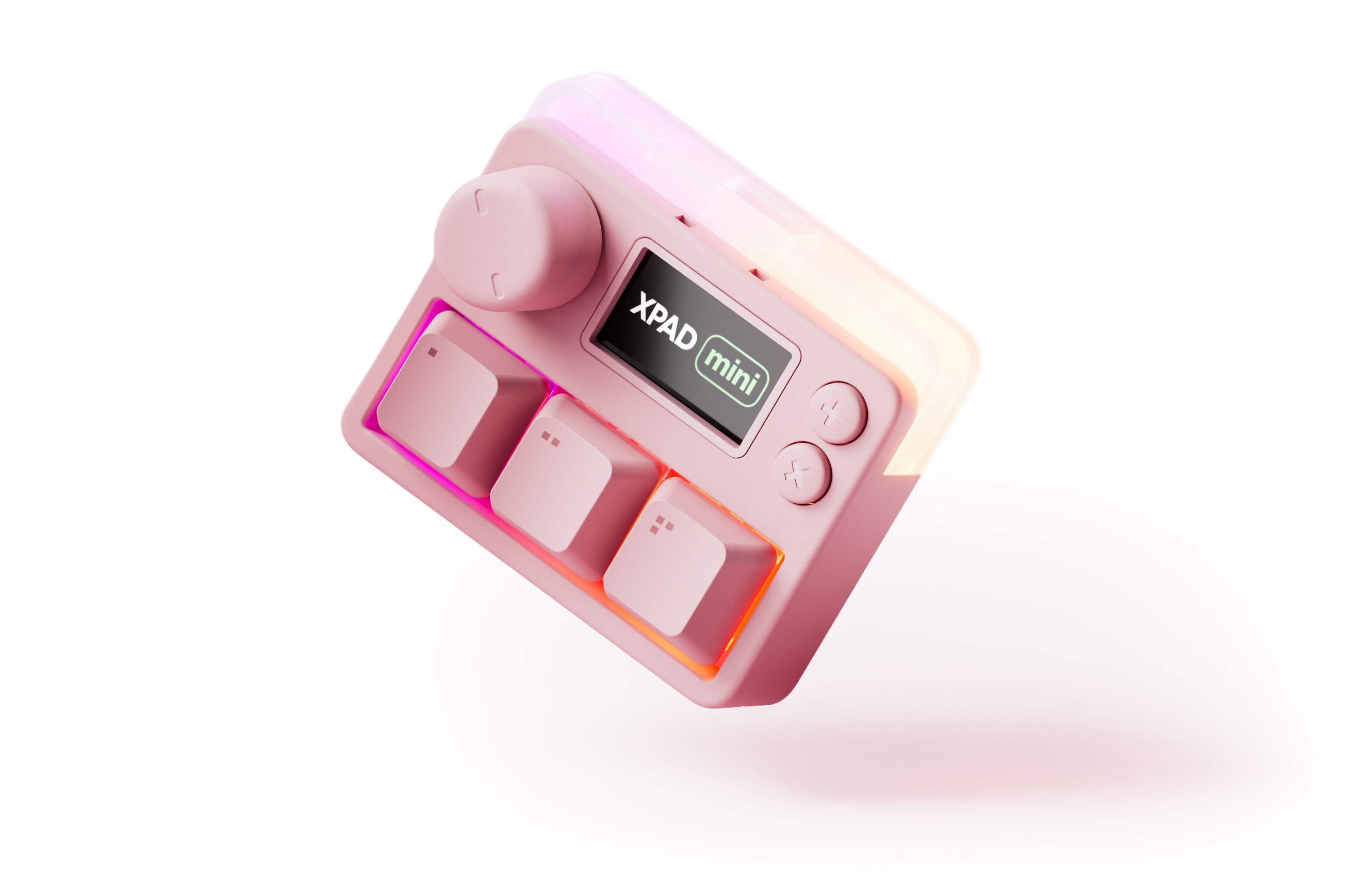
The pink version. The translucent top plate glows softly with RGB
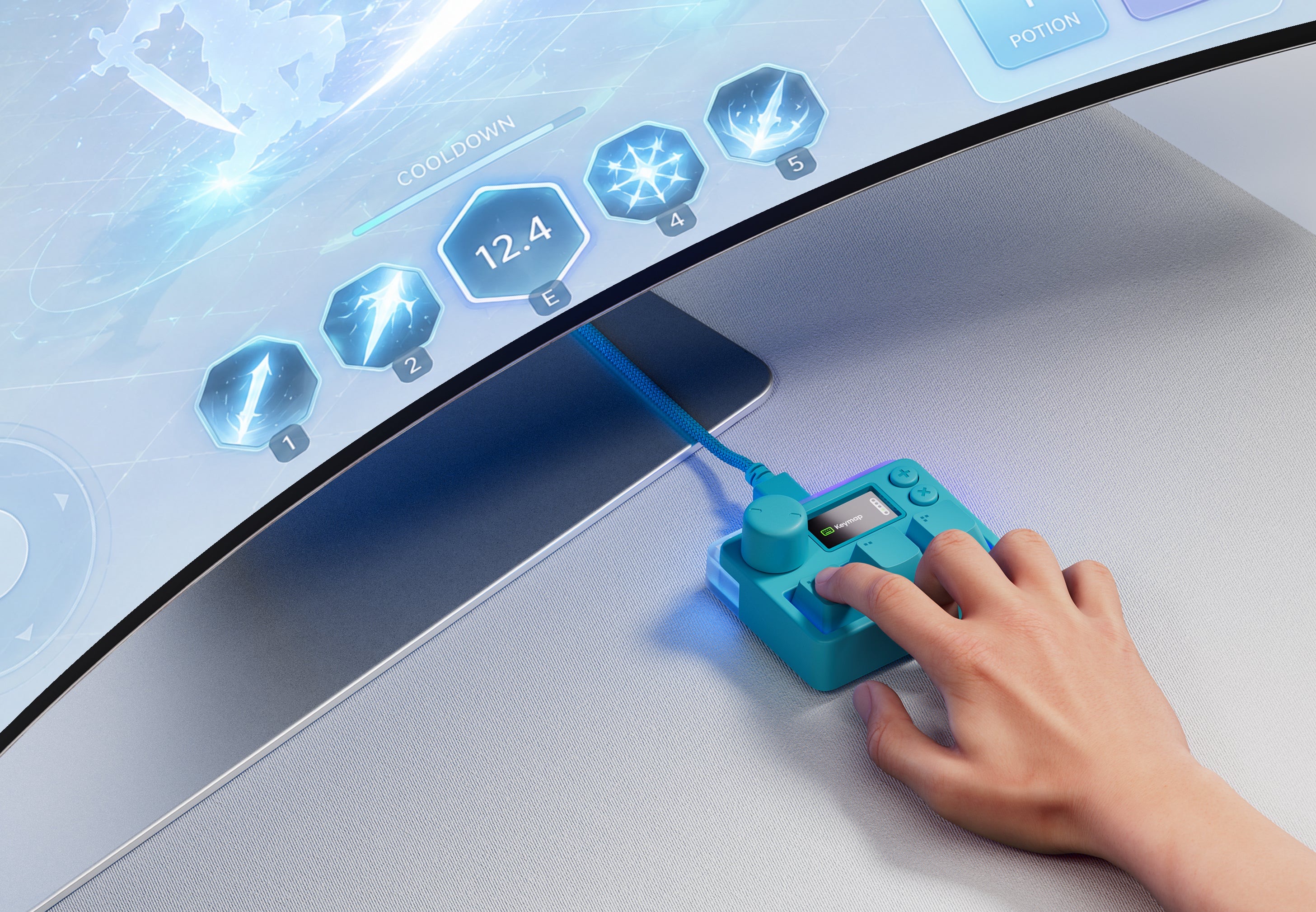
The turquoise model being used to trigger in-game skills. Low latency response is its strong suit
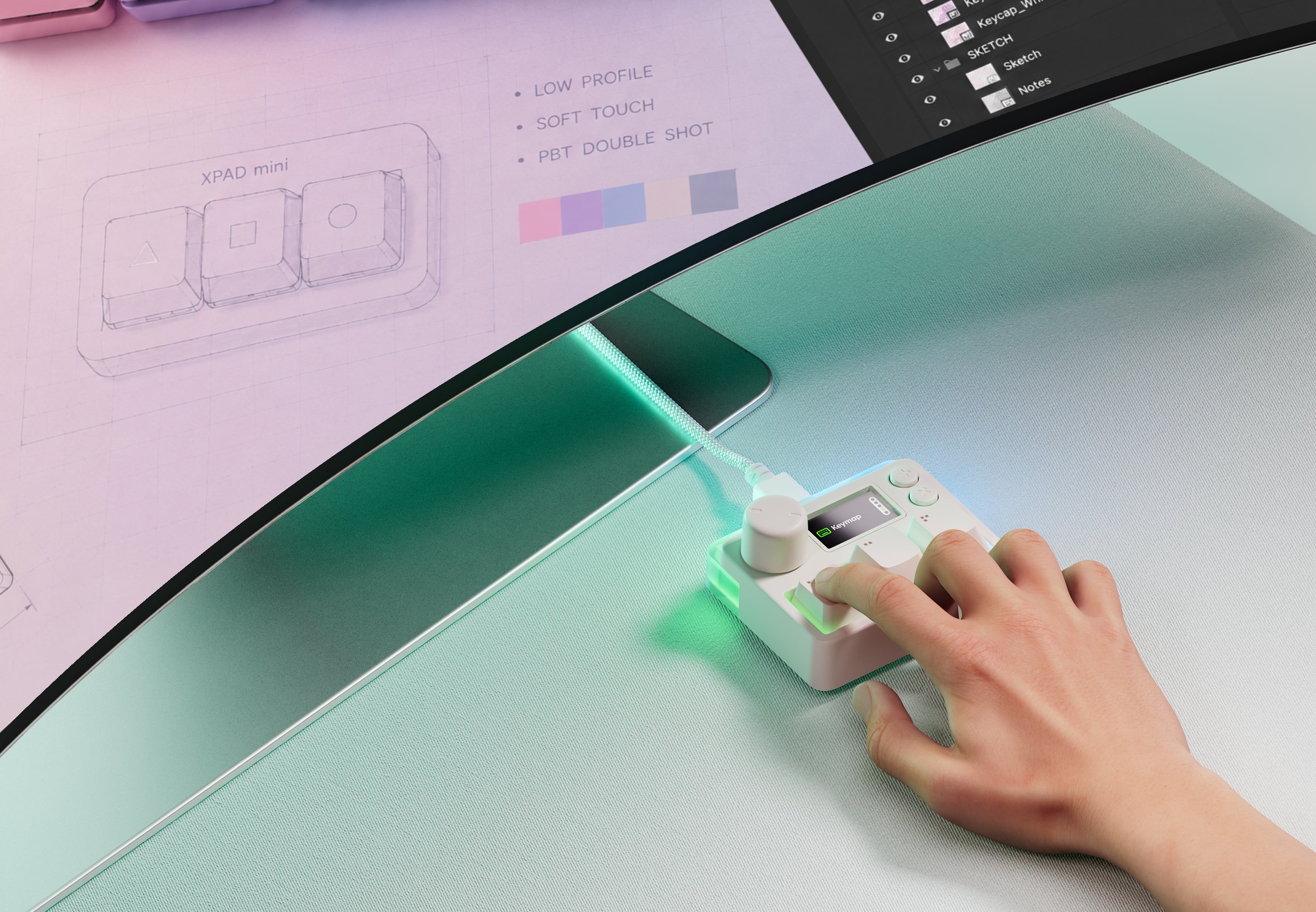
An example of using it as a shortcut/macro pad for work in Photoshop or Illustrator
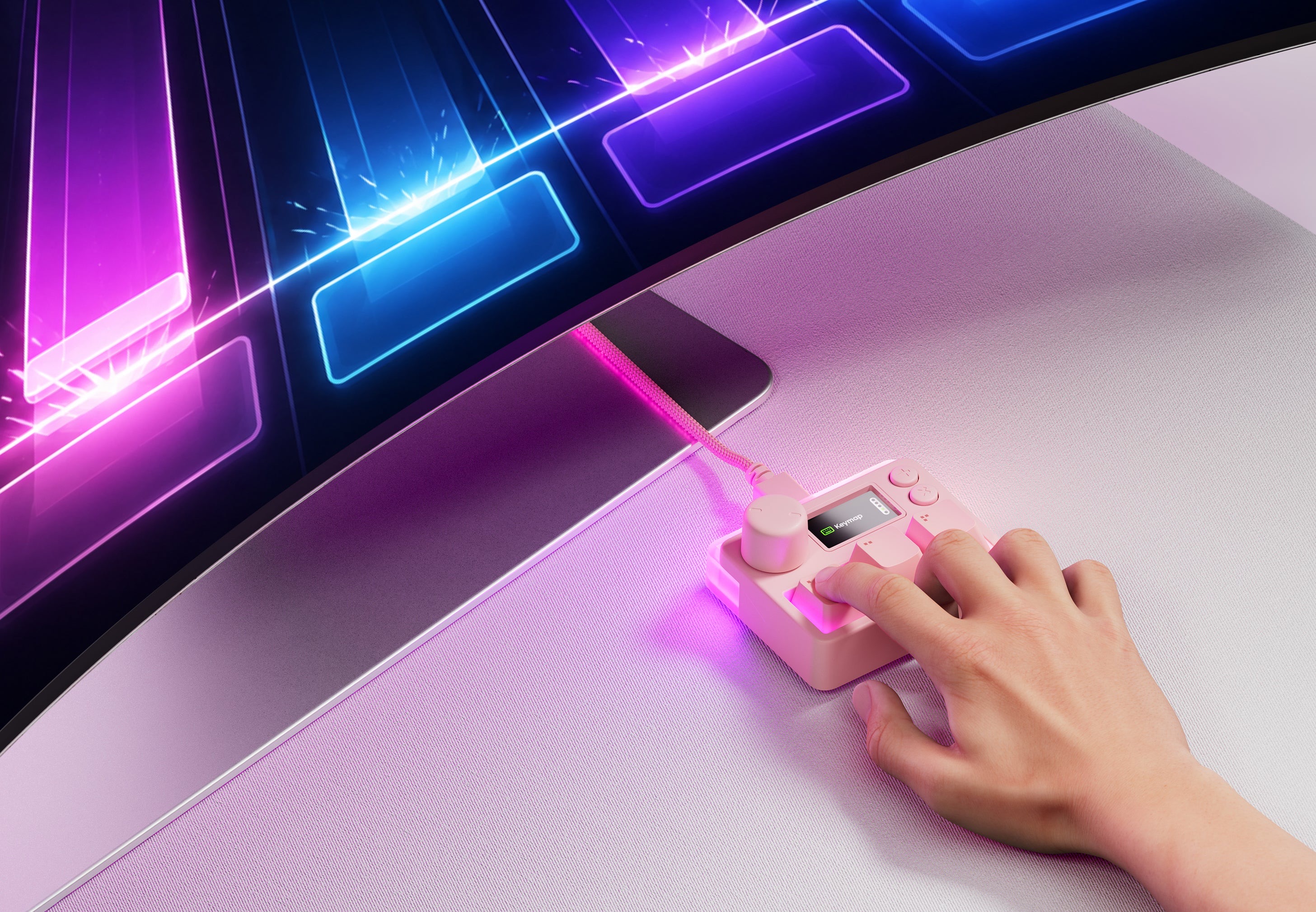
Playing a rhythm game on the pink model. The 3-key layout suits rhythm games well
🔍 Why I'm Interested
The fast response of magnetic switches
The XPAD Mini uses Pulsar's Gravity-S01 magnetic switches. They read key travel depth in 0.01mm increments using a magnetic field, letting you freely adjust the actuation point and use features like Rapid Trigger and Quick Tap. With an 8K polling rate and 0.1ms low latency, it won't miss a finger movement in rhythm games or competitive titles.
A small body that still fits an LCD and dial
Even as a 3-key macropad, it comes with an LCD screen, a dial (knob), and 2 extra buttons. The LCD can show your current profile or keymap, and you can even upload your own GIFs, images, or logos to it. The dial handles things like volume, scrolling, or brightness. It packs a lot of controls into a tiny footprint.
Per-application macro customization
You set up keymaps, macros, and profiles through web software. You can create separate profiles for programs like Photoshop, Premiere, or Illustrator, mapping frequently used shortcuts or multi-step actions to a single key. For creators with a lot of repetitive work, this turns into a real productivity tool.
RGB and colorways that add some flair
The key area and translucent top plate glow softly with 16.8 million-color RGB. There's a range of colorways too — white, pink, turquoise — so you can match it to a gaming setup or a pastel desk. It's not just functional; it also works as a desk accessory in its own right.
🤔 A Few Concerns
Only 3 keys, so the use case needs to be clear
With just 3 keys, it can't replace a general-purpose keyboard. It only earns its keep if you have a clear use case, like "dedicated to rhythm games" or "macros for one specific program." If you buy it on a vague "it'd probably be handy" impulse, it might just end up in a drawer.
How much the gaming-focused specs actually matter in practice
Specs like 8K polling, 100K scan rate, and 0.1ms latency shine in rhythm and competitive gaming. If you're only using it for macros or general productivity, you may not notice the difference these ultra-high-speed specs make. It's worth thinking about whether your use case actually needs this level of performance.
Reliance on web software
Keymaps, macros, and LCD settings are all configured through web software, and the experience with these kinds of custom tools can vary a lot depending on how polished and well-maintained they are. Since this is a newer product, it's worth checking real-world reviews to see how stable and convenient the software actually is.
📋 Product Features (Subjective Rating)
- Response speed (magnetic): ⭐⭐⭐⭐⭐
- Feature density (LCD, dial): ⭐⭐⭐⭐⭐
- Customization (macros): ⭐⭐⭐⭐☆
- Versatility: ⭐⭐⭐☆☆ (limited by having only 3 keys)
🛒 Before You Buy
✅ Recommended for
- Anyone who needs a secondary controller for rhythm games or competitive gaming
- Creators who use macro pads for repetitive tasks in Photoshop, Premiere, and similar programs
- Fans of custom keyboards and RGB desk accessories
❌ Not recommended for
- Anyone who needs a general-purpose macro pad with more keys
- Simple shortcut use cases that don't really need gaming-grade ultra-high-speed specs
- Anyone who'd rather not bother with custom software setup
🎯 Final Verdict
The Pulsar Lab XPAD Mini shows just how much can be packed into a small 3-key pad. The fast response of its magnetic switches, the LCD and dial, per-program macro customization, and even the RGB flair — it's a tiny body stuffed full of features.
That said, with only 3 keys, you need a clear use case, and it's worth considering whether gaming-focused specs like 8K polling actually matter for how you'll use it, as well as how polished the web software really is. This isn't so much an all-purpose macropad as a product that shines when it matches a "clear purpose."
Still, if you're into rhythm games or want shortcuts for a specific task right at your fingertips, this little pad could be quite useful. Since it's a domestic brand, purchasing and after-sales support should be convenient too — so as long as your use case is clear, it's worth adding to your wishlist.
Source: Pulsar Lab XPAD Mini (Official)
Related posts
Q8botOne - A $599 Desk Robot Dog You Assemble Like LEGO Technic
Garmin Enduro 4 · Approach S72 - New Watches That Last Up to 320 Hours on a Single Charge
Edifier Hecate G2000 Bar - A Gaming Soundbar That Handles Voice Chat Without a Headset