KeyFlow AI - The Smart Keyboard With a Built-in Screen That Replaces Tutorial Videos

If you've ever learned Photoshop by pausing a tutorial video, forgetting where you left off, and rewinding over and over, this keyboard is going to catch your eye. The idea is simple but clever: build a screen right into the top of the keyboard and show your AI guidance there instead.
📊 Quick Info
| Item | Details |
|---|---|
| Brand | KeyFlow AI |
| Price | TBD |
| Material/Specs | Display built into the top of the keyboard + AI assistant |
| Key Feature | Shows step-by-step guidance right on the keyboard, no screen-switching needed |
| One-line take | ⭐⭐⭐⭐☆ An idea that goes straight after the creative-tool learning workflow |
✨ 3-Line Summary
- 👍 Best thing about it: Get guidance right on the keyboard without ever leaving your work screen
- 👎 What's lacking: Brand and launch details are still early-stage, so it needs verification
- 🎯 Who it's for: Anyone self-teaching creative tools like Photoshop or Illustrator
📸 Product Look
Checking the guidance text on the keyboard's top display while it rests on their lap
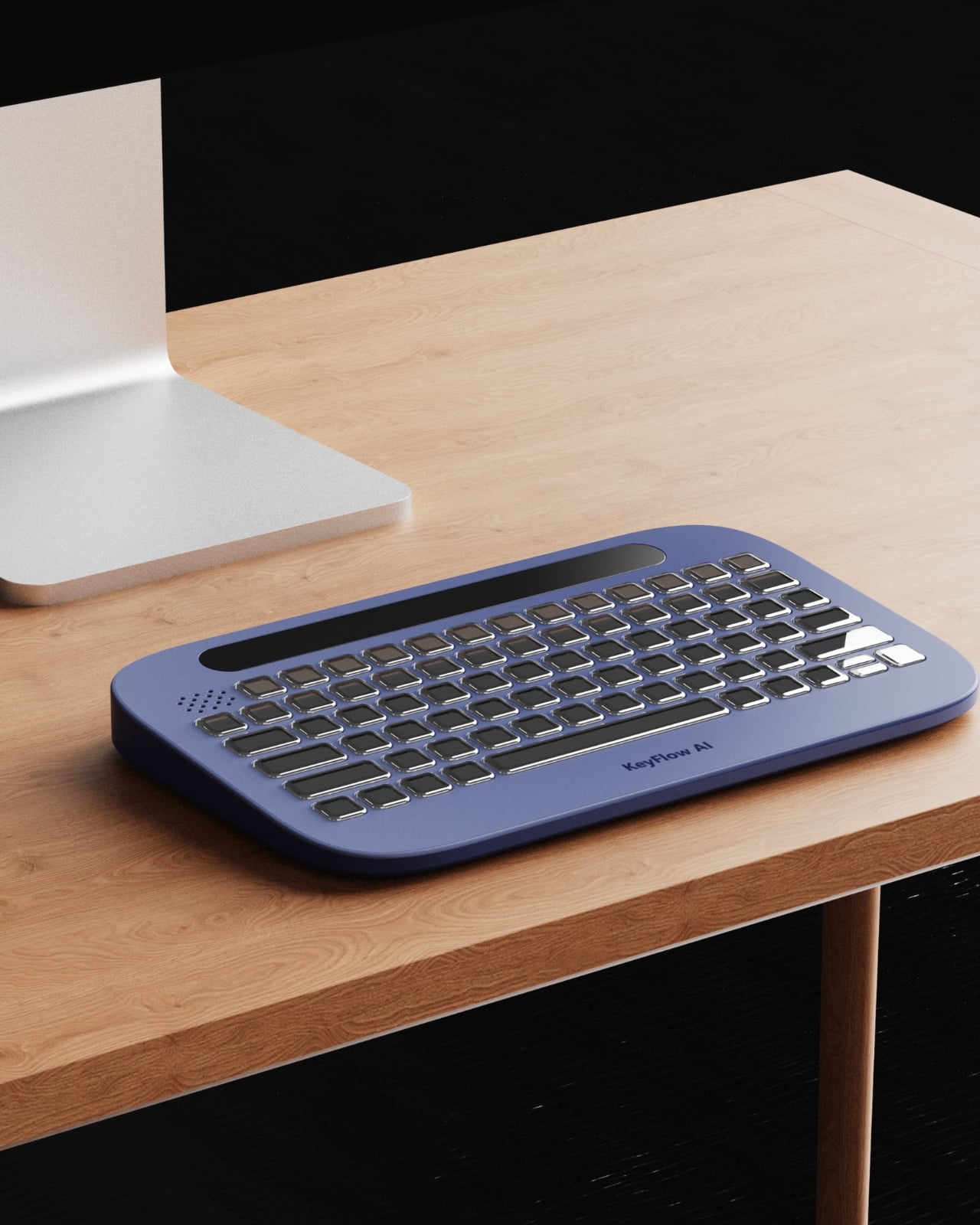
The keyboard sitting on a desk, with the "KeyFlow AI" logo visible
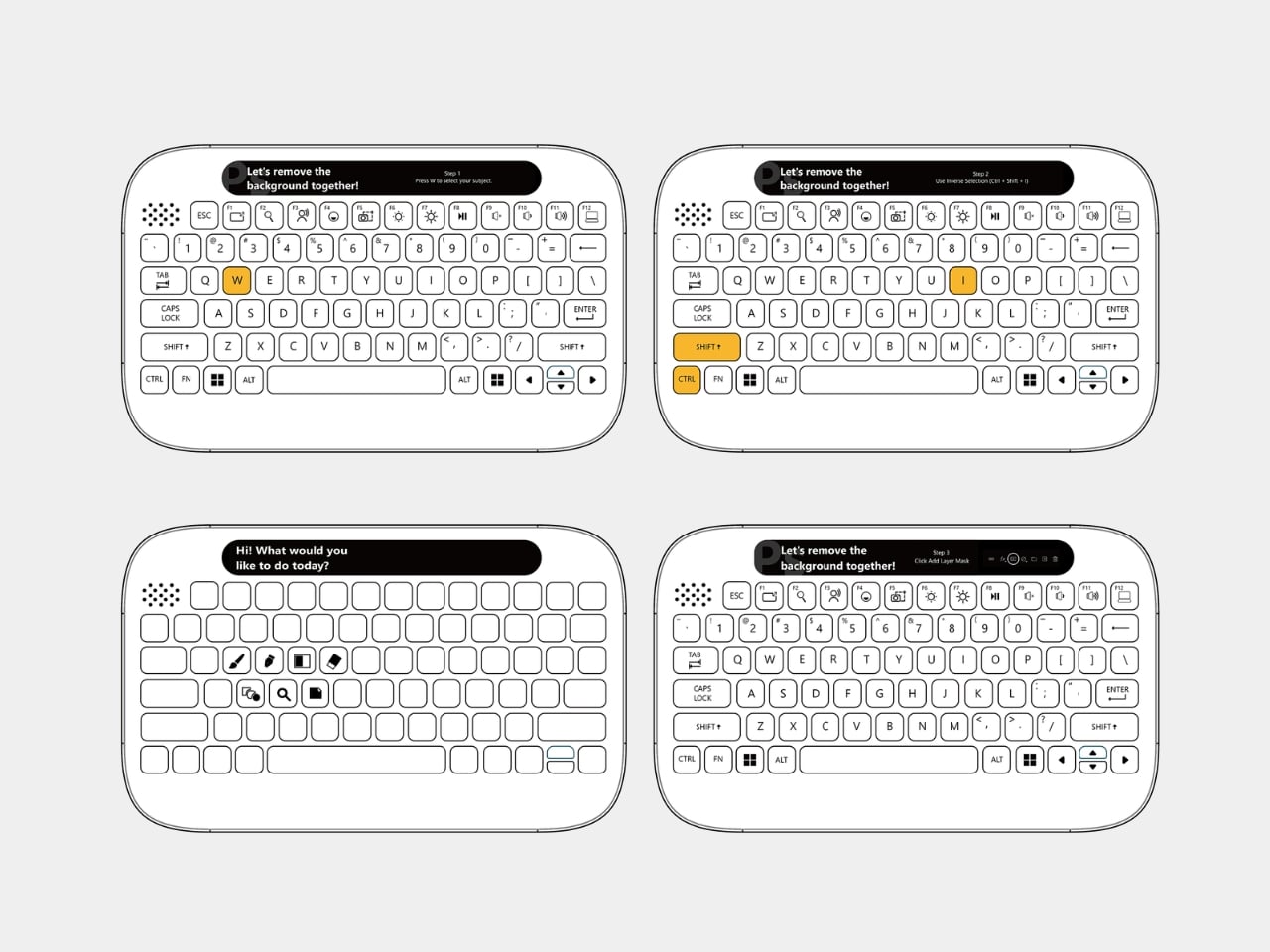
The keycap layout and the top display bar
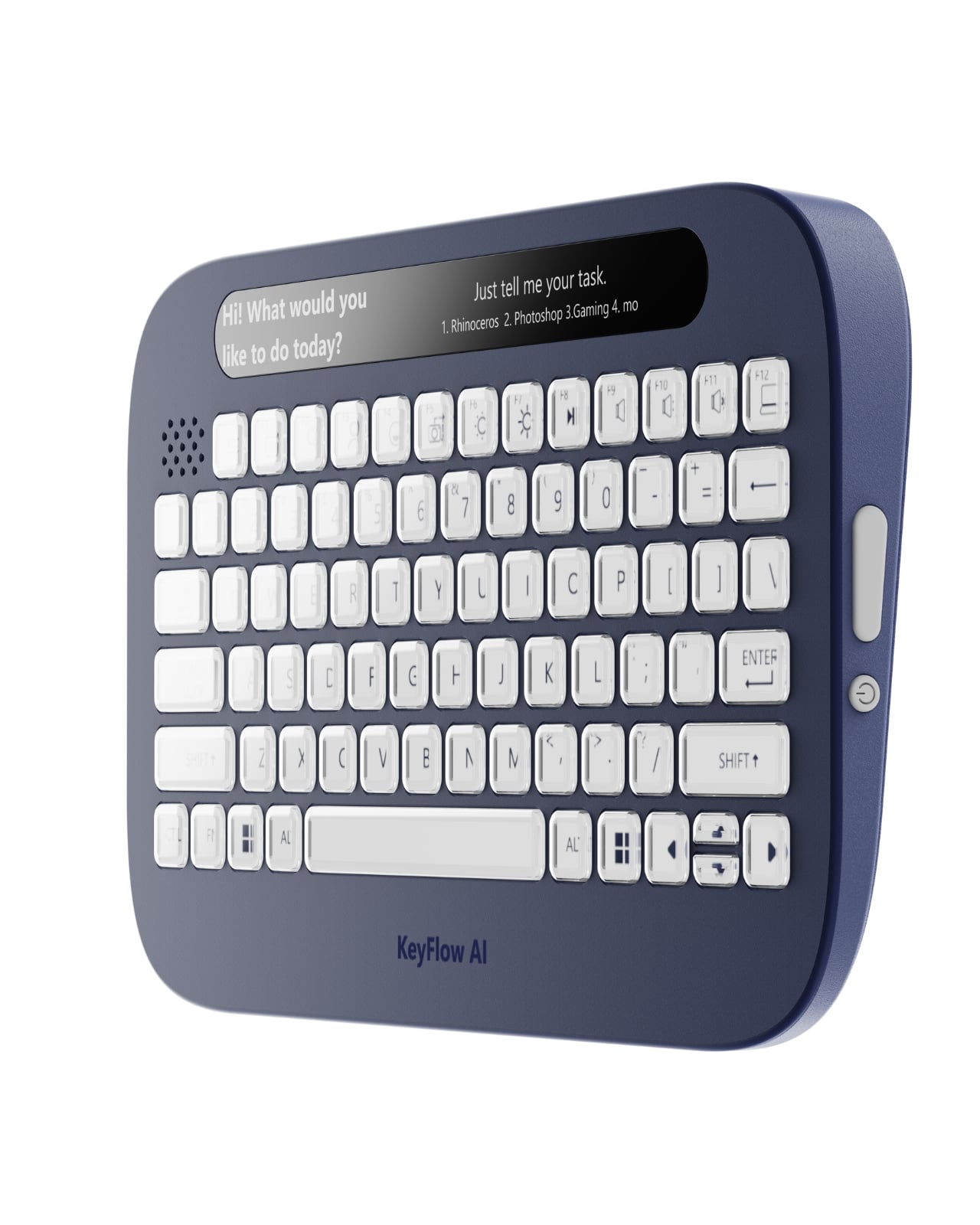
The full silhouette
🔍 Why I'm Interested
Escaping tutorial-video hell
Watch the video, switch back to the app, forget what you saw, rewind again. Anyone who's lived that cycle will instantly get why this keyboard is appealing. The key point is that your eyes never have to leave your work screen.
The clever placement choice
Putting the guidance text on the keyboard — right under your hands — instead of on the monitor feels like a genuinely smart call. A shorter eye-travel distance should mean your focus breaks less often.
A new axis for desk setups
If you're into dressing up your desk setup with lighting and organizers, this adds a whole new category: the "AI guidance panel." That's an interesting angle on its own.
🤔 Things I'm Unsure About
It might still be an early-stage product
Since brand details and an exact price aren't confirmed yet, it's worth waiting to see whether this actually makes it to mass production and shipping.
How solid is it as an everyday keyboard?
The AI guidance feature is appealing, but the basics you use every single day — typing feel, key layout — need more real-world reviews before I can judge how solid they really are.
📋 Product Features (Subjective Rating)
- Design: ⭐⭐⭐⭐☆
- Portability: ⭐⭐⭐☆☆
- Practicality: ⭐⭐⭐⭐☆
- Value for money: ⭐⭐⭐☆☆ (price unconfirmed)
🛒 Before You Buy
✅ Recommended for
- Anyone self-teaching creative tools like Photoshop or Illustrator
- Anyone who wants to add a fun new element to their desk setup
❌ Not recommended for
- Anyone who only trusts mechanical keyboards with a proven typing feel
- Anyone unwilling to take a chance on an early-stage product
🎯 Final Verdict
I like that this idea nails the exact fatigue of bouncing endlessly between a tutorial video and your work screen. Bringing the screen down to the keyboard itself is a genuinely fresh concept.
That said, it still looks like an early-stage product, so I think it's worth holding off judgment on brand credibility and actual typing feel until more follow-up reviews come in.
Source: Yanko Design product page
Related posts
Q8botOne - A $599 Desk Robot Dog You Assemble Like LEGO Technic

Garmin Enduro 4 · Approach S72 - New Watches That Last Up to 320 Hours on a Single Charge
Edifier Hecate G2000 Bar - A Gaming Soundbar That Handles Voice Chat Without a Headset