Satechi ExtendView USB4 Dual HDMI Adapter - Two Monitors from One Cable
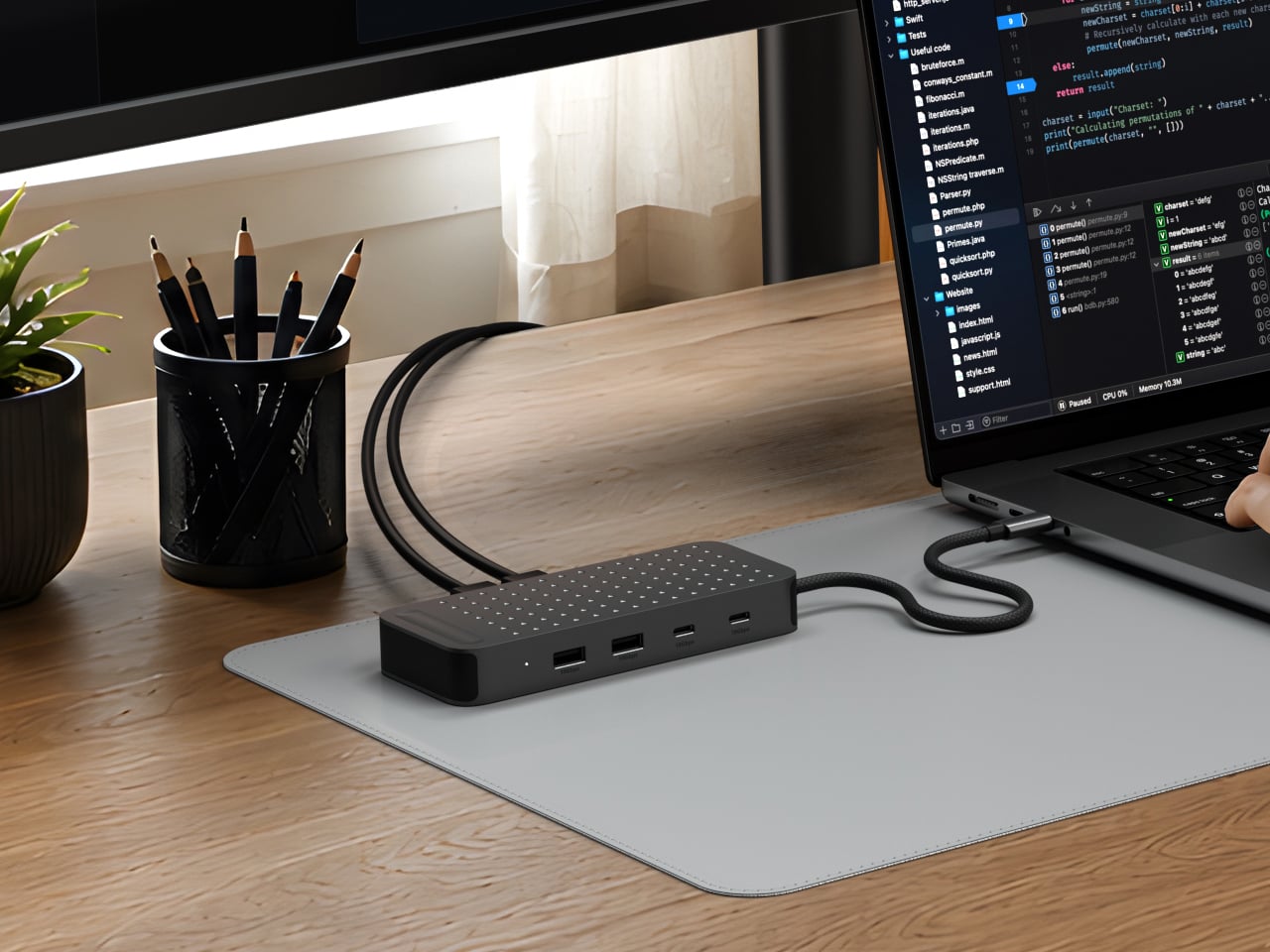
Connecting two monitors to a single MacBook has always meant wrestling with adapters, so I was happy to see Satechi solve the problem with a single hub. The dot pattern studded across the top caught my eye first, and the specs look solid too.
📊 Quick Info
| Item | Details |
|---|---|
| Brand | Satechi |
| Price | About $120 (based on overseas reports; Korean price to be confirmed) |
| Video output | 2 HDMI ports, 4K/60Hz each |
| Ports | 2 USB-A 10Gbps, 2 USB-C 10Gbps, built-in USB-C host cable |
| Power | Up to 140W pass-through charging (per reports) |
| One-line verdict | ⭐⭐⭐⭐☆ Tidies up a dual-monitor setup with one cable |
✨ 3-Line Summary
- 👍 Biggest strength: Extends to two monitors using USB4's own capabilities, with no separate driver like DisplayLink
- 👎 Downside: Base-model M1 and M2 Macs and iPads can only extend to a single external display
- 🎯 Recommended for: Anyone running dual monitors from a single MacBook who wants to cut cables to a minimum
📸 Product Tour
Plug one cable into each monitor and just one into your laptop.
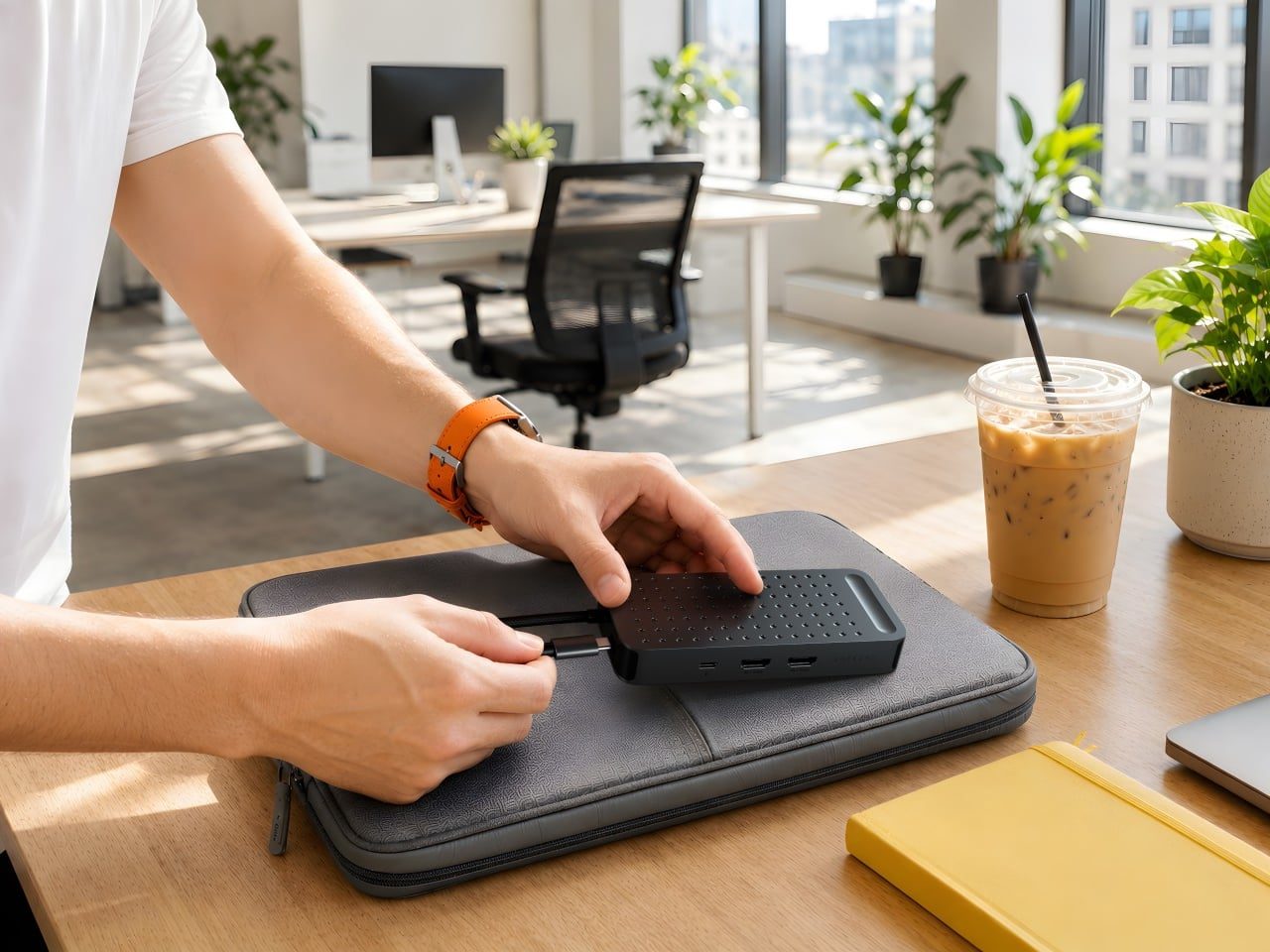
It's small enough to fit in your palm, so carrying it around looks painless.
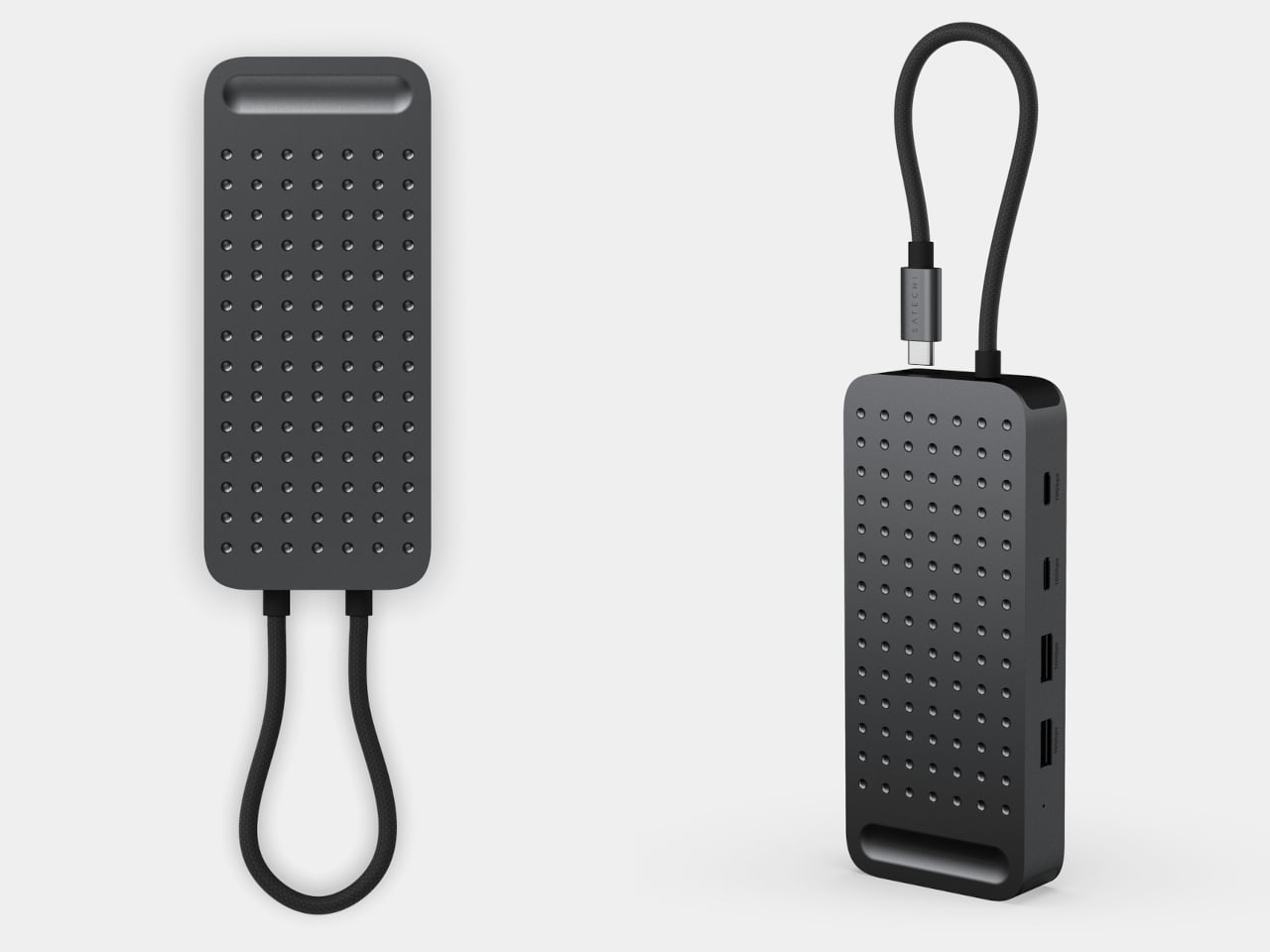
The dot pattern on top and the built-in cable give this product its character.
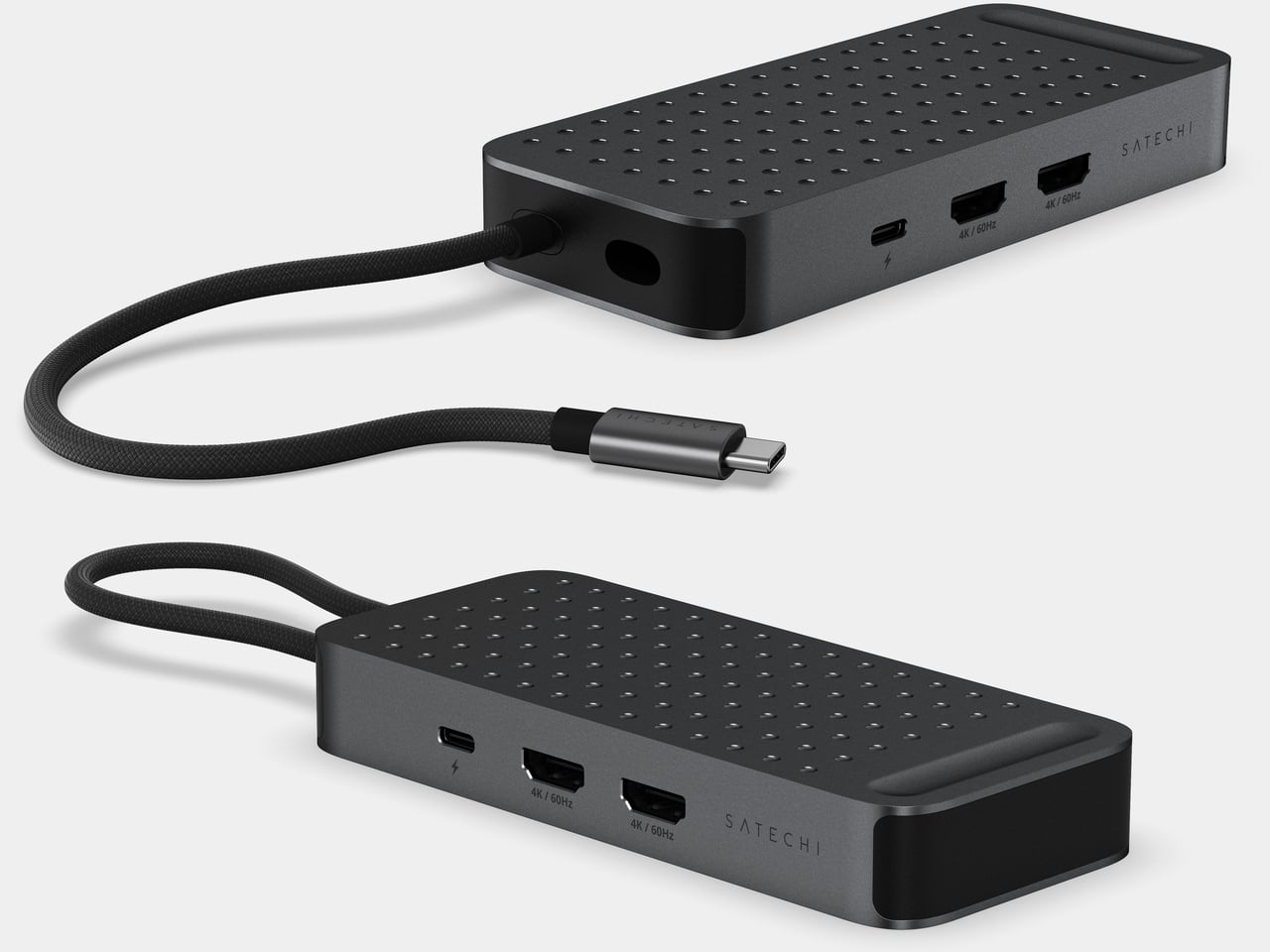
Two HDMI ports and the USB-C ports are neatly arranged on one side.
🔍 Why It Caught My Eye
Dual monitors without drivers
Expanding monitors through a hub often comes with software installs or screen lag. This one is said to use USB4's built-in display capability to extend to two monitors with no driver. Not having to install anything is what I like most.
A cable that stays attached
The host cable is attached to the body, and it looks designed so you can wrap it around the unit when not in use. One less cable to lose makes it a good fit as a portable adapter.
Satechi-style finish
From the aluminum body to the dot-pattern top and braided cable, it carries on the design language Satechi has consistently shown. I don't think it would look messy sitting on a desk.
🤔 Things to Consider
Mac model limits
Dual extension reportedly works on M3 and later Macs and most USB4 Windows devices. Base-model M1 and M2 Macs can extend to only one external monitor, so check your own device first.
Buying in Korea and the price
The overseas price is about $120. I couldn't confirm whether it's officially distributed in Korea or what it sells for there, so I've marked it "to be confirmed." Buying through a purchasing agent may cost more.
📋 Product Traits (Subjective Ratings)
- Design: ⭐⭐⭐⭐⭐
- Portability: ⭐⭐⭐⭐☆
- Practicality: ⭐⭐⭐⭐☆
- Value for money: ⭐⭐⭐☆☆ (Korean price unconfirmed)
🛒 Pre-Purchase Checklist
✅ Recommended for
- Anyone running dual monitors from a single MacBook
- Anyone who wants fewer cables on their desk
- Anyone who dislikes installing drivers
❌ Not recommended for
- Anyone using a base-model M1 or M2 Mac
- Anyone who uses only one monitor (a cheaper hub will do just fine)
🎯 Final Verdict
If your desk needs dual monitors, consolidating everything into one cable looks decidedly more convenient. No driver requirement and Satechi's signature finish are the reasons to pick this one.
Please check the Mac model requirements and the Korean price yourself. I haven't used it yet, so I've only covered the published specs.
Source: Yanko Design product page
Related posts
AULA Neos 75 - An Aluminum Low-Profile Keyboard with an Audio Deck Attached
Turtle Beach Stealth Flip - A PC Controller Whose Thumbstick Flips into a Touchpad
Kord and Bark Cuboid+ Wooden Case, a Power Strip Worth Leaving on Your Desk